




The world of aviation training has changed. Today, mastering the skies begins on the ground with advanced virtual practice. This technology is now essential for developing sharp, competent pilots.
Enter a cutting-edge platform designed for professional skill development. It transforms how aviators prepare for real-world challenges. You get a safe space to push limits and hone your craft without risk.
This solution stands out with its enterprise-grade features and incredibly realistic flight experiences. It is the tool serious pilots and training managers have been waiting for. Organizations can now enhance their programs safely and efficiently.
The platform closes the gap between classroom theory and actual flight operations. It is built on in-house development and meets strict quality certifications. This ensures you train with a reliable and credible system.
Key Takeaways
- Modern aviation relies heavily on virtual simulation for effective training.
- Virtual practice environments allow for safe and efficient skill development.
- The platform offers enterprise-grade features for a professional experience.
- It effectively bridges the gap between theoretical knowledge and real-world flight operations.
- The technology is backed by dedicated in-house development and recognized quality certifications.
- It is an essential tool for both individual pilots and large training organizations.
- This approach significantly enhances pilot competency while maintaining the highest safety standards.
Introduction to the SRIZFLY SESP-U1 Simulator
The future of professional UAV training is built on measurable, risk-free practice. This enterprise-grade platform is designed to accelerate skill development for pilots and operators. It creates a safe space to master flight operations without endangering expensive aircraft or payloads.
Built entirely in-house, the system ensures full ownership of core technologies. This approach guarantees reliable updates and consistent performance across entire training teams. It also earned ISO and CMMI Level 3 certifications, validating rigorous quality controls that lower operational risk for any program.
The focus is on delivering clear, measurable outcomes. Organizations report significantly reduced training time. Pilots learn repeatable procedures that transfer directly to real flying experience from their first day.
Key design principles meet modern pilot needs. They include scalable mission scenarios, precise input handling, and incredibly realistic physics. Studies show that incorporating such simulation into curricula leads to faster skill acquisition. A large majority of programs note major improvements in pilot proficiency.
How to Download and Activate Your Simulator
Starting your journey with advanced flight simulation is a simple, two-step process. This guide makes it easy to get the information you need and begin training right away.
Free Trial Version Setup
Want to test the platform first? The free trial lets you explore without commitment. Simply fill out a short download form on the website.
Once downloaded, install the software directly. No activation code is required for the trial version. You can start practicing immediately.
This trial period is perfect for:
- Evaluating the training capabilities.
- Testing your controller’s compatibility.
- Assessing if it meets your specific needs before purchasing.
It’s the best way to get product information and see the value firsthand.
Full Version Activation Process
Ready for the complete experience? Purchase a full-featured plan on the website. The process is secure and straightforward.
After your order is complete, the download link for the software appears. You will find it on your order confirmation page and in an email notification.
That same email will contain your unique activation code. Install the application, then enter this code when prompted.
This action unlocks the full version for your license duration. It removes all barriers, letting you focus entirely on skill development.
Enterprise-Grade Training and Safety Advantages
The core value of advanced simulation lies in its dual ability to accelerate learning and eliminate physical risk. For any professional enterprise, these benefits translate directly into a stronger, safer operation.
Reduced Training Time and Operational Efficiency
Structured simulation training dramatically compresses the learning curve. Organizations consistently report cutting pilot onboarding periods by 50% or more.
This happens because scenarios can branch and adapt. Each pilot advances at their own pace, focusing training hours precisely where they are needed. This method eliminates wasted time on skills already mastered.
The result is a direct improvement in training efficiency. It reduces annual retraining cycles and lowers the direct costs of live flight exercises.
Risk-Free Environment for Skill Enhancement
Every practice session occurs in a completely safe virtual space. This eliminates all risks to expensive equipment and personnel.
Operators can master complex emergency procedures and high-risk maneuvers without real-world consequences. They build deep confidence through repetition in a controlled setting.
The system also allows training in challenging conditions that would ground real aircraft. Pilots can safely experience poor visibility, night flying, and gusty winds. This prepares teams for any real-world scenarios they might face.
Realistic Physics and Flight Simulation Accuracy
Authentic skill transfer from virtual practice to real flight hinges on one critical factor: physics accuracy. A platform must replicate the true feel of an aircraft to build reliable muscle memory and confidence.
Advanced Physics Engine & Real-World Modeling
The core physics engine calculates weight, inertia, and aerodynamics with scientific precision. This creates handling that matches real aircraft behavior.
Operators can fine-tune critical control parameters. Adjusting throttle curves, yaw authority, and camera angles tailors the experience to specific airframes.
Predictable responses are key. They allow pilots to develop instincts that directly transfer to actual flight operations and decision-making.
Adaptive Flight Modes for Diverse Missions
The training environment supports multiple flight modes. This flexibility is essential for different piloting styles and operational goals.
Teams can practice agile acro modes for freestyle or racing. They can also use stabilized modes for precise inspection or mapping missions.
This adaptability makes one system suitable for various drone applications. It prepares pilots for any mission profile they might encounter.
Controller Support and Input Fidelity
Controller precision forms the critical link between a pilot’s intent and the aircraft’s response. This fidelity bridges the gap between simulated exercises and actual field operations.
Every subtle stick movement must produce an accurate reaction. High-resolution polling technology makes this possible. It captures input data at an extremely fast rate.
High-Resolution Polling Benefits
This advanced polling ensures there is no lag or dead zone in the control response. Pilots develop reliable muscle memory because the virtual aircraft behaves predictably.
Consistent input handling matters for building transferable skills. It prevents the delayed throttle response that can undermine training on other platforms.
Calibration Tips and Compatibility Options
The system offers broad compatibility. It works with DJI remotes, standard gamepads, and FPV radios. This allows organizations to standardize training across mixed fleets.
Regular calibration maintains optimal performance. Follow these simple tips:
- Always recalibrate after any firmware update.
- Use the built-in diagnostics to check for center drift.
- Verify stick linearity and throttle response before each lesson.
Locked instructor profiles ensure every trainee gets the same consistent support and response across all stations.
| Controller Type | Primary Use Case | Key Advantage |
|---|---|---|
| DJI Remote | Photography & Mapping | Native stick feel |
| FPV Radio | Racing & Agility | High-precision gimbals |
| Standard Gamepad | Accessible Training | Wide availability |
Customizable Training Modules and Mission Scenarios
Customizable training modules allow pilots to rehearse specific mission scenarios they’ll face on the job. This approach ensures practice time directly mirrors real-world workflows.
It accelerates the transition from classroom learning to field operations. Teams build confidence by mastering procedures in a virtual space first.
Deep Mission Libraries and Scenario Grading
The platform offers extensive mission libraries covering critical industries. These include power line inspection, emergency response, and agricultural operations.
Power modules simulate line patrols and substation approaches. They teach safe standoff distances in obstacle-rich corridors.
Realistic emergency situations let teams rehearse search patterns. They practice airspace coordination and communication workflows.
Agriculture mission sets cover field mapping and variable-rate application passes. Surveying modules stress waypoint accuracy and sensor configuration.
Each module maps to clear, measurable objectives. Instructor grading tracks compliance and quantifies crew readiness before deployment.
Tailored Training Paths for Specific Industries
Training paths are tailored for specific professional sectors. This ensures practice aligns with actual data capture needs.
Aerial photography modes develop framing and orbital shot techniques. They ensure repeatable, professional results for cinematic tasks.
Refinery inspection scenarios focus on tight passages and perimeter safety. Every scenario is designed to build transferable skills.
| Industry Sector | Sample Mission Scenario | Key Training Focus |
|---|---|---|
| Power Line Inspection | Substation approach & obstacle navigation | Sensor alignment & safe standoff |
| Emergency Response | Search pattern & overwatch positioning | Thermal imaging & comms workflow |
| Agriculture & Surveying | Field mapping pass | Waypoint accuracy & overlap control |
| Aerial Photography | Cinematic orbital shot | Framing techniques & smooth control |
This structured approach turns virtual practice into field competency. Pilots enter real operations fully prepared for their specific industry challenges.
Integrating the Simulator with Existing Training Programs
A training platform’s real-world impact is measured by how seamlessly it fits into established organizational workflows. The true value of educational technology lies in its connection with established systems.
This platform delivers comprehensive integration capabilities. It fits smoothly into current operations without disruption.
LMS Integration and Reporting Tools
The system connects directly with popular Learning Management Systems (LMS). This automates attendance tracking and progress measurement.
Export features send performance reports into institutional record-keeping. Managers get objective data like error rates and completion times.
This analytics support quantifies team readiness. It meets strict compliance and certification requirements.
Centralized profile management is a key feature. Instructors distribute controller settings and lesson modules from one location.
It guarantees identical starting conditions for every trainee. This is vital for multi-station enterprise programs.
Deployment playbooks help launch these programs quickly. Version control allows staged rollouts without disrupting active courses.
The solution includes lightweight, offline-ready options. These work in remote field locations with limited internet.
It ensures training continuity regardless of location. The platform scales with program growth while maintaining quality.
| Integration Feature | Primary Benefit | Typical Organizational Use |
|---|---|---|
| LMS Connectivity | Automated progress tracking | Institutional compliance reporting |
| Centralized Profile Management | Consistent training settings | Multi-station program deployment |
| Offline-Ready Operation | Training continuity in remote areas | Field exercises without internet |
| Version Control Support | Staged feature rollouts | Updating active courses safely |
This isn’t just simulation software. It’s a complete training solution designed for institutional education. It addresses the complex needs of modern enterprise programs.
System Requirements and Deployment Strategies
Planning your virtual training environment requires careful consideration of both hardware and network infrastructure. Getting the technical foundation right ensures smooth, effective sessions for all users.
This guide outlines what you need to run the platform well. It also explains how to set up multiple stations for team training.
Hardware Recommendations for Optimal Performance
For the best experience, use modern Windows workstations. These systems should have mid-to-high-range components.
We recommend a CPU with six or more cores. Pair this with a dedicated GPU sporting 6+ GB of VRAM.
Having 16+ GB of RAM is ideal. NVMe SSD storage handles complex training scenarios quickly.
Budget-conscious programs have options too. Minimum configurations work for basic lessons.
A capable quad-core processor is enough. A discrete GPU with 2-4 GB VRAM and 8-16 GB RAM will suffice.
Deployment Options for Multi-Station Training
Network setup enables powerful team exercises. It allows for multiplayer scenarios and remote control binding.
Version control features support staged rollouts. IT teams can validate updates without disrupting active classes.
Central distribution of controller profiles is key. It ensures every student has the same consistent training environment.
| Deployment Type | Primary Use | Key Features |
|---|---|---|
| Lab/Instructor Station | Classroom Training | Central control, live demonstration |
| Student Device Application | Individual Practice | Flexible scheduling, self-paced learning |
| Field Installation | Remote Locations | Offline-ready, portable operation |
Choose the setup that matches your organization’s specific needs. Each option helps build pilot skills efficiently.
Software Updates and In-House R&D Excellence
Full control over core technology allows for agile updates and feature enhancements that users truly need. This internal ownership is the engine for consistent improvement.
It removes the delays common with licensed third-party components. The engineering team can act directly on feedback from pilots and program managers.
Continuous Improvement and Rapid Feature Delivery
New software features are shaped by real operational needs. This direct line to the user ensures every update adds practical value.
There are no external vendor bottlenecks or licensing disputes. The development roadmap evolves quickly alongside industry demands.

Rigorous quality assurance testing happens across many hardware setups. This guarantees stable performance for all training sites.
The platform holds ISO and CMMI Level 3 certifications. These prove a disciplined process for quality, security, and environmental controls.
For enterprise buyers, these certifications are vital checkpoints. They provide assurance for data governance and long-term support commitments.
Predictable update cycles minimize system downtime. This saves valuable training time and maintains program momentum.
| Development Aspect | In-House Approach | Benefit to User |
|---|---|---|
| Feature Delivery Speed | Direct engineering response | Faster access to needed tools |
| Quality Assurance | Multi-configuration testing | Consistent, reliable performance |
| Security Governance | Designed from day one | Meets strict government requirements |
| Long-term Support | Full technology ownership | No vendor lock-in or abandonment risk |
Security and data protocols are built into the foundation. This design-first philosophy meets the stringent needs of public sector and institutional partners.
It fosters a relationship as a long-term innovation partner, not just a vendor.
Pricing, Licensing, and the 10-Day Free Trial
Evaluating a new training tool requires clear information on cost and commitment. This section breaks down the flexible plans and no-risk evaluation window available.
Flexible Licensing Options and Cost Efficiency
Teams only pay for the seats and features they need. Choose from single-seat, classroom, or enterprise plans.
This matches your program’s size and scope perfectly. Transparent pricing with a clear price tag per tier makes budget planning straightforward.
The 10-day free trial is a key feature. It gives instructors a low-risk window to validate the platform.
Pilots can test scenarios and controller fidelity in their own environment. This trial period is vital for getting the right information.
Educational discounts and multi-year terms support growing programs. Onboarding help during the trial speeds up configuration.
It ensures you can properly evaluate the system’s capabilities. This meets your specific requirements before any purchase.
| License Plan | Best For | Core Features | Note |
|---|---|---|---|
| Single-Seat | Individual Trainees | Full scenario access | Ideal for solo practice |
| Classroom | Training Centers & Schools | Multi-station management | Includes educational discount |
| Enterprise | Large Operations & Fleets | Centralized reporting, API | Custom multi-year terms |
This structure helps you select the right plan for your training products. It provides all the information needed for a confident decision.
Comparing SRIZFLY SESP-U1 with Other Drone Simulators
The market offers several drone simulators, each with distinct strengths and trade-offs. A clear comparison helps you find the best fit for your training goals.
Competitive Advantages and Market Positioning
Platforms like the DJI Flight Simulator provide excellent native controller integration for Windows. This is great for dedicated classroom setups.
However, it can limit teams using mixed hardware. Zephyr focuses on FAA-oriented curricula and high-resolution panel support.
It suits structured compliance workflows. Mobile FPV sandbox sims offer portable access to acro and stabilized modes.
User reviews often note frustrating controller dead zones and throttle latency. The SRIZFLY SESP-U1 blends deep mission libraries with FPV-grade responsiveness.
It adds comprehensive instructor tools for grading and progress tracking.
Assessment of Controller and Simulation Fidelity
True skill transfer depends on precise controller input and realistic physics. This is where many solutions fall short.
Latency and dead zones undermine muscle memory development. The platform excels here with high-fidelity input handling.
Its physics engine ensures authentic aircraft behavior. Scenario relevance is another critical differentiator.
Generic practice areas lack real-world context. This solution provides industry-specific mission scenarios that mirror actual field operations.
| Platform | Primary Strengths | Limitations | Ideal Use Case |
|---|---|---|---|
| DJI Flight Simulator | Native DJI controller integration, enterprise training | Windows-only, less flexible for mixed fleets | Dedicated DJI classroom programs |
| Zephyr | FAA curricula, 4K panel support, audit-ready tracks | Less focus on FPV tuning and agility modes | High-resolution instruction for panel users |
| Mobile FPV Sandbox Sims | Portable access, adjustable flight modes | Common controller latency and dead zones | Casual practice and freestyle skill building |
| SRIZFLY SESP-U1 | Mission depth, high controller fidelity, instructor tools | Requires capable PC hardware | Professional education and enterprise skill certification |
Enhancing Pilot Skills Through Simulation Training
Measurable skill development hinges on a simulator’s ability to replicate not just visuals, but the precise physics of flight. When virtual handling matches the real airframe, pilots gain predictable control and faster progression.
This creates transferable muscle memory and sharp decision-making patterns. The result is a direct boost in competency and confidence for real-world missions.
Skill Certification and Improved Readiness
Support for both acro and stabilized flight training modes is crucial. Operators can prepare for FPV agility or GPS-assisted tasks on one platform.
Fine-tuning weight, angular drag, and camera angle mirrors a specific fleet’s feel. The physics engine captures inertia and aerodynamic damping for field-transferable control.
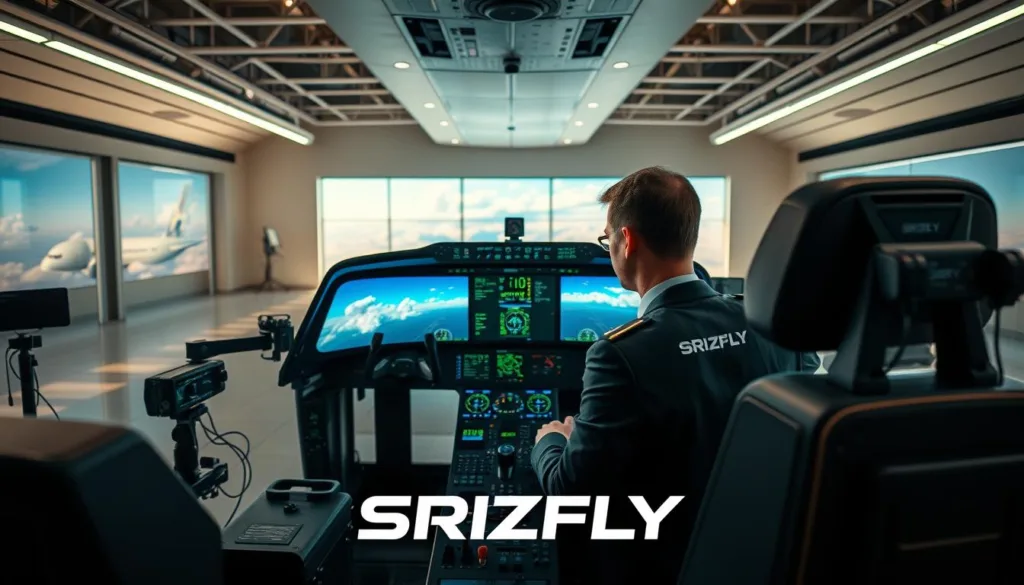
Consistent frame pacing and immediate feedback preserve this crucial muscle memory. Pilots smoothly progress from basic stability holds to complex acro maneuvers.
This realism builds deep confidence, reducing hesitation during actual operations. Training programs leverage built-in grading tools to document operator readiness.
They can issue credentials based on objective performance data. This formal certification pathway validates skills and ensures team preparedness.
- Physics accuracy creates genuine, transferable competence.
- Diverse mode support covers all piloting styles and mission profiles.
- Performance analytics provide data for objective skill assessment and certification.
SRIZFLY SESP-U1 Simulator: Key Features and User Benefits
The true measure of a training platform lies in its tangible impact on pilot performance and operational metrics. This solution delivers through a powerful combination of deep features and proven results.
Extensive Mission Libraries and Customization
Operators access vast mission libraries for industry-specific practice. These include power line inspection, agricultural mapping, and emergency response scenarios.
Each scenario offers adjustable difficulty and branching paths. Instructors tailor exercises to individual skill levels for relevant training.
Measurable Training Efficiency and Safety Gains
Organizations report dramatic improvements after implementation. The system helps improve training efficiency through repeatable, standardized drills.
Data shows a 50% faster skill acquisition time. Teams also see a 60% reduction in retraining cycles.
Onboarding costs drop by 40%, while operational readiness jumps significantly. This creates a safer, more competent pilot corps.
The user experience is intuitive with realistic control responses. Engaging mission designs maintain motivation throughout learning.
| Training Metric | Before Implementation | After Implementation |
|---|---|---|
| Skill Acquisition Time | 100% (Baseline) | 50% Faster |
| Retraining Cycles | High Frequency | 60% Reduction |
| Onboarding Cost | 100% (Baseline) | 40% Lower |
| Operational Readiness | 70% | 90% |
This isn’t just software; it’s a complete training ecosystem. It turns virtual practice into field competency for any mission.
Conclusion
Investing in advanced drone simulator technology pays dividends through enhanced operational readiness. This platform combines realistic flight physics with extensive mission libraries to build critical skills.
It delivers measurable benefits like reduced training time and lower costs. Teams achieve greater safety and improved pilot readiness for real-world missions, meeting specific program needs.
Backed by in-house development and recognized certifications, it offers a reliable partnership. The 10-day free trial lets you experience these advantages firsthand.
Take the next step to elevate your team’s flight skills. Download the trial version today or contact a training specialist for more information.
FAQ
Is there a way to try the platform before committing to a purchase?
Yes, we offer a full-featured 10-day free trial. This allows you to experience the realistic flight physics, explore various mission scenarios, and test controller compatibility to ensure it meets your specific training requirements.
How does this system improve safety for new operators?
It creates a completely risk-free environment for skill development. Pilots can practice complex maneuvers, emergency procedures, and mission tasks without any danger to equipment or personnel, building confidence and muscle memory before real-world deployment.
Can I use my own drone controller with the software?
Absolutely. The system supports a wide range of popular enterprise and consumer-grade remote controllers. High-resolution input polling ensures your physical stick movements and commands are translated with exceptional fidelity into the virtual environment for authentic practice.
What kind of mission practice does it offer for surveying and mapping?
The software includes extensive, pre-built libraries for photogrammetry, 3D mapping, and linear inspection missions. You can practice planning and executing automated flight paths, managing camera settings, and responding to simulated environmental challenges specific to data collection.
Are the training modules suitable for team or classroom settings?
Yes, enterprise deployment options are available. You can set up multiple training stations, and the platform can integrate with Learning Management Systems (LMS) for centralized user management, progress tracking, and detailed performance reporting for entire teams.
What are the minimum system requirements to run the training software effectively?
For a smooth experience, we recommend a modern Windows PC with a dedicated graphics card (GPU), a sufficient amount of RAM, and a solid-state drive (SSD). Detailed hardware specifications are provided to ensure optimal performance and visual realism during simulation.
How does this solution help reduce overall training time and cost?
By enabling efficient, repeatable practice without consumable costs like fuel or equipment wear, pilots achieve proficiency faster. Standardized scenario grading and tailored training paths ensure skills are built methodically, improving operational readiness and efficiency for real-world tasks.
Is the software updated regularly with new features?
Yes, our in-house research and development team continuously works on improvements. We deliver regular software updates that introduce new features, enhance the physics engine, and expand mission libraries based on evolving industry needs and user feedback.
What support is available if we encounter technical issues?
Comprehensive technical support is provided to all users. This includes assistance with installation, controller calibration, troubleshooting, and guidance on best practices to maximize your training outcomes and ensure a seamless experience.

