



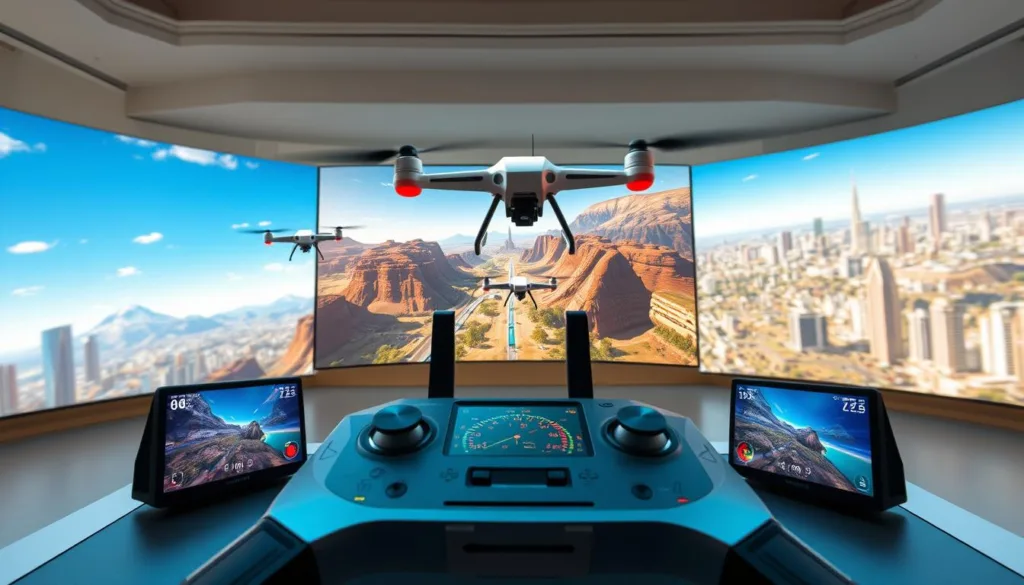
Welcome to the thrilling universe of virtual pilot training. Here, you can hone your flying skills without the fear of crashing expensive gear or being grounded by bad weather.
Whether you aspire to race through intricate courses or master smooth freestyle moves, the right simulation software can turn a nervous newcomer into a confident pilot ready for real-world action.
The landscape for these practice tools has changed dramatically. Today’s options feature incredibly realistic physics, stunning visuals, and active online communities that make virtual soaring just as exciting.
From completely free programs to premium platforms used by pros, there’s a perfect virtual training ground for every skill level and budget.
This guide will walk you through choosing and using these powerful tools. You’ll learn how to find the ideal match for your goals and maximize your virtual flight time.
Get ready to see how they can speed up your learning, save cash on repairs, and plug you into a global network of passionate FPV enthusiasts.
Key Takeaways
- Practice flying risk-free, without worrying about damaging your equipment or dealing with weather delays.
- Transform from a beginner to a confident pilot by mastering skills in a safe, virtual environment.
- Modern simulators offer highly realistic physics and graphics for an authentic flight experience.
- Options range from free programs to premium software, fitting any budget and skill level.
- Using a simulator accelerates your learning curve and can save significant money on potential repairs.
- Connect with a vibrant, worldwide community of FPV drone pilots and racers.
- Virtual training is the smart first step toward successful and safe real-world flying.
Introduction to Drone Sim Experiences
The journey to becoming a skilled pilot no longer requires an expensive crash course in reality. Virtual training platforms offer a completely safe space to learn. You can push your limits without the fear of damaging your gear.
These software environments perfectly mimic the physics of real fpv drones. This lets you build crucial muscle memory and develop lightning-fast reflexes. The financial risk of learning is reduced to zero.
Options range from a very basic sim for learning hover control to advanced software for racing. There’s a perfect virtual tool for every style of fpv flying. You can crash hundreds of times without buying a single replacement part.
I use my simulator daily. It’s essential for trying new tricks and staying sharp when the weather is bad.
The practice you get translates directly to real-world control. Many new pilots feel comfortable on their first actual flight after consistent virtual sessions. Starting here also helps you understand your radio transmitter before investing in expensive equipment.
Overview of Top Drone Simulators
A diverse ecosystem of flight simulators now caters to every pilot’s ambition and skill level. You can find everything from completely free beginner tools to professional-grade software used by world champions.
For those ready to invest, Liftoff is a top choice on Steam. It boasts a massive community and deep customization. VelociDrone is famous for having the best fpv drone physics, making it a favorite for serious racers.
If you dream of official drone racing, check out the Drone Champions League platform, DCL – The Game. The DRL Simulator also offers authentic league tracks for competitive practice.
Free fpv simulators like ORQA FPV.SkyDive are perfect starts. For pilots flying dji fpv models, the DJI Flight Simulator provides unique GPS training. Each platform fills a specific need in your training journey.
In-Depth Look at Liftoff: A Leading FPV Drone Sim
Liftoff has carved a unique niche in the FPV world by blending technical customization with social competition. Available on Steam, this platform is a powerhouse for pilots who want their virtual practice to feel authentic and endlessly engaging.
Its strength lies in offering a comprehensive toolbox that grows with your skills. You get a deep, tunable experience that mirrors real-world flying.
Customizable Quads and Realistic Physics
The heart of Liftoff is its incredibly detailed parts catalog. You can build a virtual quad from hundreds of real manufacturer components. This lets you experiment with different setups for racing freestyle or focused freestyle without any cost.
The realistic physics engine is highly tunable. You can adjust motor curves and camera angles until the flight feels just right. This level of detail is a standout among modern simulators.
Community and Multiplayer Features
Built-in track editors allow the community to create and share endless new environments. You will never run out of fresh challenges. This user-driven content is a core part of the experience.
Multiplayer features bring global competition to your screen. Race against others in real-time or climb online leaderboards. The active community constantly shares tips and setups, creating a supportive network for all pilots.
Exploring VelociDrone: The Pinnacle of Racing Physics
When the margin for error is zero, professional racers turn to a platform renowned for its precision. VelociDrone is widely considered the gold standard for competitive training.
It delivers an experience so authentic that your virtual skills transfer directly to the racecourse. This software is the official choice of MultiGP, validating its top-tier status.
Ultra-Accurate Racing Physics
The core of VelociDrone’s fame is its legendary realistic physics engine. It captures every subtle behavior of a quad, from propwash to momentum shifts.
This creates genuine muscle memory for pilots. The flight characteristics feel almost identical to real-world freestyle flying, making it the ultimate fpv simulator for serious practice.
Extensive Track Library
You get access to over 40 sceneries and tens of thousands of community-created tracks. This offers endless variety for racing freestyle or focused freestyle sessions.
Innovative modes like Nemesis let you race against recordings of other pilots. The powerful track editor gives the community direct control over development.
Regular updates add new quads and support for popular competitions. Its lightweight design ensures smooth good physics performance on most computers.
For pilots dedicated to sim freestyle or competition, VelociDrone stands as the most trusted tool among modern simulators.
DRL Sim: Official Drone Racing League Experience
Step onto the virtual tarmac of the world’s premier drone racing circuit with the official DRL Simulator. This platform brings the exact high-speed courses from professional broadcasts right to your screen.
Built by the Drone Racing League itself, it offers the most authentic preparation for the real thing. You get to learn the iconic venues that define the racing league season.
Official Race Tracks and Training Missions
Every track is a meticulous digital copy of an actual Drone Racing League competition site. Flying them gives you a genuine feel for the pro circuit.
Structured training missions guide you from basic gate navigation to complex sequences. This progressive system is perfect for mastering the unique format of drone racing.
Multiplatform Access for Competitive Flyers
You can access this experience on PC, Xbox, or PlayStation. This broad availability lets console gamers dive into competitive drone racing easily.
The online multiplayer mode lets you race against pilots worldwide. Climb the global leaderboards and test your skills in a live environment.
It strikes a great balance for newcomers and seasoned competitors. Regular updates add new content, keeping the virtual season in sync with the real Drone Racing League. This is one of the top simulators for anyone serious about the racing league.
Free Options for Drone Sim Beginners
Your adventure into FPV flying can start today without spending a dime. Several high-quality, completely free platforms provide a solid foundation for learning.
These tools are perfect for figuring out if you enjoy the hobby. They let you crash and learn without any financial risk.
Beginner-Friendly Interfaces
ORQA FPV.SkyDive is a standout free simulator. It runs smoothly on most computers and offers simple controls.
This makes it ideal for mastering basic orientation. Another great choice is Tiny Whoop GO.
It is designed specifically for tiny whoop and micro drone practice. Flying these small craft teaches precise control for indoor spaces.
Cost-Effective Learning Tools
FPV Freerider is an incredibly affordable basic sim. Versions exist for PC, Mac, and Android devices.
Its physics decent enough for fundamental skill building. For freestyle practice, check out Skydive FPV Simulator.
It is another completely free option on Steam. These programs let you play fpv simulators extensively.
You build confidence before buying real micro drones. The skills you learn transfer directly to more advanced fpv simulators and real flight.
Drone Sim Features That Set Them Apart
What truly makes a virtual training platform stand out is its ability to feel like the real thing. This authentic experience rests on two pillars: incredibly lifelike responses and deep personalization.
Realistic Flight Physics
The heart of any great practice software is its realistic physics engine. It must mimic how real fpv drones handle wind, momentum, and turbulence.
Top programs model complex forces like propwash. This creates good physics that build proper muscle memory for pilots. The skills you learn here translate directly to confident flight outdoors.
Advanced Flight Modes and Customization
Modern platforms offer a full range of mode options. You can start with stable assistance and progress to full manual control for acrobatics.
Customization features let you tune a virtual quad to match your real one. Adjust rates, camera angles, and parts to experiment risk-free. This is perfect for developing your unique freestyle flying style.
Together, these features create a training tool with physics decent enough to prepare you for any real-world fpv flying challenge.
Comparing Drone Sim Controllers and Accessories
For an authentic flight experience, the hardware in your hands matters just as much as the software on your screen. The right controller turns casual play into serious skill-building.
It bridges the gap between virtual practice and confident real-world flying.
Compatibility with Popular FPV Controllers
Most quality practice software works directly with real FPV transmitters. You can plug in a radio controller like the Radiomaster TX16S or TBS Tango 2 via USB.
This includes support for the dji fpv controller. Using your actual transmitter builds precise muscle memory.
The stick feel and response become second nature. This makes moving to a physical quad nearly seamless.
Budget-friendly options like the Radiomaster Zorro work perfectly here. They serve as a capable tool for virtual training first.
Enhanced Control and Precision Tools
Advanced features of your radio controller function fully in the virtual world. Adjustable stick tension and hall-effect gimbals allow fine-tuning.
Programmable switches help you practice complex flight modes. This precision is crucial for smooth, controlled maneuvers.
Subtle stick movements make all the difference during acrobatics. Compatibility often extends to telemetry and custom channel mapping.
This lets you replicate your real quad’s setup perfectly. Investing in a good controller early is the best step for proper technique.
Drone Sim Customization and Community-Driven Track Development
Customization and community collaboration have become the lifeblood of the most popular virtual training environments. The best platforms thrive because pilots actively shape the experience.
This user-driven approach creates a constantly evolving playground. It offers far more variety than any single development team could provide.
User-Generated Content Impact
The most successful simulators understand that their players are their greatest asset. Thousands of user-designed tracks provide nearly infinite practice variety.
A community-controlled verification process ensures the best designs rise to the top. Popular tracks gain featured status, while frustrating ones fade away.
This democratic selection means the simulator designed content aligns with what pilots actually want to fly. It creates a perfect match between available content and community preferences.
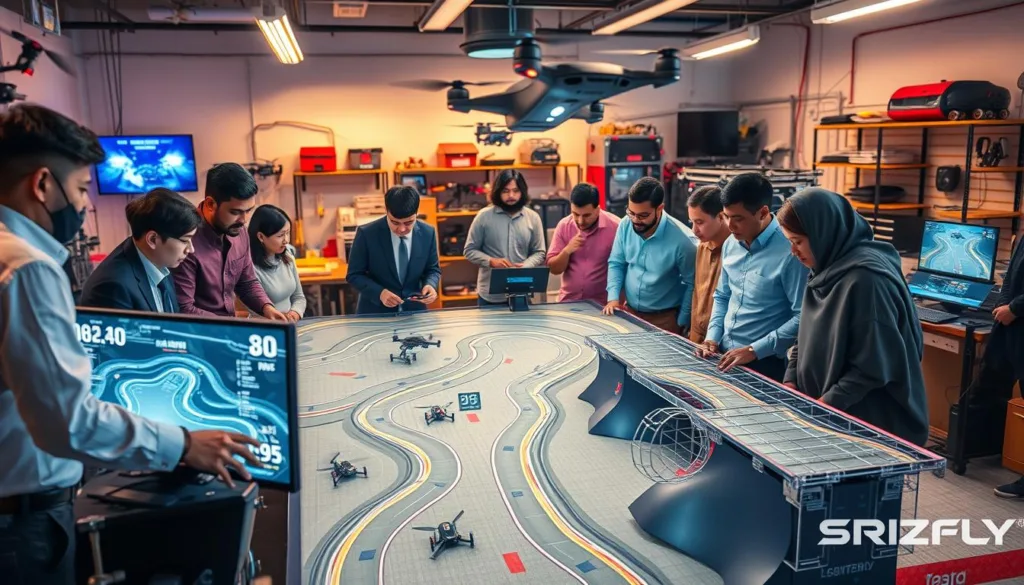
Track Editor and Custom Scenery Advantages
Advanced track editors, like the one in VelociDrone, function as powerful creative tools. Passionate pilots can build replica race courses or imaginative fantasy worlds.
Intuitive interfaces lower the barrier for creation. Even those without technical skills can contribute scenery that benefits everyone.
The addition of workshop support on platforms like Steam makes sharing custom content effortless. One-click installation seamlessly integrates community creations into your practice session.
This content extends beyond race tracks to unique freestyle playgrounds. These spaces challenge creativity in ways standardized courses cannot.
It creates a virtuous cycle. Active communities attract more users, who generate more content, increasing the value of the simulators for all.
Best Drone Sim Features for Competitive Racing
To truly excel in competitive aerial circuits, pilots need tools that replicate the intense pressure of live events. The best virtual platforms offer specific features designed for serious contenders.
Competitive Multiplayer Modes
Real-time racing against global opponents builds crucial decision-making skills. Organized events mirror real racing league structures with brackets and championships.
Live leaderboards provide constant motivation to climb the ranks. Spectator modes let you study faster pilots’ lines and techniques.
Some advanced fpv sim platforms include tournament organization tools. Communities can host their own competitive events with custom rules.
Immersive FPS Perspective and Realism
The first-person view trains your brain for the spatial awareness needed in real freestyle flying. This perspective is vital for successful drone racing.
Freestyle racing formats combine trick scoring with speed elements. They reflect the creative evolution of modern competition.
Practice modes help memorize complex courses gate-by-gate. This develops the mental map that separates podium finishers in any racing league.
The combination makes these platforms invaluable for anyone serious about play fpv at a high level. You get year-round training regardless of weather.
Training and Skill Development with Drone Simulators
Forget the fear of crashing; today’s best practice tools are built around systematic skill-building. Quality platforms offer structured drone training that guides you from shaky first steps to confident flight.
Structured Training Modules
These modules provide a clear path forward. You start with basic hovering and orientation. The lessons then advance to complex racing lines and acrobatic moves.
This progression is perfect for mastering tiny whoop and other micro drones. You develop the precise control needed for indoor spaces. Consistent drone training on a tiny whoop model builds excellent foundational habits.
Safety and Practice Mode Benefits
The practice mode removes all real-world risk. Features like infinite battery and instant resets let you focus purely on learning. You can attempt aggressive freestyle practice without any stress.
This safe space is ideal for building proper safety habits. You can drill emergency procedures for real fpv drones. Mastering orientation recovery here makes outdoor fpv flying much safer. It’s also the best way to refine tiny whoop skills without breaking parts.
This methodical approach makes virtual practice an essential tool. It delivers focused, effective drone training every time you log in.
Latest Updates in FPV Drone Sim Technology
The commitment to improvement shown by top development teams ensures your virtual training platform never grows stale. Leading fpv drone simulators receive regularly updated content and refinements.
This keeps the practice experience exciting and aligned with real-world advancements. For example, VelociDrone is regularly updated with new quads and tracks.
Cutting-Edge Simulator Tools
Modern simulators introduce powerful new tools with each major release. Recent updates have focused heavily on performance optimization.
The software now runs smoothly on a wider range of computers. This opens up high-quality practice to more pilots.
Physics engines get fine-tuned based on pro pilot feedback. The addition of cloud-based features enables seamless multiplayer and progress tracking.
Regular Content and Feature Updates
New quad models appear in virtual hangars soon after their real-world release. This lets you test the latest gear before buying.
Graphics receive overhauls for better immersion. Training analytics help you pinpoint weaknesses in your technique.
These constant updates mean the software runs smoothly with new hardware. Your investment stays valuable as the technology evolves.
Active development keeps these simulators at the forefront of virtual training.
Tips for Choosing the Perfect Drone Sim Simulator
Selecting the ideal virtual training platform is a personal decision. It hinges on your unique aspirations and current abilities.
There isn’t one best solution for every pilot. Your perfect match depends on the flying experience you seek.
Assessing Your Skill Level and Goals
Newcomers should prioritize easy-to-learn interfaces. More advanced users need software that challenges their reflexes.
Pro competitors often look for ultra-realistic physics and official race tracks. Be honest about where you are now and where you want to go.
Budget vs. Features: Making the Right Choice
Free programs offer a fantastic, risk-free introduction. Premium fpv drone simulators provide deeper customization and multiplayer features.
Consider the total cost, including your computer’s specs. Many pro flyers use more than one fpv sim for different training needs.
This approach gives you the best fpv practice experience. It ensures you get the right one best tool for your goals.
Conclusion
The smartest pilots know that true skill is forged long before the first real flight takes off. Virtual training platforms have become essential for building that foundation. They offer a safe space to develop the reflexes and control needed for confident fpv drone piloting.
From free beginner tools to advanced drone simulators, there’s a perfect fit for every aspiring flyer. The vibrant online communities provide endless support and fresh content. This keeps the learning experience engaging and effective.
Investing time in these simulators pays off quickly. You save money on repairs and accelerate your progress dramatically. Start your journey today and unlock your full potential in the skies.
FAQ
What is the main benefit of using a flight simulator for FPV pilots?
The biggest advantage is risk-free practice. You can crash thousands of times without damaging your real quadcopter. This lets you master complex maneuvers, learn racing lines, and build muscle memory safely before flying expensive hardware.
Can I use my actual radio controller with these programs?
Absolutely! Most top-tier software, like Liftoff and VelociDrone, support direct connection with popular transmitters from brands like RadioMaster, TBS, and FrSky. Using your real gear makes the practice feel authentic and translates your skills directly to the field.
Which platform is best for someone focused purely on competitive racing?
For serious racing, VelociDrone is often the top choice. It’s praised in the Drone Champions League for its ultra-accurate physics and extensive library of professional tracks. The DRL Simulator is another excellent option, featuring official courses from the Drone Racing League.
Are there any good free options for beginners?
Yes, there are several great free tools to start with. These provide a cost-effective way to learn the basics of orientation and control. They often have beginner-friendly interfaces to help you get comfortable before investing in a more advanced, paid experience.
How important is customizable physics in a simulator?
It’s crucial for a realistic feel. Advanced software allows you to tweak motor power, weight, and rates to match your real-world build. This level of customization, found in tools like Liftoff, ensures the skills you learn will directly apply when you switch to your actual freestyle or racing machine.
Do these programs offer multiplayer modes?
Yes, community and multiplayer features are a huge part of the experience. You can race or freestyle with friends and pilots from around the world online. This competitive environment is perfect for testing your skills and learning new techniques from others.
What should I look for when choosing my first training software?
First, assess your goals. If you want freestyle practice, look for programs with open maps and creative tools. For racing, prioritize accurate physics and track variety. Also, check compatibility with your controller and consider starting with a free version to see if you enjoy the activity.

