



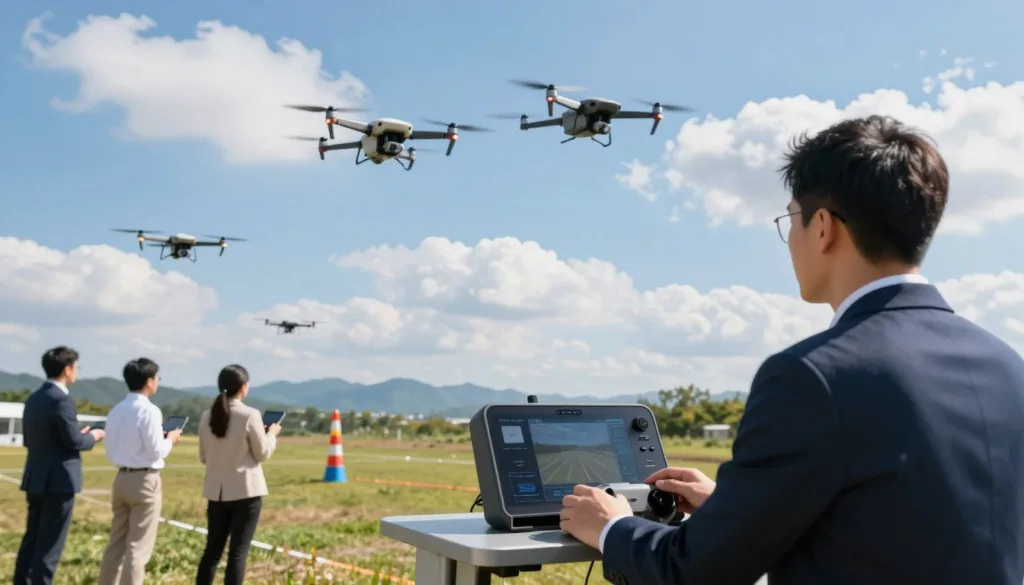
Have you ever wanted to fly like a pro without the risk of a costly mistake? Virtual flight practice is the most effective method to enhance your technical proficiency. Using advanced simulation software allows you to test your limits in a perfectly safe environment.
Whether you are a hobbyist or a professional, aerial practice has never been more accessible. The SRIZFLY system offers a realistic world where you can sharpen every complex maneuver. It provides a cost-effective solution for anyone wanting to refine their piloting abilities.
Modern tools help you learn how to handle difficult weather and tight spaces without breaking gear. This guide explores how this technology changes the game for pilots across the United States. Let’s look at the features that make this experience so valuable for your journey.
You will discover how to choose the best setup for your specific needs and goals. Mastering these virtual tools ensures you are prepared for any complex real-world mission. It is time to elevate your technical flying abilities to the next level.
Key Takeaways
- Learn to fly safely without risking expensive hardware.
- Improve your skills through highly realistic virtual environments.
- Access cost-effective training methods suitable for all pilot levels.
- Prepare for complex real-world conditions from your own home.
- Understand the core features of this virtual platform.
- Choose the right software to match your specific pilot goals.
What Is SRIZFLY and Why It’s Your Gateway to Drone Mastery
Imagine mastering complex aerial maneuvers without ever risking a single propeller or motor. SRIZFLY provides a safe, virtual environment where you can push your limits. It serves as the ultimate training ground for anyone looking to achieve true drone mastery.
The journey from a novice to a confident pilot often involves many broken parts and high repair costs. This software changes the game by offering a risk-free space to fail and learn. You can fly as much as you want without worrying about the weather or battery life.
By using this tool, you build the confidence needed for real-world flights. It bridges the gap between basic curiosity and professional skill levels. Every hour spent in the sim translates directly to better control in the sky.
Understanding the SRIZFLY Platform
The SRIZFLY platform is a sophisticated piece of software designed to replicate real-world flight dynamics. It uses advanced math to ensure that every tilt and turn feels exactly like the real thing. This high level of realism is what makes it so effective for training.
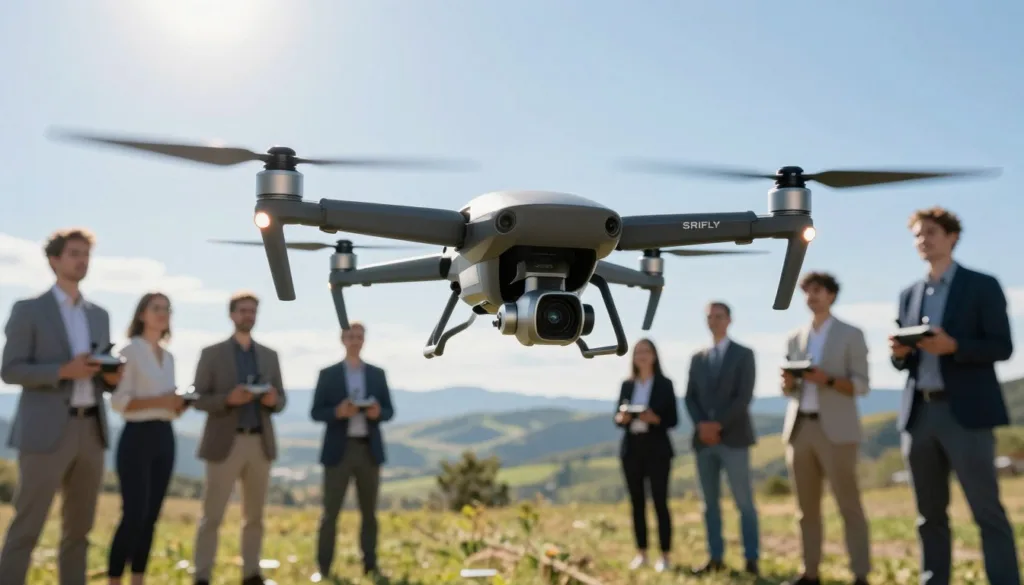
You can access various flight modes that cater to different styles of flying. Whether you want to cruise through a park or race through a warehouse, the platform has a setting for you. It is compatible with most modern controllers, making the transition to reality seamless.
The developers focus on constant updates to keep the experience fresh and accurate. They listen to the community to add features that pilots actually need. This dedication makes it a staple in the modern pilot’s toolkit.
Key Features That Set SRIZFLY Apart
What makes this simulation training special is its commitment to customization and variety. You can choose from a wide range of drone models, each with unique handling characteristics. This variety helps you prepare for any hardware you might use in the field.
| Feature | Benefit | Impact |
|---|---|---|
| Realistic Physics | Builds muscle memory | Safer real-world flying |
| Diverse Maps | Enhances spatial awareness | Better navigation skills |
| Instant Resets | Maximizes training time | Faster skill acquisition |
| Custom Tuning | Matches your real gear | Authentic flight feel |
The software also includes detailed telemetry data to help you analyze your performance. You can see exactly where you made a mistake during a sharp turn. This feedback loop is essential for rapid improvement.
Who Benefits Most from Drone Simulation Training
Simulation training is not just for novices who are afraid of heights. It is a vital tool for enthusiasts interested in high-stakes FPV drone racing. Even seasoned pros use it to test new tricks before trying them outdoors.
“The sky is no longer the limit when you can crash a thousand times and learn something new every single time.”
Beginners find the platform helpful for learning basic orientation and throttle control. It removes the stress of damaging expensive equipment while they are still learning the ropes. This leads to a much more enjoyable entry into the hobby.
For those pursuing FPV drone racing, the sim offers a way to practice tracks repeatedly. You can compete against your own best times or other pilots online. This competitive edge is what helps racers reach the podium in real events.
Getting Started with Your SRIZFLY Drone Simulation Setup
Transforming your computer into a high-tech flight deck is easier than you think. You just need to follow a few simple steps to ensure your hardware is ready for the virtual sky. A proper drone simulation setup makes all the difference in your training journey.
Before you dive into the action, you should prepare your workspace. Clear some desk space for your controller and ensure your monitor is at eye level. This physical preparation helps you stay focused during long practice sessions.
System Requirements and Hardware Compatibility
To enjoy smooth graphics and realistic physics, you must check your PC against the official system requirements. The software needs a modern operating system and a dedicated graphics card to perform at its best. High frame rates are essential for preventing motion sickness and ensuring precise control.
We have compiled a quick guide to help you verify your hardware compatibility. If your computer meets the recommended specs, you will experience much lower latency. This allows the drone to respond instantly to your inputs.
| Component | Minimum Requirement | Recommended Requirement |
|---|---|---|
| Operating System | Windows 10 (64-bit) | Windows 11 |
| Processor | Intel Core i5-4460 | Intel Core i7-8700K |
| Memory | 8 GB RAM | 16 GB RAM |
| Graphics Card | NVIDIA GTX 960 | NVIDIA RTX 2060 or better |
Installation and Initial Configuration
Once you confirm your hardware compatibility, you can download the SRIZFLY installer. Run the setup file and follow the on-screen instructions to choose your preferred installation folder. Ensure you have enough disk space for the high-resolution maps and flight environments.
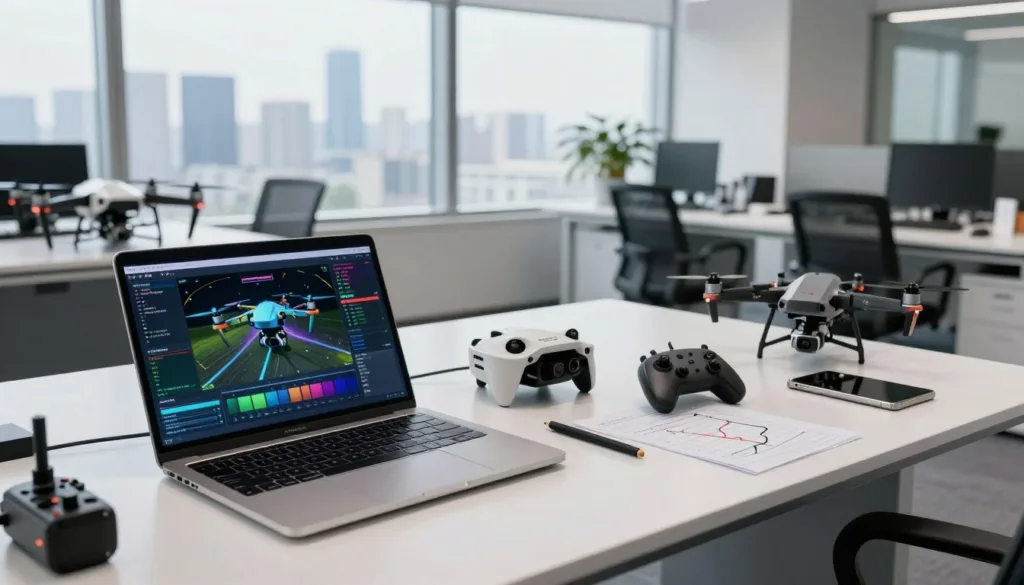
After the installation finishes, launch the application to begin the initial drone simulation setup. You will need to select your graphics quality based on your system requirements. Start with the “Auto-Detect” feature to let the software optimize performance for your specific PC.
Connecting Your Controller for Authentic Flight Experience
The final step involves the controller configuration to match your real-world flying style. You can use a standard gaming gamepad, but a dedicated radio transmitter provides the most realism. Connect your device via USB or a wireless adapter before starting the software.
“A great pilot knows their equipment inside and out, even in a virtual world. Proper calibration is the secret to mastering precision flight.”
Navigate to the settings menu to complete your controller configuration. Move the sticks through their full range of motion to calibrate the deadzones and sensitivity. This ensures your drone simulation setup feels natural and responsive during every flight.
Why SRIZFLY Drone Simulation Transforms Beginner Pilots into Experts
Stepping into the cockpit of a virtual drone is the secret weapon for anyone looking to master the skies. This drone simulation offers a risk-free space where you can make mistakes without breaking expensive gear. It bridges the gap between basic curiosity and professional skill sets.
For beginner pilots, the biggest hurdle is often the fear of crashing. SRIZFLY removes this anxiety by providing a digital playground that mimics real-world physics. You can push your limits and learn how the aircraft reacts in different weather conditions.
This transformation happens through consistent practice and muscle memory development. You aren’t just playing a game; you are training your brain to handle complex flight paths. Soon, the controls become an extension of your own hands.
“The best way to predict your success in the air is to practice your failures in a simulation.”
Even expert pilots use these tools to refine their techniques before a big mission. They know that a few hours in a simulator can save thousands of dollars in potential repairs. Practice makes perfect, especially when the stakes are low.
The transformation from a novice to a master is not just about speed. It is about understanding the subtle nuances of flight. By using a high-quality drone simulation, you speed up your learning curve significantly.
When beginner pilots finally take their real drones outside, they feel ready. They have already faced the toughest challenges in a virtual world, making them true expert pilots in the making. Experience is the greatest teacher, and simulation provides it in abundance.
Essential Flight Training Techniques in the Virtual Environment
The path to becoming a pro pilot begins with mastering core skills in a safe digital space. Stepping into a virtual environment lets you push boundaries without any financial risk. You can crash many times and simply hit the reset button to try again.
This freedom helps you focus on the core flight training techniques that every expert pilot uses daily. Mastering these skills early ensures you will not feel overwhelmed when you finally take to the real skies. You can build confidence at your own pace while learning how the drone reacts to your touch.
Mastering Basic Controls and Hovering
You must first understand the basic controls of your drone to fly with precision. The left stick usually handles the throttle and yaw, while the right stick manages pitch and roll. These inputs work together to move your craft through the air.
Finding the “sweet spot” to keep your drone at a steady altitude is your first major hurdle. Hovering in one place sounds simple, but it requires constant, tiny adjustments. The SRIZFLY simulator provides the perfect place to practice this until it feels natural.
Navigation and Orientation Fundamentals
Good navigation becomes tricky when the drone faces toward you. This is known as “nose-in” orientation, where your left and right controls feel reversed. It is a common challenge that causes many beginners to panic.
Practicing in a virtual environment helps you stay calm when the drone changes direction. You will learn to visualize the drone’s perspective rather than your own. This mental shift is vital for safely guiding your craft through complex paths or obstacles.
Building Muscle Memory Through Repetitive Practice
Building muscle memory is the secret weapon of every professional drone pilot. You want your fingers to react before your brain even processes the movement. Repetition turns complex flight training techniques into second nature over time.
“Practice makes permanent. Only perfect practice makes perfect.”
Spend time each day repeating the same figure-eight patterns or landing drills. This consistency trains your hands to handle the basic controls without thinking. Soon, you will find yourself focusing on the scenery rather than the sticks in your hands.
Advanced Maneuvers and Challenging Flight Scenarios
Ready to take your piloting to the next level with high-stakes virtual training? Once you feel comfortable with basic hovering, it is time to dive into advanced maneuvers. These skills are what separate a casual flyer from a true professional.
In the SRIZFLY drone simulation, you can practice high-speed turns and tight gaps without any risk. You might try a “Power Loop” where you fly in a large vertical circle. It feels intense, but the virtual environment keeps your hardware safe while you learn.
Another great move to learn is the “Split-S.” This involves flipping the drone upside down and pulling through a half-loop to change direction quickly. Practicing these advanced maneuvers builds the fast reflexes you need for racing or freestyle flying.
The platform also offers various challenging flight scenarios to test your focus. You can simulate high-wind conditions that push your drone off course. This teaches you how to fight the elements and maintain a steady shot.
You can also try flying through dense forests or abandoned buildings. These challenging flight scenarios require extreme precision and spatial awareness. If you crash, you simply hit the reset button and try again immediately.
Learning in a safe space allows you to fail often and learn fast. You will gain the confidence to handle unexpected situations in the real world. Every mistake in the drone simulation is a lesson that saves you money on repairs later.
| Maneuver Type | Difficulty Level | Primary Training Goal |
|---|---|---|
| Power Loop | High | Vertical Throttle Control |
| High-Wind Landing | Expert | Stability and Precision |
| Tight Gap Slalom | Medium | Spatial Awareness |
The best pilots are not those who never crash, but those who have crashed a thousand times in a simulator.
Mastering these skills takes time and a lot of patience. Keep pushing your boundaries and exploring what your virtual drone can do. Soon, these complex movements in the drone simulation will feel like second nature to you.
Translating Virtual Skills to Real-World Drone Flying
The bridge between digital practice and physical flight is where your hard work truly pays off. Many new pilots worry that their time on a computer won’t matter once they step outside. However, the connection between these two worlds is much stronger than you might think.
Using a high-quality simulator prepares your brain and hands for the physical demands of flight. You are not just playing a game; you are training your nervous system for a complex task. This preparation makes the transition to the outdoors smooth and rewarding.
Understanding the Simulation-to-Reality Transfer
The simulation-to-reality transfer describes how well your digital training applies to a physical aircraft. When you move the control sticks in SRIZFLY, you develop muscle memory that stays with you. Your hands learn to make tiny adjustments without you having to think about every move.
Modern software uses advanced physics to mimic wind, gravity, and momentum. While a real drone has a physical presence, the logic of how it moves remains the same. You will find that your virtual skills translate almost perfectly when you finally power up your real quadcopter.
| Feature | Virtual Environment | Real-World Flight |
|---|---|---|
| Risk Level | Zero risk of damage | High financial risk |
| Physics | Accurate mathematical models | Unpredictable wind and air |
| Learning Speed | Fast with instant resets | Slower due to caution |
Safety Practices Learned in Simulation
One of the biggest benefits of training is mastering safety practices without any real-world danger. In a virtual world, a crash costs nothing but a few seconds of your time. In the real world, a mistake can lead to expensive repairs or safety hazards.
You learn how to handle battery warnings and signal loss before they happen for real. Practicing emergency landings in a safe environment ensures you stay calm during actual flights. This preparation protects your drone and keeps the people around you safe from harm.
Confidence Building Before Your First Real Flight
Stepping out for your first real-world drone flying session can be a nerve-wracking experience. However, your training gives you a mental edge that most beginners simply do not have. You already understand how the drone moves and how to maintain your orientation in the sky.
“The best pilots are not those who take the most risks, but those who are the best prepared for every situation.”
This confidence allows you to focus on the beauty of the flight rather than the fear of crashing. You can enjoy the scenery and capture great footage because the controls feel like second nature. Your journey from the screen to the sky is finally complete.
Pro Tips for Maximizing Your SRIZFLY Training Sessions
Mastering the art of drone flight becomes much easier when you apply these professional strategies to your routine. You should treat every session like a real-world mission to build professional habits. This mindset helps you stay focused and ensures you get the most value from your time.
Setting clear goals is the first step toward maximizing training efficiency. Instead of just flying around, pick one specific maneuver to perfect each day. You might focus on smooth landings or tight turns around obstacles during your SRIZFLY training sessions.
Consistency beats intensity every single time when you are learning a new skill. Short, daily practice sessions often yield better results than one long marathon once a week. This approach keeps your muscle memory sharp and prevents mental fatigue from setting in.
| Training Phase | Focus Area | Recommended Time |
|---|---|---|
| Warm-up | Basic Hovering | 5 Minutes |
| Skill Drill | Figure Eights | 15 Minutes |
| Challenge | Obstacle Course | 10 Minutes |
Tracking your progress is another one of our top pro tips for rapid improvement. Use a simple logbook or digital note to record which maneuvers felt difficult and which felt easy. You will feel a great sense of accomplishment when you look back at your growth.
Don’t be afraid to push yourself into uncomfortable scenarios within the safety of the software. Try flying in high-wind conditions or low-light environments to test your reactions. Learning how to recover from a mistake in a simulation saves you money in the real world.
“The best pilots never stop being students of the craft, using every tool available to sharpen their instincts.”
Finally, remember to stay relaxed and enjoy the process of learning. Tension in your hands can lead to jerky movements and poor control over the sticks. Take deep breaths and keep a light touch on your controller for the smoothest flight paths.
By following these pro tips, you turn every minute of your SRIZFLY training sessions into a building block for success. Dedication and smart practice are the keys to maximizing training outcomes. Soon, you will navigate complex environments with the grace of a seasoned professional.
Conclusion
Mastering flight skills starts with the right tools. Using the SRIZFLY drone simulation provides a safe space to learn and grow. You can practice difficult maneuvers without the fear of expensive crashes. This risk-free environment makes drone training accessible for every skill level.
Real-world pilots rely on virtual tools to maintain their edge. The SRIZFLY drone simulation mimics actual physics with great precision. You gain a deep understanding of how drones react in different weather conditions. This preparation leads to a successful conclusion of your learning phase. You will feel confident when you step outside for your first real flight.
Take the next step in your hobby or career. Regular drone training sets you apart from average operators. Your journey toward becoming an expert pilot begins with a single virtual takeoff. Reaching a satisfying conclusion to your training requires patience and persistence. Start your practice sessions today and watch your confidence soar in the air.

