



Learning to fly can be a daunting task for many newcomers. New pilots often struggle with the controls of a physical craft.
The SRIZFLY platform offers a safe way to master the skies without the fear of crashing expensive hardware. This drone simulator provides a realistic environment for anyone starting their beginner training journey.
By moving your practice hours into a virtual space, you significantly reduce risks and costs. The software uses advanced sensor models to mimic real-world physics accurately.
This cloud-native SRIZFLY tool helps you improve your skills through constant feedback. You can access the platform from anywhere to refine your technique.
This AI powered sim helps pilots with development and mission rehearsal before they ever take off. It supports a full workflow from design to deployment in a controlled setting. Start your journey today and see how virtual practice makes a real difference.
Key Takeaways
- Learn in a risk-free virtual environment.
- Experience realistic physics and sensor models.
- Access the platform easily via the cloud.
- Get automated feedback to improve faster.
- Reduce the cost of hardware repairs.
- Practice complex missions before real flight.
Why SRIZFLY Is the Perfect Starting Point for Aspiring Drone Pilots
SRIZFLY offers a unique gateway for anyone looking to enter the drone industry with confidence. The platform simplifies the complex world of flight by providing a cloud-native environment. You do not need to worry about technical barriers or expensive equipment just to get off the ground.
New pilots often feel overwhelmed by the technical requirements of modern flight software. SRIZFLY removes these hurdles by allowing users to access high-quality simulations through a standard web browser. This accessibility ensures that drone training remains inclusive for students, educators, and professionals alike.
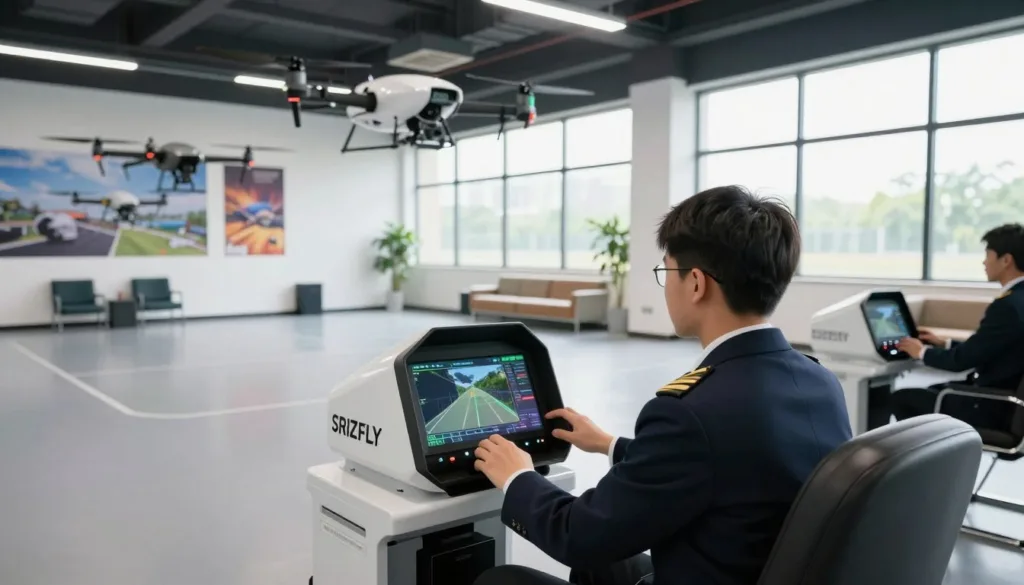
Understanding the Role of Simulators in Drone Training
Simulators serve as the essential bridge between theory and practice. They allow you to develop muscle memory without the stress of operating a physical machine. When you practice in a virtual space, you learn how to handle different environmental factors like wind and lighting.
Effective drone training relies on realistic physics and sensor models. SRIZFLY provides these elements to ensure that your virtual experience translates directly to real-world flight. You can practice complex maneuvers until they become second nature.
“The use of high-fidelity simulators is the most effective way to produce competent pilots while maintaining the highest safety standards.”
What Makes SRIZFLY Stand Out for Beginners
One of the most impressive SRIZFLY features is its ability to run on almost any device. You do not need a powerful gaming computer or local hardware installations. This cloud-based approach allows teams to collaborate and practice from different locations simultaneously.
The platform supports regulator-ready mission rehearsal. This means you can practice specific compliance workflows before you even arrive at a job site. It is a powerful tool for drone developers and public safety organizations who need precision.
- Universal Access: Use any browser to start your flight session instantly.
- Realistic Scenarios: Practice in environments that mimic real-world locations.
- Collaborative Tools: Share flight data and progress with instructors or teammates.
- Compliance Ready: Focus on missions that meet official regulatory standards.
Cost-Effective Learning Without the Risk of Crashes
Financial risk is a major concern for most beginners. A single mistake with a physical drone can cost hundreds or even thousands of dollars in repairs. One of the primary simulator benefits is the freedom to fail without any financial penalty.
By using a simulator, you save money on batteries, spare parts, and maintenance. You can reset the simulation in seconds after a crash and try again immediately. This rapid feedback loop accelerates your learning curve significantly.
| Feature | Traditional Field Training | SRIZFLY Simulator |
|---|---|---|
| Cost of Failure | High (Repairs/Replacement) | Zero (Instant Reset) |
| Hardware Needs | Physical Drone & Controller | Web Browser & Basic PC |
| Weather Limits | Depends on Local Conditions | Fly Anytime, Anywhere |
The SRIZFLY features include diverse flight scenarios that prepare you for various industries. Whether you want to work in defense, education, or public safety, the platform provides the right environment. You gain the skills you need while keeping your budget intact.
Ultimately, these simulator benefits empower you to push your limits. You can test the boundaries of your aircraft in a safe space. This builds the true confidence required for professional drone operations in the real world.
Getting Started with Your SRIZFLY Simulator Setup
Getting your virtual flight gear ready with the SRIZFLY setup process takes only a few minutes. This platform is cloud-native, which means you do not need to worry about a heavy drone simulator installation. You can access the training environment directly from your favorite web browser on almost any device.
Start by visiting the official website to create your pilot profile. The simplicity of the system ensures that you spend more time flying and less time troubleshooting software. Beginners will appreciate how quickly they can jump into the cockpit without technical headaches.
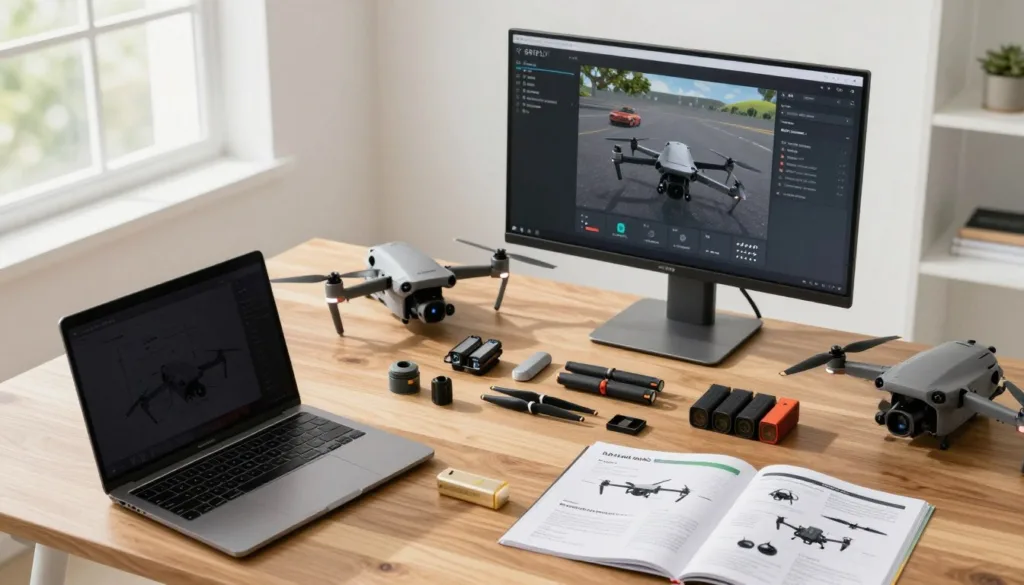
To help you choose the right path, SRIZFLY offers flexible entry points. You can start with a free basic version to learn the ropes. If you want the complete experience, the 10-day trial for the full version provides a deep dive into advanced features.
“The transition to cloud-based simulation removes the hardware barrier for new pilots, making flight training accessible to everyone with an internet connection.”
Follow this beginner guide to complete your initial configuration. Most users find that the auto-detect settings work perfectly for their hardware. However, you can manually adjust your controls to match your specific drone controller for a more realistic feel.
| Feature | Free Basic Version | 10-Day Full Trial |
|---|---|---|
| Access Type | Permanent Free | Limited Time |
| Flight Maps | Standard Selection | All Premium Maps |
| AI Coaching | Basic Tips | Full AI Feedback |
Once you finish the SRIZFLY setup, the software remembers your progress across different devices. You can practice on your laptop at home and then switch to a tablet while traveling. This flexibility is a key part of why this beginner guide recommends the platform for busy students.
- Open your web browser and navigate to the SRIZFLY portal.
- Create a free account to save your flight data.
- Connect your remote controller via USB or Bluetooth.
- Select your preferred drone model and start your first lesson.
By avoiding a complex drone simulator installation, you save valuable disk space on your computer. The cloud-native engine handles all the heavy processing for you. This allows for smooth graphics and responsive controls even on standard hardware.
Mastering Essential Skills with AI Drone Sim Technology
Building a solid foundation in drone piloting starts with understanding how AI drone sim technology replicates real-world physics. The SRIZFLY platform provides a safe space where you can fail without any financial consequences. This allows you to focus entirely on developing the essential skills needed for professional flight.
By using a simulator, you bypass the anxiety of crashing an expensive piece of hardware. You can repeat difficult tasks hundreds of times until they become second nature. This repetition is the secret to becoming a confident and capable pilot.
Basic Flight Controls and Navigation Techniques
Mastering flight controls is the first step for any beginner entering the world of FPV or cinematic drones. You need to understand how the throttle, pitch, roll, and yaw interact to move the aircraft through space. SRIZFLY uses high-fidelity sensor models to ensure these inputs feel exactly like a real drone.
Begin by practicing a steady hover at eye level. Once you can hold a position, try moving in a straight line and stopping precisely on a target. These small victories build the coordination required for more complex flight paths.
| Control Type | Movement Description | Pilot Input |
|---|---|---|
| Throttle | Controls the altitude and speed of the drone. | Left Stick (Vertical) |
| Yaw | Rotates the drone’s nose left or right. | Left Stick (Horizontal) |
| Pitch | Tilts the drone forward or backward. | Right Stick (Vertical) |
| Roll | Tilts the drone to the left or right side. | Right Stick (Horizontal) |
Advanced Maneuvers to Practice in the Simulator
Once you feel comfortable with basic flight controls, it is time to push your limits. Advanced maneuvers require a deep understanding of momentum and gravity. The simulator allows you to experiment with these forces without any risk to your equipment.
Focus on these specific drills to sharpen your essential skills:
- The Orbit: Keep the camera fixed on a central point while flying in a perfect circle.
- Figure-Eights: Combine turns in both directions to improve your spatial awareness.
- Power Loops: Practice vertical loops to understand how to manage throttle at the top of a move.
- Gap Hitting: Fly through narrow openings to improve your precision and timing.
Using AI Features to Accelerate Your Learning Curve
The SRIZFLY simulator offers more than just a digital sky to fly in. It includes AI-driven feedback that analyzes your flight paths in real-time. This AI drone sim technology identifies where you are overcorrecting or losing altitude unnecessarily.
The AI can also simulate different weather conditions, such as wind gusts or low visibility. This forces you to adapt your flying style to stay in control. These features ensure that your training is as rigorous as possible.
Transitioning from Simulation to Real-World Flying
Moving from the screen to the field can feel like a big jump. However, the realistic physics in SRIZFLY bridge this gap effectively. You will find that your hands already know what to do when you pick up a real remote for the first time.
The confidence you gain from mastering essential skills in a virtual environment is priceless. You can focus on safety and surroundings rather than struggling with the controls. This leads to a much more enjoyable first flight experience.
“Simulation is not just about learning to fly; it is about learning to handle the unexpected without the fear of loss.”
Always remember to start slow when you move to a real drone. Use the same flight controls and patterns you practiced in the simulator. You will quickly see how your hard work in the digital world pays off in the real one.
Conclusion
Choosing the SRIZFLY drone simulator provides a safe path for your first steps in aviation. This software creates a bridge between theory and practice. You can master drone flying skills without spending money on expensive repairs. The platform uses real physics to mimic how a craft reacts to your commands in the air. It offers a realistic environment that prepares you for any situation you might face outdoors in the real world. Many users find that the SRIZFLY drone simulator reduces the time needed to feel comfortable behind the controller.
Your beginner training becomes more effective with AI-driven feedback. This technology tracks your movements and offers tips to improve your precision. You learn to handle wind, obstacles, and different lighting conditions from your computer screen. It builds the muscle memory needed for real-world missions in the future. This method saves time and builds a strong foundation for every new pilot entering the field. Success in this hobby depends on consistent practice. You should focus on your beginner training to avoid simple mistakes that lead to crashes.
Investing time in the SRIZFLY drone simulator ensures you are ready for the field. It removes the fear of crashing while you build confidence. Start your journey today and see how fast your drone flying skills grow. This tool is the smartest way to begin your beginner training and reach your goals. Professional pilots trust this system to maintain their edge. Using the software helps you refine your drone flying skills before you take to the sky. Every session brings you closer to becoming a master of the air. You will notice a big difference in your control after just a few hours of use. The graphics and physics make the experience feel genuine and rewarding for people of all ages and skill levels.
FAQ
Why should beginners choose the SRIZFLY AI drone sim over other flight simulators?
The SRIZFLY AI drone sim is specifically engineered for aspiring drone pilots who want to bridge the gap between theory and practice. Unlike generic simulators, it utilizes realistic physics and sensor models to mimic the behavior of high-end hardware like the DJI Mavic or Autel EVO series. The integrated AI coaching provides real-time feedback, allowing users to correct mistakes instantly in a safe, controlled virtual space.
How does SRIZFLY support an end-to-end design-to-deployment workflow?
SRIZFLY is more than just a training tool; it supports a full design-to-deployment pipeline. Developers and pilots can test custom configurations and flight algorithms within the simulator to ensure they perform correctly before moving to real-world flying. This process significantly reduces the risk of hardware failure during actual drone operations.
Is there a way to try the full features of the SRIZFLY simulator for free?
Yes, SRIZFLY offers multiple entry points for new users. You can start with the free basic version to get a feel for the basic flight controls. For those who want to experience the full power of AI-driven feedback and advanced maneuvers, a 10-day trial of the full version is available, making it a cost-effective way to evaluate the platform.
What are the technical requirements for setting up the SRIZFLY simulator?
Because SRIZFLY is a cloud-native platform, the setup process is incredibly straightforward and accessible. You do not need a high-end gaming PC to get started. The cloud-native architecture ensures that the realistic physics and complex calculations are handled on the server side, providing a smooth experience on most modern devices.
How do the AI features help accelerate the learning curve for new pilots?
The AI features act as a virtual instructor that never sleeps. By analyzing your navigation techniques and stick inputs, the AI coaching system identifies poor habits early. This targeted feedback helps beginners master advanced maneuvers much faster than self-guided practice, effectively reducing the number of flight hours required to become proficient.
Can practicing in a simulator really prevent crashes in real life?
Absolutely. By moving the most dangerous part of the learning process—the first 20 hours—into a simulator, you eliminate the risk of crashes that could destroy expensive equipment. SRIZFLY allows you to fail safely, ensuring that when you finally pick up a Skydio or Parrot controller for a real flight, you have the muscle memory and confidence to handle unexpected situations.
What specific navigation techniques can I practice within SRIZFLY?
The simulator covers everything from basic flight controls, such as hovering and pitch/yaw coordination, to complex navigation techniques like orbit patterns and waypoint following. These exercises are designed to prepare you for the diverse challenges found in professional actual drone operations.