



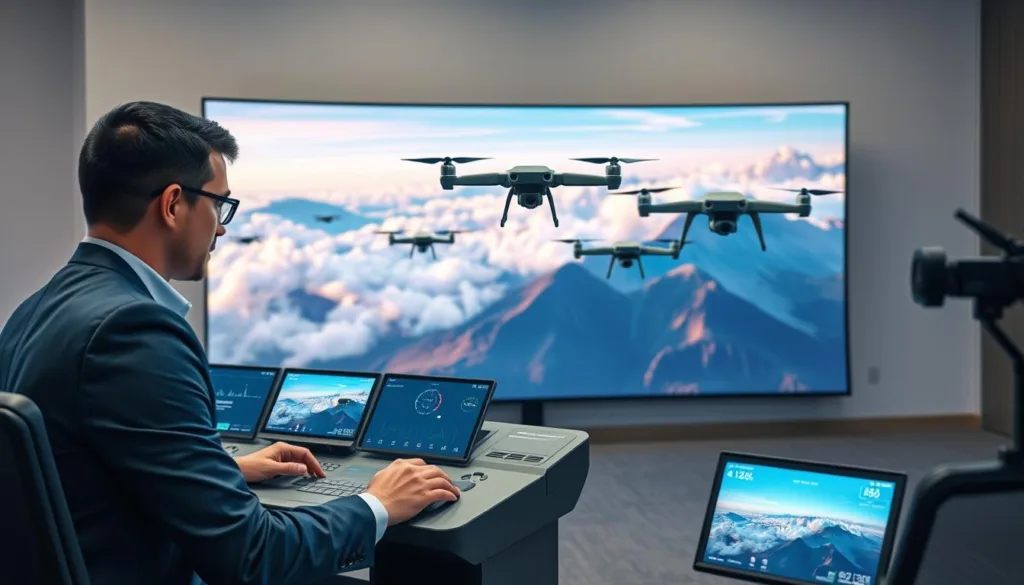
The world of aviation is evolving rapidly, and simulators are at the forefront of this change. With the introduction of an AI-powered drone simulator, aspiring pilots can now engage in a realistic training environment. This platform offers a unique opportunity for users to practice essential flight maneuvers in a virtual space.
Utilizing advanced software, this drone simulator allows pilots to experience the intricacies of aerial navigation without the risk of damaging real equipment. High-stakes flight sessions replicate real-world conditions, ensuring that each practice contributes to their overall proficiency.
This tool is invaluable for anyone looking to master the complexities of modern flight technology. By integrating cutting-edge physics, the simulator serves as a reliable foundation for both hobbyists and professionals alike.
Key Takeaways
- The simulator provides a safe environment for skill refinement.
- Realistic training exercises enhance aerial navigation skills.
- High-stakes sessions prepare pilots for real-world challenges.
- Essential for mastering modern flight technology.
- Integrates advanced physics for a reliable training experience.
Introduction to the Revolutionary Simulator
The landscape of flight training is undergoing a significant transformation. Since its launch on May 25, 2021, the simulator has established a new benchmark for realism in the FPV community. Developers at Diophante Studio dedicated over two years to perfecting its core mechanics, ensuring it meets the high expectations of today’s pilots.
This sim is distinguished by its remarkable attention to detail, allowing users to truly feel the weight and momentum of their aircraft. In 2023, pilots are looking for a training experience that seamlessly connects virtual practice with real-world performance.
As the platform continues to evolve, it remains a top choice for those seeking a professional-grade training environment. “The simulator not only prepares you for flying but enhances your confidence in real scenarios,” said a user in the community.
Overview of Key Features and Capabilities
The advancements in flight training technology are remarkable. This platform offers a range of features that elevate the training experience for pilots. Among these are dynamic environments that include moving cars, trains, planes, and animals. These elements are designed to challenge even the most skilled aviators.
Another standout feature is the ability to create a virtual copy of your own aircraft. By importing blackbox files, users can replicate their physical aircraft’s behavior during flight. This ensures a seamless transition from virtual to real-world flying.
Furthermore, the platform emphasizes total customization. Pilots can fine-tune every aspect of their experience, achieving maximum pilot power through deep settings. This allows for precise adjustments tailored to individual flying styles.
| Feature | Description | Benefit |
|---|---|---|
| Dynamic Environments | Includes moving cars, trains, and animals | Enhances real-world flying scenarios |
| Virtual Copy Drone | Replicates your physical aircraft’s behavior | Improves training accuracy |
| Total Customization | Allows for deep settings adjustments | Tailors experience to pilot preferences |
| Maximum Pilot Power | Focus on pushing limits safely | Encourages skill enhancement |
Realistic Flight Training: The Simulator Advantage
Modern training techniques are reshaping how pilots learn to fly. This simulator leverages advanced physics to replicate real-world flight characteristics, making realistic flight training possible.
With the integration of sophisticated drone physics, users can accurately simulate gravity and wind resistance. This realism allows pilots to practice complex maneuvers repeatedly, a significant advantage over flying in unpredictable outdoor conditions.
Moreover, the simulator provides a consistent environment where flight patterns can be analyzed and improved upon with each session. By mastering these controls, users gain the confidence needed to handle their aircraft in real-world scenarios with greater precision.
The true advantage of this training method lies in the ability to safely test the limits of drone physics without incurring repair costs.
Performance Insights and User Reviews
User feedback is shaping the future of flight training technology. The simulator has gained a strong reputation, holding a Very Positive rating. With 84% of 205 user reviews being positive, it has become a favorite in the FPV community.
Performance insights from users highlight the simulator’s realistic experience, which translates well to actual flight. Many praise the software for its responsiveness and the depth of the flight model in the current version.
“The simulator not only prepares you for flying but enhances your confidence in real scenarios,” a user shared.
These positive reviews reflect the developers’ dedication to providing a high-quality product that meets user needs. Additionally, many pilots report improved skills after spending time in the simulator, showcasing its effectiveness in real-world performance.
Exploring Dynamic Environments and Detailed Maps
The immersive experience of flight training is enhanced by the inclusion of over 18 dynamic maps. Each map is filled with interactive content, such as trains and planes, keeping training sessions fresh and engaging.
These maps are crafted to present unique challenges. This ensures that the dynamic environments never feel repetitive or boring. Pilots can train in a variety of locations, ranging from open fields to intricate underground facilities.
Attention to detail in every map provides a realistic backdrop. This is crucial for practicing high-speed maneuvers and precision flying. Moreover, users can continuously discover new areas within these maps, making exploration a core part of the overall experience.
| Map Type | Features | Training Benefits |
|---|---|---|
| Open Fields | Wide space for maneuvers | Ideal for practicing basic flying skills |
| Urban Areas | Includes buildings and obstacles | Enhances navigation and obstacle avoidance |
| Underground Facilities | Complex layouts | Improves precision flying and control |
| Rural Landscapes | Natural terrain variations | Focus on adapting to different environments |
| Coastal Regions | Water and wind challenges | Practices handling environmental factors |
Community Sharing and Customization Options
The ability to connect and collaborate is vital in today’s training landscape. Community sharing is a central feature of this platform, allowing users to easily download and upload custom maps, tracks, and aircraft created by others.
This collaborative environment ensures that the library of available aircraft is always growing. By participating in community sharing, users can access a vast array of content that enhances their overall flight experience.
Additionally, the platform encourages users to share their best maps and tracks. This helps others improve their skills while discovering new challenges along the way.
Ultimately, this ecosystem of sharing creates a vibrant community where innovation and creativity thrive. Engaging with fellow users not only enriches the training experience but also fosters a sense of belonging.
Default Settings Versus Advanced Pilot Customization
In the realm of flight training, user-friendly features play a crucial role in attracting new pilots. The simulator offers default settings that are carefully selected for optimum realism. This allows beginners to start flying immediately, ensuring a smooth introduction to the world of aviation.
For those seeking more control, the advanced precision settings allow experts to fine-tune their aircraft to match their exact requirements. This balance between ease for beginners and depth for experts makes the simulator accessible to a wide range of pilots.
Users can adjust various settings to modify flight characteristics, providing a personalized experience that evolves with their skill level. The transition from default settings to advanced customization is seamless, allowing pilots to grow their capabilities at their own pace.
Simulator Editor: Crafting Your Own Flight Spots
Creating personalized flight experiences is now easier than ever. The in-game editor empowers users to design their own unique maps. With this tool, you can bring your creative visions to life.
The editor provides powerful features that enable users to craft flight spots from scratch. Pilots can utilize hundreds of objects and even import custom 3D models. This level of creative freedom ensures that each user can create an experience that reflects their personal style.
Moreover, the editor is designed to be intuitive. This simplicity allows anyone, regardless of skill level, to start building and sharing their custom creations. By allowing the use of custom assets, the simulator encourages community growth and innovation.
- Powerful tools for creating flight spots from scratch.
- Hundreds of objects and custom 3D models available.
- Creative freedom for a unique user experience.
- Intuitive design for easy building and sharing.
- Community expansion through custom assets.
Why Choose the AI-powered drone simulator?
When it comes to flight training, choosing the right tools can make all the difference. This simulator offers a comprehensive package for FPV enthusiasts. It prioritizes realism and community-driven content, ensuring an engaging experience.
The software provides the power needed to simulate complex flight conditions. This makes it an ideal choice for serious training. Users benefit from a refined experience that has been tested and approved by a large community of dedicated pilots.
With its robust feature set, this simulator stands out as a top-tier tool for anyone looking to improve their aerial skills. The combination of performance, customization, and community support makes this the definitive choice for modern flight simulation.
Comparing FPV Drone Simulator Options
Choosing the right FPV simulator can greatly influence a pilot’s training experience. When comparing this FPV drone simulator to other options, the depth of customization and community integration becomes immediately apparent. This simulator stands out in a competitive market, showcasing unique physics and an extensive map library.
Many users prefer this drone simulator FPV experience because it allows for the import of custom Unreal Engine maps and assets. As a leading FPV simulator, it provides a level of detail often missing in more basic flight training software. The focus on FPV realism ensures that pilots receive the most accurate training possible compared to other available simulators.
| Feature | Advantage | Benefit |
|---|---|---|
| Customization | Highly customizable settings | Tailored training experience |
| Physics Engine | Unique flight dynamics | Realistic flight scenarios |
| Map Library | Extensive variety of maps | Challenging training environments |
| Community Integration | Access to user-generated content | Enhanced learning opportunities |
In-depth Technical Specifications and System Requirements
Understanding the technical specifications is essential for optimal performance. To run the simulator, users need at least an Intel Core i3 8100 or AMD Ryzen 3 2200G processor along with 4 GB of RAM. These minimum specs ensure that the software operates smoothly.
For the best experience, the recommended settings include an AMD Ryzen 5 3600XT or Intel Core i5 9600K with 8 GB of RAM. This upgrade significantly enhances performance and responsiveness during training sessions.
The software requires 21 GB of available storage space on both PC and Mac platforms to ensure all assets are loaded correctly. Compatibility is maintained across Windows and macOS, allowing a broad range of users to access the simulator on their preferred hardware.
Ensuring your system meets these specifications is crucial for maintaining the high frame rates required for realistic flight training. This foundation supports a seamless learning experience, making your training more effective.
Exploring Special In-game Features and Tools
The introduction of advanced editing tools is transforming the way users interact with their training environment. One standout feature is the level editor, which allows users to import their own PNGs and 3D models for complete personalization.
By providing these tools, the simulator enables users to create a truly unique experience that goes beyond standard flight training. The ability to use custom assets means that the game world can be expanded with new buildings, obstacles, and environments.
These special tools are designed to be accessible, ensuring that even those new to level design can start creating immediately. Asset importing is a key part of the simulator’s longevity, as it allows the community to keep the content fresh and exciting.
- Level editor for importing custom PNGs and 3D models.
- Enables a unique experience beyond standard training.
- Expands the game world with new assets.
- Accessible tools for beginners in level design.
- Community-driven content keeps the simulator engaging.
Insights from the Developer and Community
The relationship between software creators and their community is shaping the future of flight training. Diophante Studio, the developer behind this innovative platform, has a clear vision. They focus on bringing the user’s drone to life through accurate physics.
Community engagement is a top priority for the team. Over the last two years, they have actively listened to feedback to improve the simulator. This collaboration has been instrumental in shaping the software into what it is today.
By allowing users to bring their drone to life through blackbox imports, the developers ensure that the simulation remains as close to reality as possible. This approach has helped the simulator grow into a platform that truly reflects the needs of the FPV community.
Future Trends in Drone Simulation and Upgrades
The future of flight training is bright, with new technologies on the horizon. The simulator continues to receive updates that enhance realism and overall functionality.
Future trends in drone simulation point toward even more realistic physics and the integration of advanced AI to bring virtual worlds to life. The developers are committed to ongoing upgrades that will enhance the overall experience for every pilot using the simulator.
As technology advances, the simulator will likely incorporate more sophisticated tools to help users prepare for real-world flight challenges. Enhancements to the simulation engine will continue to push the boundaries of what is possible in a virtual environment.
Staying ahead of these trends ensures that the simulator remains a vital tool for pilots looking to advance their skills over the coming years.
Advice for Aspiring Pilots and Simulation Beginners
To excel in flight training, aspiring pilots must adopt effective strategies. Consistent practice is key to mastering skills and building confidence. Here are some essential tips to enhance your training experience:
- Focus on Consistency: Regular practice helps reinforce your skills and improves your performance.
- Use a Quality Controller: A high-quality controller ensures your inputs translate accurately to the simulator, enhancing your experience.
- Adjust Settings: Tailor the settings to match your real-world drone, making your flight experience more realistic.
- Start Simple: Beginners should begin with default settings before exploring more complex configurations as their confidence grows.
- Embrace Learning: Effective flight training requires patience and a willingness to learn from mistakes during simulated sessions.
By treating the simulator as a serious tool, you can significantly shorten the learning curve and prepare for real-world flight.
Conclusion
The journey of mastering flight is supported by innovative technologies that enhance learning. This simulator provides an unparalleled platform for pilots to refine their skills through realistic physics and deep customization options.
With a strong community and constant updates, it remains the premier choice for anyone serious about FPV flight training. The ability to import custom maps and drones ensures that the experience stays fresh and challenging for years to come.
We encourage all aspiring pilots to download the simulator and embark on their journey toward becoming more proficient and confident flyers. Join the growing community today to share your own tracks and learn from the best pilots in the world of drone simulation.
FAQ
What is the main purpose of the FPV drone simulator?
The primary purpose of the FPV drone simulator is to provide realistic flight training for users, allowing them to practice and enhance their piloting skills in a safe and controlled environment.
How does the simulator ensure realistic flight physics?
The simulator incorporates advanced physics algorithms that mimic real-world drone behavior, providing users with an authentic flying experience that includes realistic responses to controls and environmental factors.
Can I customize my drone in the simulator?
Yes, the simulator offers total customization options, allowing users to modify their drones’ appearance and performance settings to suit their preferences and flying styles.
What types of maps are available in the simulator?
The simulator features over 18 dynamic maps that provide various environments for users to explore, ranging from urban landscapes to natural terrains, enhancing the overall flying experience.
Is there a community for sharing custom maps and drones?
Absolutely! The simulator has a vibrant community where users can share their custom maps, tracks, and drones, fostering collaboration and creativity among pilots.
What are the default settings for beginners?
The simulator comes with user-friendly default settings that are tailored for beginners, making it easy for new pilots to start flying without feeling overwhelmed by complex controls.
How can advanced pilots customize their experience?
Advanced pilots can access precision settings that allow for fine-tuning of controls and performance parameters, enabling them to enhance their flying experience to meet their specific skill levels.
What is the simulator editor, and how does it work?
The simulator editor is an in-game tool that allows users to create and customize their own flight spots by utilizing various editing features to design unique maps and tracks.
What are the system requirements for running the simulator?
The simulator has specific minimum and recommended system requirements to ensure optimal performance. It is compatible with both PC and Mac systems.
What special in-game features can I expect?
Users can enjoy features such as a level editor and asset importing, which enhance the creative possibilities within the simulator, allowing for unique flight experiences.
How does the developer engage with the community?
The developer actively engages with the community through updates, feedback sessions, and forums, ensuring that user input helps shape the future of the simulator.
What future trends can we expect in drone simulation?
Emerging technologies such as enhanced graphics, AI integration, and new flight dynamics are expected to shape the future of drone simulation, providing even more immersive experiences for users.
What tips do you have for aspiring pilots?
Aspiring pilots should practice regularly, explore different environments, and take advantage of community resources to improve their skills and confidence in flying.