



Welcome to the thrilling world of First-Person View racing. Imagine soaring through virtual courses with incredible speed and precision. You can now master your piloting skills without the fear of damaging your valuable gear.
Whether you are just starting out or are a seasoned pilot, a modern training tool offers the perfect practice environment. These programs have evolved dramatically. They feature incredibly realistic physics that mirror real-world flight conditions and aircraft behavior.
Using this technology allows for practice anytime, anywhere. Bad weather, darkness, or a lack of space are no longer obstacles. This makes it an invaluable tool for consistent skill development.
This guide will walk you through everything you need to know. We will cover what these systems are and how to pick the best one for your needs. You will discover how virtual training can dramatically accelerate your learning, save money, and build confidence.
Key Takeaways
- Master piloting skills safely without risking expensive equipment.
- Beneficial for both complete beginners and experienced pilots.
- Modern programs offer highly realistic physics and flight behavior.
- Practice is possible regardless of weather, time, or location.
- Virtual training accelerates learning and builds muscle memory.
- Helps save significant money on potential repairs.
- Increases confidence before flying a real aircraft.
Introduction to FPV Drone Sims
Computer-based training platforms provide a risk-free gateway to mastering complex flight maneuvers. These specialized programs create immersive virtual environments where you can develop your abilities without financial risk.
What Is an FPV Drone Sim?
An FPV drone sim is sophisticated software that replicates the first-person view flying experience. It delivers remarkably realistic physics and responsive controls that mirror actual quadcopter behavior.
You can connect your real radio controller to create an authentic practice session. This setup builds crucial muscle memory for real-world operations.
Benefits of Simulator Training
The primary advantage is practicing dangerous maneuvers without consequences. Crashes and mistakes become learning opportunities rather than expensive repairs.
Both newcomers and seasoned pilots benefit from consistent virtual training. It accelerates skill development during unfavorable weather or travel restrictions. The learning curve becomes much more manageable through repeated, risk-free practice.
Community features like multiplayer racing add social engagement to skill building. Many professional competitors credit their success to dedicated simulator experience.
Key Features of Top FPV Drone Simulators
What separates premium practice tools from ordinary ones comes down to a few essential functionalities. These advanced platforms offer sophisticated systems that create truly immersive training environments.
Realistic Physics and Flight Dynamics
The heart of any quality training platform lies in its physics engine. Advanced systems calculate intricate factors like propeller thrust curves and aerodynamic drag. This creates an authentic flying experience that closely mirrors real-world conditions.
Professional-grade software ensures the muscle memory you develop transfers directly to actual aircraft. Environmental elements like wind resistance add another layer of realism. These sophisticated calculations separate serious training tools from basic arcade-style games.
Customization and Track Building Options
Extensive adjustment capabilities allow you to tailor your virtual aircraft to match real equipment. You can modify motor power, propeller size, and camera angles with precision. This level of control helps create a seamless transition between virtual and real-world flying.
Creative pilots appreciate the track building features that enable custom course design. These tools let you construct challenging racing circuits and open freestyle environments. The ability to share creations with the community provides endless variety for practice sessions.
Graphics settings optimization ensures smooth performance across different computer specifications. Maintaining consistent frame rates is crucial for responsive control and accurate skill development.
FPV Drone Sim: Realistic Flight Physics at Its Best
When it comes to virtual pilot training, nothing matters more than the accuracy of the physics simulation. The quality of the physics engine determines how well your practice translates to real-world performance.
VelociDrone stands out as the top choice for serious competitors. Professional racers rely on its ultra-accurate flight dynamics for competition preparation. This platform features optimized realistic quadcopter behavior that mirrors actual aircraft responses.
The physics engine accounts for complex interactions like propeller efficiency at different throttle levels. It also calculates gyroscopic effects, air resistance, and momentum. These subtle calculations create a truly authentic experience.
Performing maneuvers like split-S turns or power loops feels identical to real flying. This builds correct reflexes, timing, and spatial awareness. The difference becomes apparent in challenging high-speed scenarios where realistic behavior is critical.
Investing time in a simulator with top-tier physics means every practice hour genuinely improves your abilities. You develop habits that transfer directly to actual aircraft operation rather than virtual-only skills.
User Reviews and Community Feedback
Before committing to any virtual training platform, checking recent user reviews provides real-world insights into performance and reliability. These authentic experiences help you understand how the software performs in daily use.
Community feedback reveals crucial details about stability, features, and learning curves. This information helps you make informed decisions about where to invest your time and effort.
Insights from Recent Reviews
ORQA FPV.SkyDive demonstrates strong community approval with impressive ratings. The platform maintains 84% positive feedback from nearly 1,500 users overall.
Recent evaluations show even stronger performance at 90% positive from the latest 71 reviews. This upward trend indicates consistent quality improvements and ongoing developer support.
The high satisfaction rates reflect user appreciation for physics accuracy and feature completeness. Both newcomers and seasoned pilots find value in the current version of this training game.
Community discussions often highlight specific strengths like controller compatibility and multiplayer stability. These real-user experiences provide practical insights beyond technical specifications.
A growing user base signals active development and regular content updates. This creates a supportive environment for skill development and friendly competition among enthusiasts.
Overview of ORQA FPV.SkyDive Simulator
Breaking down cost barriers, this completely free platform offers professional-grade training without the price tag. ORQA FPV.SkyDive stands out as an accessible gateway into aerial sports, removing financial obstacles for newcomers.
The software runs seamlessly across PC, Mac, and Linux systems, ensuring broad compatibility. Vibrant 3D environments provide diverse practice scenarios that keep training engaging.
“The best part about this platform is how it levels the playing field – everyone gets access to quality training tools regardless of budget.”
Unique Features and Game Modes
This training solution includes multiple practice modes catering to different learning objectives. Racing mode develops high-speed competition abilities while Freestyle encourages creative trick execution.
Contest mode with global leaderboards adds competitive motivation. The integrated Flight School provides structured skill development for systematic improvement.
One standout capability is flying both micro drones and regular-sized aircraft. This allows users to experience different quad characteristics and practice various flying styles.
| Game Mode | Primary Focus | Skill Level |
|---|---|---|
| Racing | Speed and precision | All levels |
| Freestyle | Creative maneuvers | Intermediate+ |
| Flight School | Fundamental skills | Beginner |
| Contest | Competitive ranking | Advanced |
Controller Integration and Calibration
Seamless hardware support ensures you practice with familiar equipment. Native compatibility includes PlayStation, Xbox, and dedicated radio transmitters.
Calibration options allow precise matching between virtual and real-world setups. This consistency accelerates skill transfer and builds proper muscle memory.
Rate fine-tuning capabilities let users customize control responsiveness. The Track Builder mode unleashes creativity for designing custom courses.
Multiplayer features enable online competition with other enthusiasts. Community engagement through shared creations enhances the learning experience.
Diverse Simulator Options for Racing and Freestyle
The virtual training market features three prominent platforms that excel in different aspects of aerial sports simulation. Each offers unique strengths tailored to specific pilot preferences and skill development goals.
Comparing Liftoff, VelociDrone, and DRL Sim
Liftoff stands out for its exceptional customization capabilities. Available on PC through Steam, this platform provides an extensive parts selection and adjustable physics settings.
VelociDrone earns its reputation with ultra-accurate flight dynamics. It’s the preferred choice for serious competitive racing and serves as the official training tool for MultiGP events.
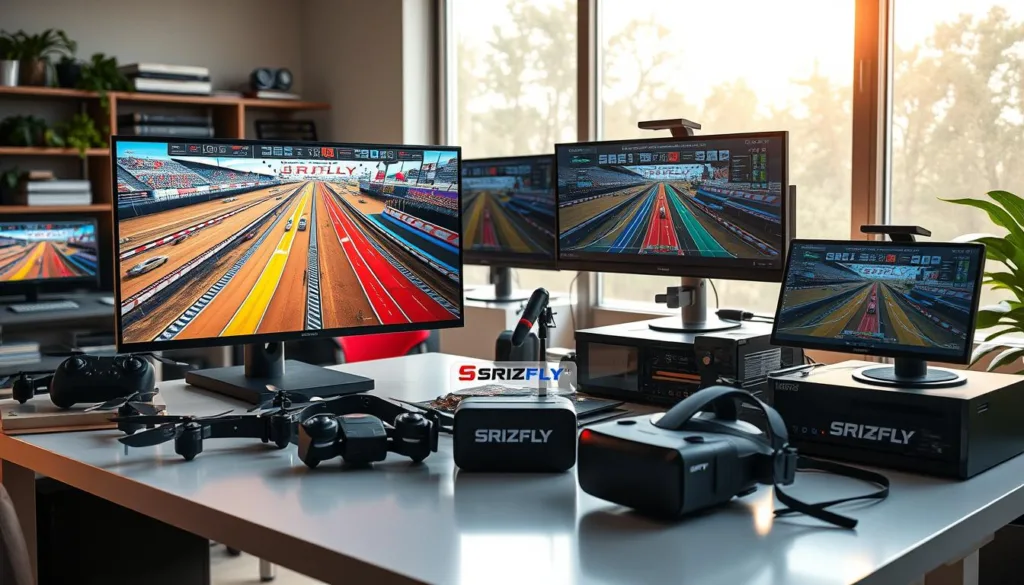
The DRL Simulator brings professional racing league excitement directly to your home. It features authentic courses flown by top competitors in the Drone Racing League.
Platform availability varies significantly across these options. While Liftoff and VelociDrone focus on PC compatibility, the DRL Simulator extends to Xbox and PlayStation consoles.
All three maintain active communities where enthusiasts share tracks and compete regularly. This social engagement enhances the learning experience for pilots at every skill level.
Regular content updates ensure these fpv simulators stay current with the evolving sport. Whether you prefer racing precision or creative freestyle flying, there’s a perfect match available.
Enhancing Your Flying Skills through Training Modes
The most successful pilots combine educational training with competitive challenges to accelerate their progress. Modern platforms offer specialized modes that transform practice into systematic skill development.
Flight School and Contest Modes
Flight School provides interactive tutorials for mastering essential techniques. You’ll learn hovering, navigation, and recovery in a supportive environment.
These programs break complex maneuvers into manageable steps. This approach builds solid foundations for advanced racing and freestyle flying.
Contest mode adds exciting competition to your practice sessions. You can participate in global events and track progress on leaderboards.
This combination develops both technical precision and racing mindset. Structured training helps avoid frustration and bad habits from the start.
Experienced pilots benefit from specific challenges that identify improvement areas. The engaging approach maintains motivation during extensive practice hours.
FPV Drone Sim: Customizing Your Controller and Settings
Controller customization bridges the gap between virtual practice and real-world performance. Getting your equipment properly configured ensures that skills developed on screen translate directly to actual flying. This consistency accelerates learning and builds proper muscle memory.
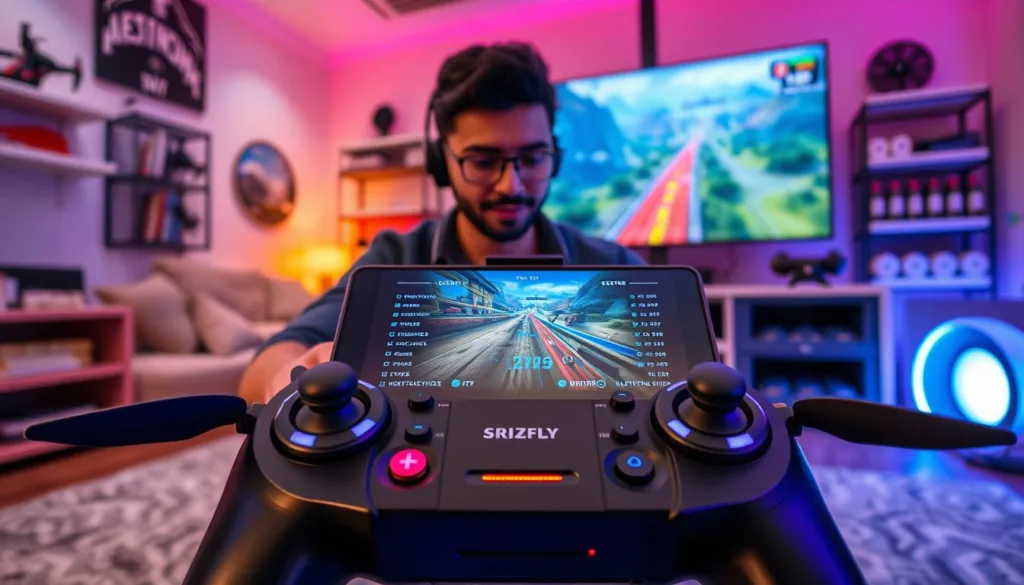
Most experienced pilots prefer using their actual transmitter radio rather than gaming controllers. This approach creates identical stick feel and response between virtual and real environments. Popular brands like FrSky, Radiomaster, and TBS integrate seamlessly with modern training software.
Calibration features eliminate dead zones and ensure accurate input recognition. You can adjust stick endpoints to match your preferred control range. This precision prevents unexpected behavior during critical maneuvers.
Rate settings customization allows you to replicate your real quad’s performance. A specific stick movement produces the same rotation speed in both environments. This fine-tuning creates a seamless transition between practice sessions and actual flights.
Beginners can start with gaming controllers like PlayStation or Xbox options. However, upgrading to a dedicated radio transmitter is recommended as skills progress. Taking time for proper setup yields maximum value from every practice hour.
The right configuration means every virtual session builds exact reflexes needed for real flying. This attention to detail separates casual users from serious enthusiasts. Your dedication to proper setup directly impacts your overall improvement rate.
Platform Compatibility and System Requirements
Ensuring your computer can handle the software is the first step toward successful virtual training. Checking system requirements beforehand saves you from frustrating performance issues.
ORQA FPV.SkyDive demonstrates excellent flexibility across different operating systems. This accessibility means you can start practicing regardless of your preferred computing environment.
PC, Mac, and Linux Considerations
The minimum requirements are relatively modest for this simulator. Many existing computers already meet or exceed these specifications.
| Platform | Minimum RAM | Recommended RAM | Graphics Card |
|---|---|---|---|
| Windows (7,8,10) 64-bit | 8 GB | 16 GB | NVIDIA GTX 650 |
| Mac OSX 10.12+ | 8 GB | 16 GB | 2x2048MB graphics |
| Linux | 8 GB | 16 GB | NVIDIA GTX 650 |
For the best experience, recommended specifications ensure smooth performance during high-speed scenarios. The Steam version simplifies installation and updates across multiple devices.
Adjustable graphics settings provide flexibility for lower-end hardware. This maintains the frame rates essential for responsive control practice.
Mac and Linux users should verify controller compatibility before starting. Smooth performance creates a realistic training experience that properly prepares you for actual flying.
Improving Racing Techniques with Simulated Practice
What separates championship racers from casual enthusiasts often happens before they ever touch real equipment. Top competitors use virtual environments to build the muscle memory and decision-making speed needed for victory. This preparation creates a significant advantage when transitioning to actual competition.

Consistency forms the foundation of faster lap times. Repeated practice on the same virtual track helps pilots memorize every gate position and turn. This eliminates hesitation during high-pressure runs.
Pro Tips for Faster, More Accurate Racing
Elite pilots experiment with different lines through each section of a course. They compare lap times to identify the fastest approaches. Then they drill these optimal paths until movements become automatic.
The ability to instantly reset after mistakes removes the fear of equipment damage. This freedom encourages attempting aggressive, limit-pushing lines. Gradually, these attempts expand both comfort zones and speed capabilities.
Performance analysis through replay features reveals subtle mistakes. Inefficient movements become clear when watching from different angles. This insight identifies specific areas for improvement.
Multiplayer modes and recorded ghost laps from faster competitors provide valuable benchmarks. They show exactly where time is gained on the track. Observing expert techniques helps pilots incorporate new strategies into their own flying.
Modern competitions see racing and freestyle styles converging. Virtual training offers the perfect space to practice creative lines that maintain speed. This develops a flowing, technical approach that impresses judges.
Regular sessions build the mental endurance needed for consecutive high-speed laps. Maintaining focus through multiple runs is a skill developed through dedicated practice. This systematic training truly separates podium finishers from the field.
Designing and Navigating Virtual Flight Tracks
Creating your own aerial playgrounds transforms practice from routine to adventure. The best training platforms offer extensive pre-built content alongside powerful tools for custom course creation.
VelociDrone leads with over 40 available sceneries and access to tens of thousands of community-created courses. This provides virtually unlimited variety that keeps sessions fresh and challenging.
Track editors transform these platforms from passive tools into creative studios. You can design exact racing courses or freestyle spots, then share them globally.
| Track Type | Primary Benefit | Skill Development |
|---|---|---|
| Racing Circuits | Speed precision | Gate navigation |
| Freestyle Environments | Creative freedom | Maneuver execution |
| Technical Courses | Spatial awareness | Tight cornering |
| Replica Tracks | Event preparation | Course memorization |
Community-driven development ensures the most popular and well-designed tracks rise to prominence. This gives you confidence that featured content represents the best flying experiences available.
Diverse maps spanning indoor warehouses, outdoor stadiums, and natural landscapes teach adaptation to different settings. This builds versatility that prepares you for varied real-world locations.
The variety prevents practice monotony during the hundreds of hours needed for expert-level skills. Learning to navigate complex courses builds the spatial awareness that defines skilled pilots.
Building a Global FPV Drone Community
Online multiplayer features transform solitary practice into engaging social experiences with worldwide reach. These platforms connect enthusiasts across different time zones and cultures.

The social dimension extends far beyond individual skill development. Virtual training creates spaces where people share knowledge and build lasting friendships.
Multiplayer Competitions and Online Engagement
Real-time racing against live opponents brings competitive excitement to every session. This replicates the adrenaline of actual events while building confidence.
Leaderboards and ranking systems provide clear progress markers. Watching your position improve offers continuous motivation throughout your journey.
Organized online events create structure for consistent practice. Scheduled competitions give specific goals to work toward each week.
| Game Mode | Primary Benefit | Community Impact |
|---|---|---|
| Live Multiplayer | Real-time competition | Immediate feedback |
| Ghost Racing | Skill benchmarking | Learn from experts |
| Global Leaderboards | Progress tracking | Healthy competition |
| Community Events | Structured practice | Regular engagement |
Active communities ensure platforms remain vibrant through shared content and feedback. This collaborative environment accelerates everyone’s improvement beyond solo practice.
The ability to interact with diverse flying styles broadens technical understanding. This exposure to different approaches creates more versatile and adaptable pilots.
Navigating Simulator Reviews and Ratings
Smart shoppers know that user reviews reveal the true story behind any software purchase. When choosing between different training platforms, community feedback becomes your most valuable resource.
Recent evaluations matter most since developers regularly update their products. Feedback from the current version gives you the most accurate picture of what to expect.
Understanding User Feedback
Look for patterns across multiple reviews rather than focusing on single opinions. Consistent mentions of specific features indicate genuine strengths or weaknesses.
Consider the reviewer’s skill level when evaluating comments. Beginners often value tutorials and ease of use. Advanced users typically focus on physics accuracy and competitive features.
Detailed feedback about controller compatibility and performance optimization provides more value than simple “like/dislike” statements. These specifics help you determine if issues affect your intended use.
The ratio of positive to negative reviews offers a quick quality indicator. However, reading the actual content reveals whether problems are deal-breakers or minor concerns.
Active community engagement signals ongoing development and support. This ensures multiplayer functionality and fresh content for your training experience.
Remember that no single platform works perfectly for everyone. Your ideal choice depends on your specific goals, hardware, and whether you prioritize racing or creative flying.
Investing in the Best FPV Drone Simulators
Budget considerations play a crucial role when selecting the ideal virtual training environment for your needs. The market offers both free and premium options, each with distinct advantages for different skill levels.

Free vs. Premium Options
Free platforms like ORQA FPV.SkyDive provide excellent starting points for newcomers. They offer sufficient features to explore aerial sports without financial commitment.
Premium choices such as Liftoff and VelociDrone justify their cost through superior physics accuracy. These tools feature extensive content libraries and professional-grade training capabilities.
The decision between free and paid options depends on your goals. Casual flyers often find free solutions meet their needs perfectly.
Maximizing Value for Enthusiasts
Serious competitors benefit most from investing in top-tier platforms. The precision training saves thousands in potential real-world crash repairs.
Many experienced pilots use multiple programs for different purposes. They might choose one for racing practice and another for creative exploration.
Your investment in these training tools remains minimal compared to actual equipment costs. Choosing the right platform accelerates skill development dramatically.
Future Trends in FPV Drone Simulation
Next-generation flight training platforms are pushing boundaries in ways that will transform how pilots develop their skills. The technology behind these virtual environments continues to evolve at an impressive pace.
We’re entering an exciting era where the line between digital practice and real-world flying becomes increasingly blurred. These advancements promise more authentic training experiences than ever before.
Advancements in Real-Time Physics
The heart of any quality training tool lies in its ability to replicate real flight behavior. Future physics engines will calculate incredibly detailed factors like individual propeller blade interactions and real-time environmental changes.
Expect to see simulations that account for subtle effects such as ground turbulence and battery performance variations. These improvements will create a truly realistic flying experience that mirrors actual conditions with unprecedented accuracy.
Innovations to Expect in Upcoming Releases
Artificial intelligence will revolutionize how we approach skill development. Smart systems will analyze your technique and create personalized training scenarios targeting specific weaknesses.
Virtual reality integration will become standard, offering immersive environments that replicate the sensation of actual goggles. Haptic feedback controllers will provide physical sensations corresponding to crashes and aerodynamic forces.
Cloud-based features will enable seamless practice across different devices. Social elements will expand to include spectator modes and virtual competitions with professional commentary. The entire drone racing freestyle community will benefit from these collaborative advancements.
Conclusion
Embarking on your aerial journey begins with the right training foundation. Mastering these flying skills requires dedication, but virtual practice dramatically accelerates progress while protecting your budget.
Whether you’re drawn to high-speed competition or technical micro aircraft maneuvers, the perfect training ground exists. The diverse landscape of options ensures something for every skill level and budget.
Your choice should align with specific goals. Beginners benefit from structured learning, while racing enthusiasts need accurate physics. Freestyle pilots want creative environments.
The best platform is the one you’ll use consistently. Regular sessions build the muscle memory that separates novices from skilled operators. This approach maximizes real-world success and enjoyment.
Start your journey today by connecting your controller and choosing a program that matches your interests. The incredible world of aerial creativity awaits your discovery.
FAQ
What exactly is an FPV drone simulator?
It’s a computer program that lets you practice flying a quadcopter from a first-person view. You connect your real radio controller to your computer to get a realistic flying experience without the risk of crashing a real machine. It’s a fantastic tool for learning and improving your skills.
Why should I use a simulator before flying a real machine?
Using a simulator helps you build muscle memory for controls and reactions in a safe, cost-effective environment. You can crash as many times as you need without breaking any parts! It’s perfect for mastering racing techniques and freestyle tricks before taking your skills outdoors.
Which simulators are best for beginners?
Great starting points include Liftoff and the DRL Simulator. They offer user-friendly interfaces, helpful tutorials, and forgiving physics that make the learning curve much smoother. Many also have active online communities where you can get tips.
Can I use my own radio controller with these programs?
Absolutely! Most top-tier sims support a wide range of popular controllers from brands like Taranis, Radiomaster, and Betafpv. You’ll typically connect via a USB cable and then calibrate the controls within the software for a perfect match to your real-world setup.
Are there free options available?
Yes, there are some excellent free simulators, like FPV.SkyDive by ORQA. These are a wonderful way to try out virtual flying without any investment. Premium options often provide more detailed physics, a greater variety of maps, and advanced customization for serious pilots.
What kind of computer do I need to run these simulations?
Requirements vary, but most modern simulators run well on a standard gaming PC with a dedicated graphics card. They are available on Steam for Windows, Mac, and sometimes Linux. Always check the specific system requirements on the store page before you purchase.
Can I race against other people online?
Definitely! Multiplayer modes are a key feature in sims like VelociDrone and Liftoff. You can join races and freestyle sessions with pilots from around the world, which is a fun way to test your skills and become part of the global community.

