



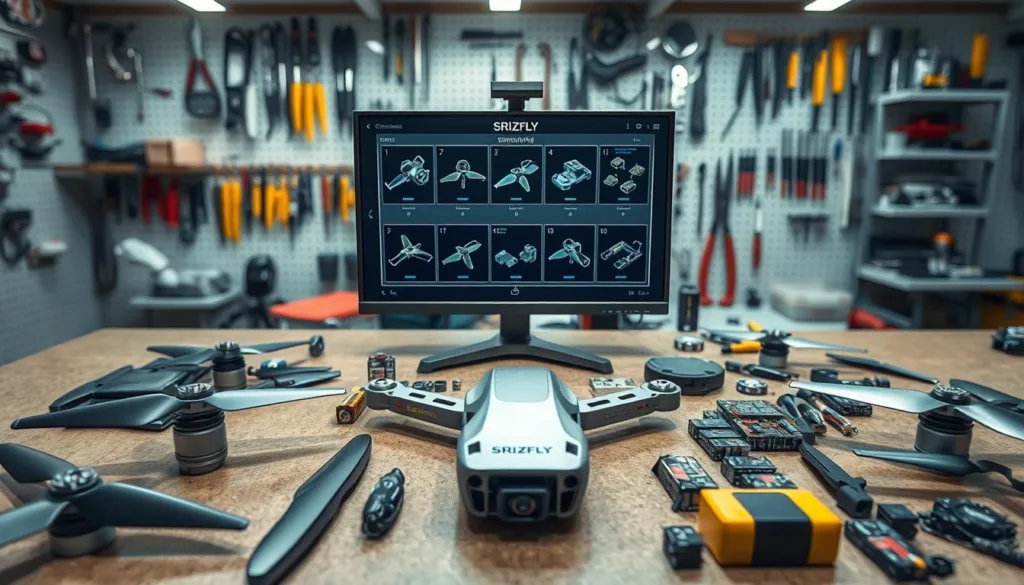
Welcome to your comprehensive guide on exploring the inner workings of flying machines through virtual teardowns. This approach lets you understand complex mechanical systems without touching a single screwdriver.
Whether you’re an engineering student, hobbyist, or professional, this method provides incredible insights into how these devices operate. You’ll learn to systematically analyze each component and create accurate digital models.
The process combines hands-on exploration with cutting-edge digital tools. We’ll walk through everything from basic measurement techniques to advanced 3D modeling platforms like SIEMENS NX.
By following this guide, you’ll gain confidence in understanding aerial vehicle mechanics. This knowledge serves both educational projects and professional development in the field of unmanned systems.
Key Takeaways
- Virtual teardowns provide safe, cost-effective learning experiences
- Understanding component functionality improves overall system knowledge
- Digital modeling tools create accurate representations of physical parts
- Systematic analysis reveals insights into performance optimization
- This approach benefits both beginners and experienced professionals
- Combining physical and digital methods offers comprehensive understanding
- Proper documentation ensures valuable reference materials for future projects
Introduction to Drone Disassembly Simulation
Have you ever wondered what makes unmanned aerial vehicles tick beneath their sleek exteriors? This systematic approach lets you explore every component without physical risks. You’ll gain deep insights into mechanical systems through careful virtual analysis.
The process combines hands-on exploration with advanced digital tools. Using software like SIEMENS NX, you create precise 3D models of each part. This methodology reveals how individual pieces work together as a complete system.
You’ll systematically examine every component’s function and connections. The primary goal is building an accurate digital representation with all dimensions intact. This creates a valuable reference for analysis and future design improvements.
This approach benefits engineering students, developers, and researchers alike. It enhances modeling skills and supports advanced analysis like stress testing. The combination of physical and digital methods provides comprehensive understanding.
The Importance of Drone Technology in Modern Flight
The integration of unmanned flight systems has revolutionized everything from agriculture to emergency response. These versatile tools provide capabilities that were once impossible or prohibitively expensive.
Unmanned aerial vehicles serve a remarkable variety of purposes across different sectors. Their flexibility makes them valuable assets in both commercial and humanitarian contexts.
| Industry | Primary Application | Key Benefit |
|---|---|---|
| Agriculture | Precision farming | Crop health monitoring |
| Emergency Services | Search and rescue | Rapid terrain access |
| Film Production | Aerial photography | Unique perspectives |
| Infrastructure | Bridge inspection | Safety enhancement |
The flight system represents a complex integration of mechanical and electronic components. Each part works in harmony to achieve stable aerial movement.
Understanding this technology provides essential context for virtual analysis. The hands-on experience of studying these devices helps improve their performance and reliability across all applications.
Benefits of Disassembling a Drone for Simulation
Taking apart an aerial vehicle virtually unlocks profound educational opportunities that extend far beyond simple component recognition. This approach reveals why specific engineering choices were made during development.
The methodology provides tremendous educational value by showing how intricate design decisions create functional, efficient systems. You understand not just what parts are used, but why they work together so effectively.
| Benefit Category | Skill Development | Practical Application |
|---|---|---|
| Educational Insight | System Understanding | Design Optimization |
| Technical Analysis | Modeling Proficiency | Performance Prediction |
| Time Efficiency | Assembly Knowledge | Future Project Planning |
“The best engineering education combines theoretical principles with hands-on examination of real systems.”
Creating detailed digital representations establishes a foundation for comprehensive performance analysis. This allows you to predict how design changes might affect flight characteristics and operational efficiency.
The process significantly improves your modeling abilities in specialized software. These practical skills translate directly to professional engineering work and product development.
Understanding physical construction through virtual examination saves considerable time during future design phases. You gain firsthand knowledge of assembly sequences and spatial constraints that inform better engineering decisions.
This approach enables detailed analysis of individual components and subassemblies. You can identify potential weak points and optimization opportunities to enhance overall system performance.
For both students and professionals, combining physical understanding with digital simulation creates a comprehensive learning experience. It bridges the gap between engineering theory and practical implementation.
Essential Tools and Software for Drone Disassembly Simulation
Before diving into detailed modeling work, it’s crucial to assemble the proper equipment and applications. You’ll need both physical measurement tools and sophisticated computer software to create accurate digital representations.
Precision instruments like digital calipers and micrometers capture exact dimensions. High-resolution cameras help document the process for accurate reassembly.
SIEMENS NX for 3D Modeling
SIEMENS NX stands out among CAD options for creating detailed component models. This powerful platform offers advanced features for parametric design and assembly modeling.
The software provides specialized tools for complex geometry creation. Commands like extrusion and sweep handle intricate shapes found in aerial vehicle components effectively.
Other Simulation and Analysis Software
Beyond traditional CAD software, cloud-native options like SIMNET combine design capabilities with flight simulator functionality. This web-based platform enables performance prediction and virtual testing.
Additional tools worth considering include finite element analysis programs and motion simulator applications. These options provide comprehensive testing capabilities for your virtual projects.
A Step-by-Step Process for Drone Disassembly
A methodical workspace setup ensures precision throughout your technical examination process. Begin with a clean, well-lit area that provides adequate room for organizing all elements systematically. Have your tools and documentation equipment ready before touching the device.
Start with external components that are easily accessible. Focus on propeller guards, landing gear, and battery covers first. Carefully note how each part attaches and the sequence required for removal.
Document every step using videos and photographs from multiple angles. Capture not only the components themselves but also their orientation and connection points. This thorough documentation creates valuable reference material.
| Disassembly Stage | Key Activities | Required Tools | Documentation Focus |
|---|---|---|---|
| Initial Setup | Workspace preparation, tool organization | Containers, labels, camera | Overall workspace layout |
| External Components | Remove guards, covers, landing gear | Screwdrivers, pliers | Attachment methods, sequences |
| Subsystem Division | Separate propulsion, flight control, camera systems | Measuring tools, containers | Functional relationships |
| Remote Controller | Examine joysticks, circuit boards, antenna | Precision tools, magnifier | Small part organization |
Use precise measuring tools like calipers and rulers throughout the process. Measure each component’s dimensions immediately after removal. Record these measurements to ensure accuracy for future modeling.
Divide the examination into reasonable sections based on functional subsystems. This approach makes the process more manageable. It also helps you understand how different systems integrate within the complete assembly.
Pay special attention to the remote controller during your analysis. This device contains numerous small parts including joystick mechanisms and circuit boards. Careful cataloging of these elements is essential for accurate digital representation.
Place removed components in labeled containers or numbered workspace sections. Maintain a clear organization system that facilitates both documentation and eventual reassembly. This systematic approach revealed 82 individual parts with 36 unique components in our example.
Documenting Measurements and Component Details
The quality of your digital recreation depends entirely on the accuracy of your initial measurements. Precise documentation transforms physical examination into reliable virtual models that capture every detail correctly.
Using Calipers, Rulers, and Digital Tools
A smart approach involves using a variety of measurement tools for different situations. Digital calipers excel in tight spaces where traditional rulers struggle to reach.
When examining complex connections within the device, these precision instruments provide instant digital readouts. This eliminates reading errors common with analog tools.
Effective Video and Data Recording Techniques
Video recording proves invaluable for capturing the process in real time. This allows you to review assembly sequences later and catch missed details.
Document each part immediately after removal, recording dimensions and material characteristics. Create a systematic naming convention that links components to their measurements and photographs.
Overcoming measurement obstacles requires an organized approach. Divide the examination into reasonable sections and document each stage thoroughly before moving forward.
The time invested in thorough documentation pays enormous dividends during 3D modeling. Accurate measurements eliminate guesswork and reduce the need for physical verification.
Identifying and Cataloging Drone Components
Cataloging every individual piece forms the foundation for reliable simulation work. This systematic approach helps you understand how all elements work together as a complete system.
Our examination revealed 82 total parts with 36 unique components. Each piece was carefully documented during the analysis phase. This illustrates the complexity even basic consumer models possess.
Create a comprehensive parts catalog with essential details for each component. Include names, functions, materials, dimensions, and relationships to other parts. This documentation becomes invaluable during digital reconstruction.
Group components into logical subsystems for better organization. Consider these categories:
- Flight controller system and propulsion elements
- Structural framework and power distribution parts
- Sensor packages and communication modules
The main assembly contained 14 parts while the remote controller had 22 components. Pay special attention to fasteners and connectors that join major sections. These small parts are critical for understanding assembly sequences.
Use consistent naming conventions that reflect function and location. Examples include “motor_mount_front_left” or “battery_connector_positive.” This makes organizing your digital model much more intuitive.
Photograph each unique part against a neutral background with scale references. This visual catalog complements your written documentation and dimensional data. The systematic identification process ensures accurate virtual reassembly in modeling software.
Drone Design and Analysis Features in Simulation Platforms
What separates contemporary design platforms from basic modeling software is their comprehensive approach. These advanced systems provide integrated tools that accelerate the entire development cycle for aerial vehicles.
Modern platforms like SIMNET combine three core functionalities into one ecosystem. You get powerful design tools, realistic flight simulations, and training content all working together seamlessly.
Performance Prediction and Trade Studies
The performance prediction capabilities are particularly impressive. These features deliver instant analysis of key metrics like flight time, range, and speed based on your design parameters.
Trade study tools help you visualize how any change affects multiple parameters simultaneously. This reveals complex relationships between design decisions and flight characteristics without building physical prototypes.
Integration with Cloud-Based Tools
Cloud-based platforms offer significant advantages for today’s user. They provide accessibility from any device with internet connection while eliminating expensive local hardware requirements.
These systems integrate with conventional CAD software and other development tools. This creates a seamless workflow from initial design through virtual testing and analysis.
The comprehensive analysis capabilities help identify potential issues early. You can address problems before committing resources to physical prototypes, saving both time and development costs.
Drone Disassembly Simulation Overview
The journey from tangible components to virtual models represents a complete engineering workflow with remarkable educational value. This approach transforms physical examination into comprehensive digital understanding.
This methodology connects hands-on exploration with advanced computer-aided design. You systematically progress through each stage to create an accurate digital representation.
| Workflow Stage | Primary Activity | Key Outcome |
|---|---|---|
| Physical Examination | Component measurement and documentation | Detailed part specifications |
| Digital Modeling | 3D recreation of individual elements | Accurate virtual components |
| Virtual Assembly | Recreating spatial relationships | Complete system model |
| Analysis Phase | Testing and optimization | Performance insights |
“The most effective learning happens when you can bridge physical reality with digital experimentation.”
After documenting all individual elements, the next phase involves using specialized software. You recreate each component digitally with precise dimensions and material properties.
In the assembly file created in platforms like SIEMENS NX, these virtual parts come together. They recreate the complete aerial vehicle structure with original spatial relationships intact.
This comprehensive digital twin serves as a valuable reference for various applications. You can perform motion studies, structural analysis, and aerodynamic testing virtually.
The simulator environment enables visualization of the complete system. You can create exploded views and explore component interactions during operation.
This methodology applies to aerial vehicles of any complexity level. From basic quadcopters to sophisticated commercial UAVs, the approach remains equally valuable.
Advanced SIEMENS NX Commands for Drone Modeling
Moving beyond basic modeling requires mastering the specialized commands that bring complex shapes to life. These advanced tools handle the organic curves and intricate features found in modern aerial vehicles.
Solid modeling commands form your foundation. Extrusion creates basic shapes quickly. Chamfer adds beveled edges for safety and aesthetics. Delete body removes unwanted geometry during the design process.
Extrusion, Chamfer, and Delete Body Techniques
These fundamental tools work well for mechanical components with defined thickness. They’re perfect for creating frames, mounts, and enclosures. The software makes these operations intuitive for beginners.
Combined Curve Projection and Sweep Command
For complex curves, you’ll use combined curve projection. This command creates 3D splines from two 2D sketches on different planes. The sweep command then extrudes profiles along these paths.
Surface modeling commands handle aerodynamic shapes effectively. Bridge Curve connects curves with smooth transitions. Through Curve Mesh generates surfaces from multiple guiding curves.
| Command Type | Primary Function | Best For Components |
|---|---|---|
| Solid Modeling | Creates volumetric shapes | Frames, mounts, structural parts |
| Surface Modeling | Generates complex curves | Propellers, fairings, aerodynamic surfaces |
| Hybrid Commands | Combines solid and surface techniques | Organic shapes with mechanical features |
The N-sided Surface command encloses curve loops for irregular shapes. Sew joins surfaces into solids when they form complete volumes. Extract Geometry duplicates existing elements for symmetric design.
This variety of tools gives you flexibility for any component. Understanding when to apply each technique ensures accurate virtual representations of physical parts.
Drafting, Tolerances, and Surface Finish in Drone Components
Creating precise technical drawings requires attention to dimensional accuracy and material specifications. These elements directly impact how well your model drone performs in real-world conditions.
Proper drafting establishes the foundation for functional relationships between components. The controller’s design illustrates how geometric dimensioning affects manufacturability and user experience.
Ensuring Accuracy in Perpendicularity and Concentricity
Perpendicularity in cylinder strength elements ensures proper load transmission. This specification maintains structural integrity during operation.
Concentricity between hole circles and solid circles addresses precision requirements for small parts. This prevents vibration issues that could affect flight stability at high speed.
Surface removal allowances in holes enable post-process correction. Manufacturing methods like ABS mold injection often require these adjustments.
Post-Process Corrections and Surface Finishing
The controller’s smooth surface was deliberately designed for frequent human interaction. Surface finish requirements guarantee both aesthetic appeal and damage protection.
Symmetric tolerance maintains forces and moments equilibriums in blade protectors. H7 tolerances create tight fit conditions between protector and motor parts.
When documenting components during your virtual analysis, note existing tolerances and finishes. These reveal the original manufacturer’s design intent for your digital recreation.
Integrating Motion Analysis into the Drone Simulation
Motion analysis transforms static digital representations into dynamic systems that reveal real-world behavior. This approach helps you understand how components interact during actual operation.
The detailed analysis provides insights that static models cannot capture. You’ll identify potential interference issues and movement limitations before building physical prototypes.
Analyzing Blade Dynamics and Rotor Deployments
For the aerial vehicle itself, motion analysis focuses on rotating components and deployment mechanisms. Using scalar torque in your simulation allows straightforward observation of blade behavior.
You can watch blades transition from folded storage positions to full extension. This is critical for understanding compact designs that need full functionality during flight.
Evaluating Controller Movement and User Interaction
The remote controller requires careful motion analysis of its interactive components. Ball-and-socket joystick mechanisms and sliding telephone nests need thorough examination.
This evaluation reveals movement ranges and restrictions for optimal user experience. The flight controller‘s interaction with mechanical systems shows how electronic commands translate into physical responses.
By applying motion analysis to both the aerial vehicle and its remote controller, you gain comprehensive understanding of the complete system’s dynamic behavior. This methodology helps verify adequate clearance during movement and ensures smooth operation.
Executing Finite Element Analysis on Drone Parts
Finite element analysis gives you a powerful way to test component strength before physical prototyping. This advanced analysis technique predicts how parts respond to real-world stresses. You can evaluate collisions, vibrations, and thermal effects digitally.
For our model drone example, we focused on the blade protector’s performance. This component faces impacts with walls, trees, and obstacles during flight. The analysis setup began with material properties.
The construction uses Acrylonitrile Butadiene Styrene (ABS). We input its Young’s Modulus and plasticity data. Fixed points were set at connector regions where the protector attaches to the frame.
Stress predominantly accumulated in the front section during impact simulation. This makes sense as it’s the first contact point. The protector yields when 120N of force is applied.
Material plasticity causes predictable deformation patterns. This helps understand energy absorption and potential damage. The analysis confirmed safe operation at maximum speed.
Operating at 10m/s remains within safe parameters. This type of analysis saves time and prevents physical prototype failures. It provides confidence in your drone design’s reliability.
Enhancing Pilot Training Through Drone Simulators
Modern pilot education has evolved dramatically with the introduction of virtual training environments. These innovative tools provide safe spaces for developing essential operational abilities without real-world risks.
Today’s training platforms combine comprehensive course catalogs with custom content tailored to specific needs. The web-based approach eliminates geographical barriers while maintaining high-quality instruction standards.
Web-Based Pilot Courses and Simulation Platforms
Web-based learning options offer structured programs that combine theory with practical exercises. Users can access training materials from any device with internet connectivity.
These platforms include auto-graded exercises and challenging mission scenarios. The zero-risk environment allows practice of maneuvers that would be dangerous in real life.
Virtual Reality Experiences in Drone Training
Virtual reality represents the cutting edge of immersive learning experiences. Pilots gain realistic depth perception and spatial awareness through advanced VR technology.
The sensory feedback closely mimics actual flight conditions. This approach builds muscle memory and decision-making skills effectively.
Learning management systems track individual progress and proficiency levels. Organizations can monitor team development while ensuring regulatory compliance.
Professional operators use these tools to rehearse complex missions with accurate aircraft models. The simulation experience reduces the learning curve when transitioning to physical equipment.
Exploring Future Trends in Drone Technology and Simulation
Tomorrow’s aerial technology is being shaped today through innovations that make virtual testing environments nearly indistinguishable from actual flight conditions. These advancements create incredibly realistic training experiences.
Virtual reality represents a major leap forward. Using Meta Quest headsets, pilots gain immersive depth perception that transforms the learning experience. This approach builds muscle memory effectively.
Worldwide 3D terrain models let users practice missions anywhere on Earth. You can fly over accurate recreations of real locations before conducting operations there. This prepares you for real-life challenges.
Web-based platforms eliminate expensive software installations. Features like manual UAS flight simulation work with USB transmitters or keyboards. You can access these tools from any device.
Integration with ArduPilot SITL allows autonomous flight testing. This connects directly to your ground control station. You validate mission plans before drone using them in the field.
Artificial intelligence creates more realistic environmental interactions. Collaborative environments enable team training in shared virtual spaces. These innovations save significant development time.
The gap between simulation and real-world deployment continues to shrink. Enhanced controller interfaces provide realistic tactile feedback. This technology transfer ensures skills learned virtually apply directly to operating real drones.
Conclusion
Virtual exploration of mechanical systems represents a transformative approach to technical education. This methodology bridges physical understanding with digital innovation, creating comprehensive learning experiences.
The skills developed through this process translate directly to professional applications. From measurement techniques to advanced analysis, you gain practical knowledge applicable across industries.
Modern training platforms make this education accessible to everyone. Using USB controllers in realistic simulator environments prepares you for real-life operations safely.
This approach enriches both academic studies and career development. The combination of hands-on examination and virtual testing provides unmatched insights into engineering principles.
We encourage you to apply these techniques to your own projects. Whether for hobby exploration or professional advancement, the methodology delivers valuable experience that shapes future innovation.
FAQ
What is the main benefit of using a virtual drone platform for training?
A virtual platform offers a safe, risk-free environment to practice flight skills and learn about the device’s parts. You can experiment with different flight maneuvers and system responses without the worry of damaging a real-life model or losing an expensive piece of equipment.
Can I use my own remote controller with these training tools?
Absolutely! Many modern simulation software options support using a USB connection to link your actual remote controller. This provides a much more realistic and immersive learning experience, helping your muscle memory translate directly to flying a real quadcopter.
What kind of performance analysis can I do with this type of software?
These platforms offer powerful features like performance prediction and trade studies. You can test how changes in weight, motor speed, or blade design might affect flight stability and battery life before you ever build a physical prototype.
Do I need to be an engineer to use disassembly simulation tools?
Not at all! While some advanced features are geared toward design and analysis, the core functions are accessible to hobbyists, pilots, and students. The step-by-step process is designed to help anyone understand how their device works, from the flight controller to the individual components.
How does this help with real-world maintenance and repair?
By virtually taking a model apart and putting it back together, you gain a deep understanding of its assembly. You’ll learn the function of each part, proper tool use, and effective management of components. This knowledge is invaluable for troubleshooting and performing repairs on your actual gear.

