



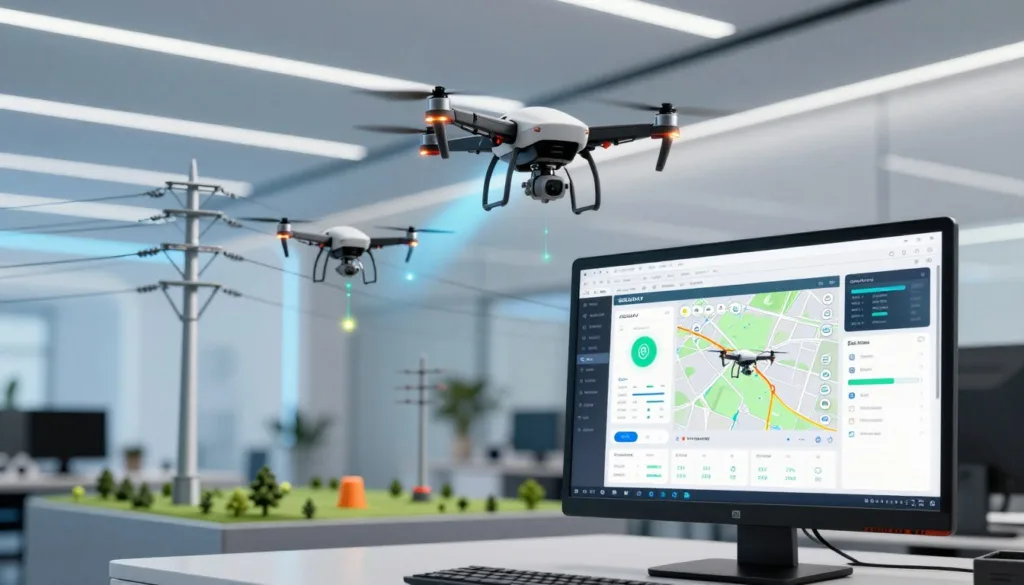
Drone power inspection simulation software helps utility teams prepare for missions before crews take off. A power-line drone inspection can capture visual, thermal, and sometimes LiDAR data to assess lines, towers, and nearby vegetation. With hundreds of thousands of miles of transmission lines across the United States, drones can help crews inspect assets with less field exposure.
A utility drone simulator can support practice and mission preparation, while drone mission planning tools help build routes and organize flight tasks. Flight automation tools control parts of a mission, and inspection data platforms help manage and review captured information. These tools serve different roles, so teams should assess them as parts of a broader workflow. For readers considering SRIZFLY, this guide explains that planning context without assuming specific product features.
Key Takeaways
- Simulation helps crews prepare for utility drone missions before field work.
- Power-line inspections may use visual, thermal, or LiDAR sensors.
- Mission planning, flight automation, and data review are distinct functions.
- Drones can help utilities assess infrastructure while limiting field exposure.
- Evaluate any simulator as one part of the inspection workflow.
What Is Drone Power Inspection Simulation Software?
Drone power inspection simulation software helps utility teams review and rehearse a proposed mission before sending a crew into the field. A drone inspection simulation can help teams think through routes, assets, terrain, hazards, sensors, and crew tasks. It supports planning; it does not replace field checks or flight judgment.
How simulation supports utility inspection planning
For power-line inspection planning, teams can use a virtual view to discuss access points, likely obstacles, and the order of work. Utility mission planning software may help organize routes and tasks. The exact tools vary, so teams should confirm features before relying on them.
How it differs from flight automation and inspection data platforms
Flight automation runs or guides a drone during an operation. Inspection data platforms help manage captures, maps, logs, and project records. Airpelago Power offers flight planning, operational presets, checklists, flight logs, and project tracking. DroneDeploy combines aerial and ground captures, including maps and 360-degree imagery. These are operational and data tools, not proof of a specific simulator’s features.
When virtual planning can help crews prepare
Virtual drone training can help crews prepare for large corridor projects, review local risks, and align methods across pilots. It gives teams a shared way to discuss the plan before they reach a site.
Why Utilities Simulate Power-Line Drone Inspections
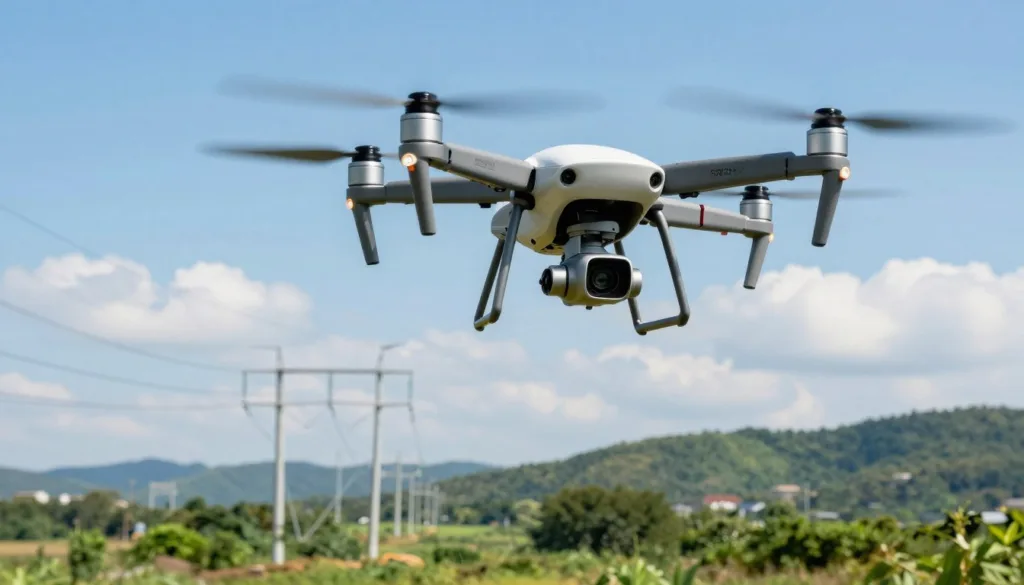
Simulated missions help crews review routes and tasks before a drone reaches a power corridor. The power-line drone inspection benefits can include fewer tower climbs, fewer helicopter sorties, and faster checks after storms. Drones can capture images from a safe distance, supporting utility inspection safety near energized equipment.
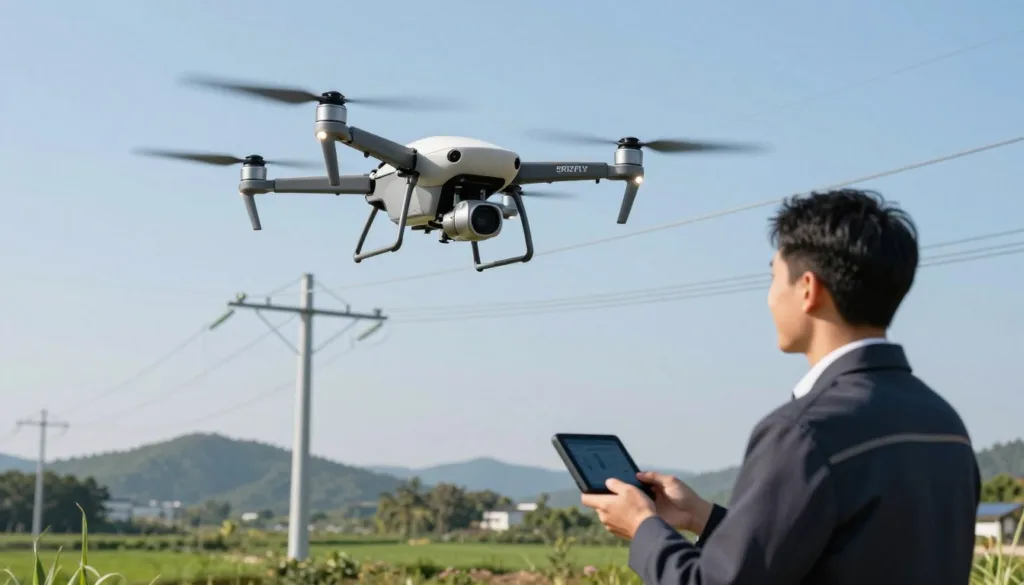
Visual cameras record insulators, conductors, and fittings. Thermal sensors can help reveal hotspots linked to loose connections or overloaded circuits. LiDAR can build 3D models and support vegetation-clearance checks. These tools give utilities more ways to gather data for utility asset monitoring.
Planned, repeatable routes can improve drone inspection efficiency and help standardize maintenance records. DroneDeploy has shared a customer claim of savings greater than five times; actual savings vary by operation and are not guaranteed.
Simulation lets crews review plans before deployment. It does not replace field safety procedures, pilot judgment, or required operational approvals.
Plan Inspection Missions Across Power Corridors
Strong corridor plans connect utility asset data with field conditions. Power corridor mapping helps crews see where poles, towers, lines, access roads, and rights-of-way meet before a drone takes off.
Map poles, towers, lines, access roads, and rights-of-way
Utility right-of-way mapping can bring these features into one working view. DroneDeploy supports corridor, trench, and right-of-way mapping, with orthomosaics and 3D models for design and as-built records. Teams can overlay locator or ground-penetrating radar data on current maps and track changes to access roads and power assets.
Use line and asset data to create repeatable routes
Accurate network data gives route plans a reliable starting point. Airpelago Power can use geographic data exported from a utility network information system to build routes with deterministic algorithms. The company reports that its software can plan and automate flights for 5,000 kilometers of line inspections in under one second.
This kind of automated drone route planning can support large programs, including projects that cover up to 15,000 kilometers of lines. Crews can review pole counts and route distance, choose flight presets, assign pilots, set schedules, and name data-delivery locations and contacts.
Estimate coverage, distance, and pilot days before deployment
Route estimates help teams gauge power-line inspection coverage and plan pilot days. They can compare mission lengths and expected work before assigning crews. These estimates guide planning, but access limits and actual flight conditions can change the schedule.
| Planning item | What teams can review | Why it matters |
|---|---|---|
| Asset map | Poles, towers, lines, roads, and rights-of-way | Shows the corridor and key access points |
| Route data | Network geography, pole counts, and distance | Supports repeatable missions and workload estimates |
| Deployment plan | Flight presets, pilot assignments, schedules, and delivery details | Helps coordinate crews and inspection records |
Test Automated Flight Plans and Inspection Workflows
Before crews fly a power corridor, they can review planned routes and camera tasks in a simulator or preflight tool. This helps teams spot gaps and refine the drone inspection workflow before fieldwork begins.
Compare Flight Presets and Planned Coverage
Drone flight presets set common patterns for speed, camera angle, and image capture. Airpelago Power offers standardized flight patterns and project tools that track progress and check whether each pole has a photo. Teams can compare planned coverage before launch, then confirm it with flight records and captured images.
Prepare Repeatable Routes for Routine and Targeted Inspections
Repeatable inspection routes help crews collect data in a consistent way across scheduled surveys. Standard camera angles and resolution make it easier to compare images from different pilots or visits. Checklists, flight logs, and progress tracking can help teams follow the same plan and note any missed assets.
Combine Automated Surveys With Manual Anomaly Follow-Ups
Automated power-line inspection can cover standard sections of a corridor, while manual control gives pilots a closer look at a suspected issue. A pilot may change position to view a damaged insulator or a hard-to-reach angle. This blended approach keeps routine coverage consistent while allowing focused checks in the field.
Airpelago Power includes smart guidance, team tools, map integration, and reporting features to support this process. These tools can organize work, but crews still need to verify coverage in the recorded data.
| Inspection approach | Best use | What crews should verify |
|---|---|---|
| Preset automated route | Routine pole and line coverage | Check flight records and confirm images for each planned asset. |
| Targeted manual flight | Closer views of suspected issues or difficult angles | Confirm the image shows the feature clearly and records its location. |
| Blended workflow | Standard surveys with focused follow-up checks | Review both route coverage and added manual captures. |
Assess Flight Risks, Terrain, and Regulatory Requirements
A careful drone flight risk assessment helps utility teams spot hazards before a crew reaches the field. Review terrain, access roads, site entry points, and lines that cross or run near the planned route. These checks support power-line flight safety and help crews plan around changing conditions.
Review terrain, access, road networks, and intersecting lines
Airpelago Power includes terrain and risk assessment tools, road-network and site-access reviews, and ways to identify intersecting lines. Teams can use these details to adjust routes and note local hazards before flight.
Mark hazards, no-fly zones, warnings, and local knowledge
Mark drone no-fly zones, warnings, and site knowledge on the flight plan so crews can see them during preparation. Operational presets can set who may fly, which drone models are allowed, and when and where flights can take place.
Plan operational controls and documentation for BVLOS missions
For a BVLOS utility inspection in the United States, commercial pilots need an FAA Part 107 Remote Pilot Certificate. Beyond visual line of sight flights require applicable FAA authorization; confirm current requirements for each mission. Airpelago describes its BVLOS support in relation to EASA requirements, which does not mean the platform or operation has U.S. approval.
Use checklists, flight logs, and deviation reports to document controls. Set weather limits, since heavy rain, snow, and high winds can make flight unsafe. Plan within suitable weather windows.
Prepare Sensors, Drones, and Inspection Data
Choose each sensor and aircraft to fit the inspection task. Clear goals help crews collect useful data and keep results consistent from one flight to the next.
Match Sensors to Inspection Goals
High-resolution RGB cameras record insulators, conductors, fittings, and other visible parts. Thermal cameras support thermal power-line inspection by showing heat patterns that may point to hotspots.
LiDAR corridor mapping creates 3D models and helps assess vegetation clearance. Some aircraft can carry corona discharge detectors to reveal electrical discharges that the eye cannot see.
Check Aircraft and Payload Support
Before buying equipment, confirm drone payload compatibility with the software provider. Airpelago Power lists support for DJI Matrice 4E and 4T, DJI Mavic 3E and 3T, DJI Matrice 350 RTK and M400, DJI Zenmuse L2, Phase One P3, and DJI Zenmuse P1. Confirm the exact aircraft and sensor pairing, since support can vary by setup.
Other inspection options include the Skydio X10, Inspired Flight IF800 Tomcat, and senseFly eBee X. Listed uses range from close visual and thermal checks to corridor mapping.
Keep Inspection Data Consistent
Set standard camera angles, image resolution, and flight patterns before crews launch. These settings make images easier to compare across assets, routes, and inspection dates.
| Inspection goal | Useful sensor or setup | Data produced |
|---|---|---|
| Document visible components | High-resolution RGB camera | Detailed images of insulators, conductors, and fittings |
| Find heat patterns | Thermal camera | Thermal images for review of possible hotspots |
| Assess terrain and clearance | LiDAR sensor | 3D corridor models and vegetation measurements |
| Spot electrical discharge | Corona discharge detector | Visual records of discharge activity not seen by eye |
Simulate Field Operations and Crew Coordination
Strong drone inspection crew coordination starts before launch. Assign pilots, observers, and data staff to clear tasks. Use a shared schedule, checklists, and flight logs so each person knows what to do before, during, and after a flight.
Simulation exercises can help teams rehearse the drone pilot workflow, from flight assignments to data uploads and reporting. Airpelago Power supports multiple pilots on large projects with schedules, operational presets, checklists, flight logs, team coordination, and instant reporting.
Daily coverage depends on voltage, terrain, ground access, intersecting lines, and flight authorization. Airpelago Power cites a range of 10 to 50 kilometers per day. Use local conditions to set realistic targets for utility drone field operations, rather than relying on a fixed distance.
Utilities without in-house pilots or equipment can take a staged approach. DroneDeploy’s Data on Demand offers flight and ground-capture services. Teams can add their own drones and 360-degree cameras as their program grows. Good inspection project management keeps roles, records, and timing clear at every stage. Crews must still follow applicable operating procedures in the field.
| Operational step | What the team plans | What to record |
|---|---|---|
| Flight assignments | Pilot roles, route, schedule, and coverage target | Pilot name, assigned assets, and planned flight time |
| Preflight checks | Aircraft, payload, site access, hazards, and authorization | Completed checklist and any field limits |
| Data handling | Upload timing, file naming, and review responsibility | Flight logs, imagery status, and upload notes |
| Reporting | Who reviews results and sends updates | Coverage, delays, and reported issues |
Review Inspection Results, Progress, and Asset Changes
A clear drone inspection data review helps teams track completed work and spot areas that need attention. Project dashboards can connect flight records, images, and corridor coverage in one place.
Track project progress, flight logs, and corridor coverage
Airpelago Power lets teams view project progress, flight logs, statistics, and video replays. Automatic progress tracking and coverage data help managers see which routes are complete and where crews may need to return.
For utility corridor monitoring, consistent records make it easier to compare flights across dates. Teams can add viewers so field staff and project leads can review the same information.
Review imagery, video, and reports to identify potential issues
Reviewing visual, thermal, and LiDAR data can reveal signs of damage or change. Standardized images help crews compare assets over time and flag items for maintenance or closer inspection.
Power asset change detection can cover poles, towers, lines, and access roads. DroneDeploy tools can help document storm damage for claims and regulatory reports. Teams can pin issues and near-misses to maps or plans for follow-up.
Combine aerial maps and ground captures for a site or corridor record
Drone maps paired with ground walkthroughs create a richer record of a site or corridor. Aerial and ground inspection data can include 360-degree views of trenches, vaults, paint marks, depth stakes, and connections before crews backfill.
Teams can overlay locator and ground-penetrating radar data on current maps. This georeferenced record can help reduce repeat locates, disputes, and future strikes.
| Record type | What it can show | How teams use it |
|---|---|---|
| Flight logs and coverage | Routes flown, dates, and completed areas | Track progress and plan any return flights |
| Visual, thermal, and LiDAR data | Asset condition and possible changes | Flag issues for review or maintenance |
| Ground captures and map overlays | Site details, markings, and underground utility data | Build a shared, location-based project record |
Compare Software Costs, Savings, and Program Options
The right approach depends on how often crews inspect power lines and what each mission requires. A clear utility drone program budget should include service fees, staff time, equipment, software, and ongoing operating costs.
Compare Service Providers With an In-House Team
Outsourced drone inspections may cost $300 to $2,000 per mile. Smaller projects can range from $150 to $500 per structure. The power-line drone inspection cost varies with sensors, terrain, vegetation, site access, approvals, and the required reports. Travel and lodging can add thousands of dollars when assets are spread across a large area.
An in-house drone inspection program has higher startup costs but may suit utilities with frequent work. Estimated startup costs range from $25,000 to $50,000, with annual operating costs of $10,000 to $20,000. Occasional inspections may be less costly through a service provider.
Include the Full Cost of Ownership
A professional drone and payload can cost $13,000 to $30,000. Pilot and analyst training may add $1,500 to $5,000 per person. Software licensing is estimated at $3,000 to $10,000 per year, while maintenance and insurance may cost $2,000 to $5,000 per aircraft each year.
Compare these costs with the scope and frequency of planned work. A utility should account for staff availability, data review, equipment upkeep, and the cost of keeping pilots current. These items help show whether the utility drone program budget supports an in-house team or paid missions.
Count Avoided Field Work
Drones can reduce the need for truck rolls, climbing, helicopter flights, and labor-intensive checks. The value depends on route length, inspection goals, crew costs, and how often the aircraft is used. Compare those savings with the full cost of each inspection option.
Airpelago estimates that drone inspections can cut emissions by about 10 metric tons of CO2 per 1,000 kilometers per year. Its source lists average helicopter emissions at 3.5 kilograms per kilometer. For utilities, these figures can inform planning alongside safety, coverage, and operating costs.
Choose Drone Power Inspection Simulation Software
The best drone inspection software should fit your routes, crews, data rules, and reporting needs. Compare tools in a power inspection software evaluation that covers planning, flight automation, risk review, project scheduling, coverage tracking, field checklists, and data review.
Assess mission planning, automation, and project management features
Look for utility drone mission planning tools that support repeatable flight patterns and clear project tracking. Airpelago Power offers project management for large programs, standardized flight patterns, operational presets, and automated documentation. Compare those features with your crew’s needs and existing inspection workflow.
Check security, data handling, integrations, and compliance support
Ask how each platform stores, shares, and protects imagery. Airpelago Power says it encrypts data on drones and cameras, with a desktop client for high-security handling. DroneDeploy describes encryption at rest and in transit, role-based access, and SOC 2 and ISO 27001 controls for enterprise utility users. Review integrations, data delivery, permissions, and compliance fit. Strong drone data security should be clear before a project begins.
In the United States, check FAA Part 107 requirements and any added approvals for the planned operation. Confirm that the platform supports the records your team needs.
Start with a pilot project and define success measures
Test one corridor before choosing a platform for a full program. Track coverage, time per mile, image completeness, review time, safety exposure, and total cost. Verify SRIZFLY’s capabilities directly before comparing it with operational platforms.
Conclusion
Drone power inspection simulation software can help utilities plan routes, test workflows, and prepare crews before field work begins. It is one part of a broader process, alongside flight automation, field operations, and tools for managing inspection data.
Before choosing a platform, assess your routes, sensors, risk controls, crew roles, data standards, security needs, and total costs. Strong utility drone inspection planning can support safer power-line inspections, but each U.S. operation must also meet applicable regulatory requirements.
Start with a focused pilot to measure coverage, consistency, review speed, and safety. Ask providers to demonstrate the specific planning and data features your team needs, then use the results to guide your drone inspection program.
FAQ
What is drone power inspection simulation software?
It is a planning and rehearsal aid that helps utility teams review a proposed drone mission before field deployment. Crews can use virtual planning to consider routes, poles, towers, terrain, hazards, sensors, and team responsibilities. Confirm specific features with each provider, as simulation capabilities vary.
How does simulation software differ from flight automation and inspection data platforms?
Simulation helps teams prepare for a mission. Flight automation tools plan or manage drone operations, while inspection data platforms capture, organize, and review imagery and records. For example, Airpelago Power supports inspection project management and flight planning. DroneDeploy combines aerial and ground data. These functions do not establish what a separate simulator can do.
Why do utilities use drones to inspect power lines?
Drones can collect visual, thermal, and sometimes LiDAR data from a safe distance. This can reduce the need for workers to climb towers or inspect near energized equipment. Utilities also use drone inspections to support post-storm assessments, maintenance records, and more consistent corridor coverage. Results depend on the mission and operating conditions.
When can virtual planning help prepare a power-line inspection?
Virtual planning can help when a utility is preparing a large corridor project, reviewing local risks, or standardizing work across multiple pilots. Teams can rehearse routes and crew steps before arriving on site. Planning does not replace field safety checks, operational approvals, or confirmation of actual flight coverage.
What should teams include when planning a drone inspection corridor?
Consider poles, towers, conductors, access roads, rights-of-way, terrain, and nearby hazards. Geographic data from a utility network information system can help create routes. Tools such as DroneDeploy can support corridor mapping and site records, while Airpelago Power describes route planning using geographic data and deterministic algorithms.
Can software estimate route distance and pilot days before deployment?
Some operational platforms provide planning details such as pole counts, route distance, pilot assignments, and schedules. Airpelago Power says it can plan and automate flights for 5,000 kilometers of power-line inspections in less than one second, and describes projects covering up to 15,000 kilometers. Actual coverage and field time still depend on access, terrain, weather, and flight authorization.
How do automated and manual drone inspections work together?
Automated routes can provide repeatable coverage for routine surveys. A pilot can then use manual flight control to inspect a suspected anomaly or capture a hard-to-reach view. Flight presets, checklists, and standardized camera angles can help crews follow a consistent process. Review flight logs and captured data to confirm coverage.
What risks and regulations should crews consider before a drone mission?
Review terrain, road access, intersecting lines, weather, no-fly zones, and local site knowledge. Heavy rain, snow, or high winds can limit safe operations. In the United States, commercial pilots need an FAA Part 107 Remote Pilot Certificate. Beyond visual line of sight (BVLOS) flights require applicable regulatory authorization. Confirm current FAA requirements for each mission.
Which sensors are used for power-line drone inspections?
High-resolution RGB cameras document visible components such as insulators, conductors, and fittings. Thermal cameras can reveal hotspots linked to loose connections or overloaded circuits. LiDAR supports 3D models and vegetation-clearance checks. Some platforms also carry corona discharge detectors to help visualize partial electrical discharges.
Which drones and payloads should utilities check for compatibility?
Compatibility depends on the aircraft, payload, and software. Airpelago Power lists support for several DJI platforms and payloads, including Matrice and Mavic models, Zenmuse sensors, and Phase One P3. Other inspection platforms list aircraft such as the Skydio X10, Inspired Flight IF800 Tomcat, and senseFly eBee X. Confirm exact aircraft and payload compatibility with the provider before purchase.
How can teams coordinate pilots and field operations?
Assign responsibility for flight schedules, checklists, data uploads, and reports before the mission. Airpelago Power describes tools for pilot assignments, team cooperation, flight logs, and progress tracking. Daily coverage can range from 10 to 50 kilometers, depending on factors such as voltage, terrain, access, and flight authorization. Utilities without their own pilots or hardware can also explore service options such as DroneDeploy Data on Demand.
How do teams review inspection results and track asset changes?
Review flight logs, images, video, and coverage records to identify potential issues and confirm what the crew captured. Aerial maps and ground records can create a broader corridor history. DroneDeploy supports aerial and ground captures, including 360-degree imagery, maps, and site records, and can help teams monitor changes to poles, towers, lines, and access roads over time.
How much do drone power-line inspections cost?
Supplied estimates put outsourced inspections at $300 to $2,000 per mile, with smaller projects sometimes costing $150 to $500 per structure. An in-house program may require $25,000 to $50,000 in startup costs and $10,000 to $20,000 in annual operating costs. Sensors, terrain, travel, training, software, insurance, and deliverables affect the total. Compare estimates for the specific mission rather than treating them as fixed prices.
Can drone inspections reduce utility costs and emissions?
Drones may reduce reliance on helicopter flights, climbing, truck rolls, and labor-intensive ground work, but savings depend on how often the program operates and what each mission requires. A DroneDeploy customer testimonial reports savings of more than five times; this is a customer claim, not a guaranteed result. Airpelago states that drone inspections can reduce emissions by about 10 metric tons of CO2 per 1,000 kilometers per year.
What should utilities compare when choosing drone inspection software?
Compare mission planning, flight automation, scheduling, risk review, coverage tracking, checklists, reporting, and data review. Also ask about integrations, data delivery, storage, access permissions, and security controls. Airpelago Power and DroneDeploy describe different operational and data-management functions, so assess each against your workflow and compliance needs.
How should a utility evaluate SRIZFLY for power inspection planning?
Treat SRIZFLY as one part of a broader preparation process alongside flight automation, field operations, and inspection data tools. The available sources do not specify SRIZFLY features, so ask the provider to demonstrate the planning functions your team needs. Start with a pilot project and measure corridor coverage, time per mile, image completeness, review time, safety exposure, and total cost.