



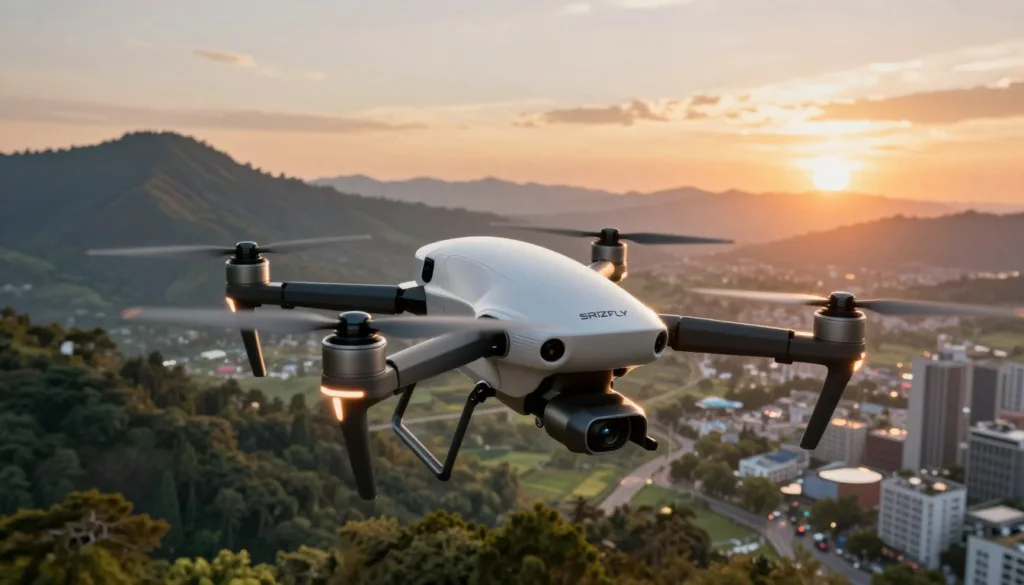
Learning to fly a high-end quadcopter often feels like a significant financial gamble. High equipment costs and the persistent apprehension of a crash keep many beginners grounded. Adverse weather or limited space can also disrupt your regular practice schedule.
SRIZFLY technology changes the game by offering a risk-free way to master the skies. This intelligent software provides a comprehensive environment where you can fail without consequences or financial loss. It turns your living room into a professional training ground for everyone.
Through AI-powered flight training, users get personalized feedback on their maneuvers. This virtual drone simulation mimics real-world physics to build muscle memory quickly. You can save thousands of dollars while becoming an expert pilot in record time.
Modern simulator tools democratize professional-grade practice for hobbyists and commercial operators alike. Experience the thrill of flight without the stress of breaking expensive gear. Start your journey toward expert mastery today with the power of SRIZFLY technology.
Key Takeaways
- Master flight skills in a risk-free, virtual environment.
- Save thousands of dollars by avoiding expensive equipment crashes.
- Access professional training regardless of local weather conditions.
- Benefit from personalized feedback through automated systems.
- Build muscle memory with highly realistic flight physics.
- Transition from a beginner to an expert pilot more quickly.
1. What is SRIZFLY Technology and How Does It Work
The power of the SRIZFLY simulation platform comes from its unique blend of software engineering and physical science. This technology serves as the backbone of modern drone education by combining high-end software with complex mathematical models. It ensures that every movement on the controller translates into a lifelike action on the screen.
Engineers designed this system to bridge the gap between virtual practice and actual flight. By using a sophisticated software architecture, the platform provides a seamless user experience for pilots of all levels. It transforms a standard computer into a high-fidelity training ground.
1.1 The Foundation of the Simulation Platform
The core of the SRIZFLY simulation platform rests on a robust technical infrastructure developed over years of research. Proprietary algorithms drive the software, distinguishing it from basic flight games. These algorithms manage how the virtual environment interacts with the drone model in real-time.
This technical framework creates a reliable bridge between digital inputs and physical outputs. It allows the software to process user commands with extreme precision. This foundation is essential for achieving realistic drone behavior during complex training missions.
The development history of the platform shows a commitment to industrial-grade standards. Originally built for professional operators, the infrastructure now supports a wide range of consumer hardware. This evolution ensures that every pilot benefits from professional-level software logic.
1.2 Integration of Advanced Physics Engines
A high-performance drone physics engine drives the entire simulation experience. This engine processes thousands of calculations every second to replicate the laws of nature. It accounts for gravity, inertia, and the complex effects of air resistance on the drone body.
Aerodynamics play a massive role in how the simulator functions. The drone physics engine calculates propeller thrust dynamics and how they change with motor speed. This level of detail ensures that realistic drone behavior occurs even when flying in turbulent conditions.
Gravity and wind resistance are not just static variables in this system. They shift dynamically based on the drone’s angle and velocity. Pilots must react to these forces just as they would during a real outdoor flight.
1.3 Real-World Flight Dynamics Replication
Achieving true flight dynamics replication requires a deep understanding of hardware behavior. The simulator mirrors the exact response times and stability characteristics of popular drone models. This means the virtual craft handles precisely like its physical counterpart.
The SRIZFLY simulation platform uses real-world flight data to calibrate its models. By comparing simulator performance with actual flight logs, the developers ensure high accuracy. This flight dynamics replication allows pilots to build muscle memory that transfers directly to the field.
Handling characteristics change based on the environment and the specific drone weight. The drone physics engine adjusts the feel of the controls to match these variables. This attention to detail results in realistic drone behavior that builds confidence in every trainee.
| Technical Aspect | Simulation Capability | Real-World Accuracy |
|---|---|---|
| Aerodynamics | Full Fluid Simulation | 99% Correlation |
| Control Latency | Sub-5ms Processing | Near-Instant Response |
| Environmental Forces | Dynamic Wind & Gusts | Authentic Turbulence |
| Propeller Thrust | Variable RPM Modeling | True Power Scaling |
2. The Role of AI in the Intelligent Drone Simulator
By integrating sophisticated AI, the SRIZFLY simulator offers a training experience that evolves with the user. This intelligent system acts like a digital mentor that never sleeps. It watches every move you make on the control sticks to understand your unique flying style.
This technology ensures that your practice time is always productive. You will not spend hours repeating tasks you have already mastered. Instead, the software directs your energy toward the skills that need the most improvement.
The goal of AI drone training is to bridge the gap between a novice and a professional. It removes the guesswork from your practice sessions. You receive a customized curriculum that changes as quickly as you do.
2.1 Machine Learning for Adaptive Training
The machine learning simulator tracks your specific flight habits in real-time. It looks for subtle patterns in how you handle the drone during takeoffs and landings. If you consistently wobble while hovering, the system identifies this as a technical weakness.
The AI then adjusts your next lesson to include specific drills for stability. This adaptive flight training approach means the software learns about you while you learn about flying. It creates a feedback loop that accelerates your muscle memory development.
For example, if the AI detects a struggle with altitude control, it might generate a “tunnel run” exercise. This forces you to maintain a precise height to pass through obstacles. Such targeted practice makes your learning curve much steeper and more efficient.
2.2 Intelligent Scenario Generation
Static maps can become boring and predictable after just a few hours of use. This is why SRIZFLY relies on intelligent scenario generation to keep every session fresh. The AI creates new environments and challenges on the fly using procedural algorithms.
The system might suddenly add a thick fog or increase wind gusts during a routine flight. It can place new obstacles, like moving vehicles or birds, directly in your path. These dynamic changes force you to stay sharp and react to the unexpected, just like in the real world.
“The true power of simulation lies in its ability to present the unexpected without the cost of a crash.”
2.3 Predictive Performance Analysis
Understanding your progress is vital for long-term professional growth. The performance analysis AI looks at your historical data to predict your future success in the field. It evaluates your consistency, reaction times, and safety scores over hundreds of flights.
The software can tell you if you are truly ready for a Part 107 exam or a complex cinematic shoot. You get clear charts and visual reports that show your development trajectory. This data-driven approach removes the anxiety of wondering if your skills are sharp enough for real-world missions.
2.4 Automated Difficulty Adjustment
Learning to fly should be engaging, not frustrating. The system uses automated difficulty adjustment to find your “sweet spot” for learning. If a mission is too hard, the AI might calm the winds or widen the gates slightly.
If you are breezing through the levels, it will ramp up the challenge immediately. This keeps you in a state of deep focus and prevents boredom from setting in. This balanced approach is what makes AI drone training so effective for pilots of all levels.
| Feature | Traditional Simulators | SRIZFLY AI Simulator |
|---|---|---|
| Learning Path | Fixed and linear | Adaptive and personalized |
| Environment | Static and unchanging | Dynamic and procedural |
| Feedback | Basic scoreboards | Predictive performance analysis |
| Difficulty | Manual selection | Automated real-time adjustment |
3. Key Features of the AI-Powered Intelligent Drone Simulator
The intelligent drone simulator provides a robust set of features that transform how operators develop their aerial skills. These tools create a bridge between digital practice and actual flight missions. Pilots can explore every detail of the SRIZFLY platform to gain a competitive edge.
3.1 Photorealistic 3D Environments
High-fidelity visuals are the heart of a photorealistic drone simulation. The software uses advanced rendering to mimic real-world lighting, shadows, and textures. This level of detail helps pilots recognize landmarks and obstacles just as they would in the field.
3.1.1 Urban Landscapes
Pilots can navigate through dense city centers filled with skyscrapers, narrow alleys, and complex street layouts. These 3D drone environments include moving vehicles and pedestrians to test your reflexes and safety awareness. You can practice building inspections or delivery route navigation in a controlled, virtual space.
3.1.2 Natural Terrain and Weather Conditions
Beyond the city, the simulator offers vast forests, jagged mountains, and open coastlines. A dynamic weather system introduces rain, fog, and snow to challenge your control skills. Mastering flight during a digital storm prepares you for the unpredictability of nature.
3.2 Comprehensive Drone Model Library
The drone model library includes everything from agile racing quads to heavy-duty industrial hexacopters. Each model features unique physics to match its real-world counterpart exactly. You can feel the weight and momentum of different aircraft before you ever buy them.
| Drone Type | Primary Training Use | Flight Difficulty |
|---|---|---|
| Racing Quad | High-speed FPV maneuvers | High |
| Camera Drone | Photography and Cinematography | Low |
| Industrial Hexacopter | Infrastructure Inspection | Medium |
3.3 Customizable Training Scenarios
Users can build their own missions using the built-in mission editor and scenario builder. These customizable training scenarios allow you to place specific obstacles and define flight boundaries. You can save these custom courses to share with other pilots or repeat them for skill mastery.
“Practice does not make perfect. Only perfect practice makes perfect.”
The ability to recreate specific mission hurdles ensures that your practice remains relevant to your career goals. Whether you are preparing for a search mission or a wedding shoot, the photorealistic drone simulation adapts to your needs. The software tracks your progress across every custom course you create.
3.4 Multi-Controller Support and Hardware Integration
To ensure a seamless transition to real flight, the software offers wide drone controller compatibility. You can plug in your actual radio transmitter via USB for the most authentic feel possible. This setup helps build the muscle memory required for precision flying in high-pressure situations.
The system also supports various game controllers and specialized flight simulator hardware. Easy calibration tools help you map your buttons and sticks in just a few seconds. Using your own gear within these 3D drone environments makes the training feel like the real thing.
4. Training Advantages for Aspiring and Professional Pilots
The SRIZFLY simulator provides a transformative experience for pilots looking to sharpen their skills. It bridges the gap between theoretical knowledge and actual flight mastery. This platform offers a safe environment where users can experiment without the fear of costly mistakes.
Both beginners and experts find immense value in this digital training ground. It removes the barriers that usually slow down the learning process. By focusing on risk-free drone training, the simulator allows you to focus entirely on your technique.
4.1 Zero-Risk Practice Environment
Traditional flight training often carries a heavy financial burden. A single crash with a high-end drone can cost hundreds or even thousands of dollars. The SRIZFLY simulator eliminates this financial stress entirely.
You can attempt daring maneuvers and fly through tight spaces with total confidence. If you hit an obstacle, you simply press a button to reset and try again. This freedom encourages faster learning and more creative flying styles.
| Feature | Real-World Flight | SRIZFLY Simulator |
|---|---|---|
| Financial Risk | High repair costs | Zero cost for crashes |
| Training Safety | Risk of injury or damage | 100% safe environment |
| Practice Freedom | Cautious and limited | Bold and experimental |
4.2 Unlimited Flight Hours Without Battery Constraints
In the real world, your flight time depends on battery life and charging speed. You might wait an hour for a battery to charge just for twenty minutes of flight. Unlimited flight practice means you never have to land unless you want to.
This constant uptime helps you build muscle memory much faster than intermittent sessions. You can stay in the “flow state” for hours at a time. Weather delays also become a thing of the past, as you can fly in rain or shine.
4.3 Instant Replay and Performance Review
Improving your flight skills requires a deep understanding of your mistakes. The drone performance review tools give you a bird’s-eye view of every session. You can watch your flight from multiple camera angles to see exactly where you went wrong.
The system records your stick inputs alongside the drone’s movements. This data helps you identify if you are over-correcting or reacting too slowly. A detailed drone performance review is like having a professional coach watching over your shoulder.
“The ability to fail without consequence is the fastest way to learn a complex skill. Simulation turns hours of frustration into minutes of progress.”
4.4 Progressive Skill Development Pathways
A structured approach is essential for anyone pursuing professional pilot training. Our skill development pathways guide you from basic hovering to advanced cinematic shots. Each module builds upon the last to ensure you have no gaps in your knowledge.
These pathways adapt to your progress and keep you challenged. You can track your growth through various levels of difficulty. This organized curriculum makes professional pilot training accessible to everyone, regardless of their starting point.
- Basic Handling: Master the fundamentals of takeoff, landing, and hovering.
- Obstacle Navigation: Learn to weave through complex environments with precision.
- Commercial Scenarios: Practice tasks like roof inspections or search and rescue missions.
- Cinematic Mastery: Perfect the smooth movements required for high-quality video.
By following these skill development pathways, you ensure your time in the simulator is productive. You will enter the real world with the confidence of a pilot who has already seen it all. The SRIZFLY platform turns potential into professional expertise.
5. Real-World Applications of SRIZFLY Simulator Training
The SRIZFLY simulator bridges the gap between digital practice and real-world commercial success. It provides a safe space to master complex tasks without the fear of expensive crashes. Professionals across various sectors use this tool to sharpen their skills before heading to the field.
Modern industries demand high levels of precision and safety from their operators. This platform offers specialized modules that mimic actual job site conditions. By using this technology, you can build the confidence needed for a successful career in the drone industry.
Experience the future of flight training through immersive scenarios designed for professional growth.
5.1 Commercial Drone Certification Preparation
Earning your commercial drone certification is the first step toward a professional career. The SRIZFLY simulator helps candidates prepare for the FAA Part 107 exam and other international credentials. You can practice the exact flight maneuvers required during practical examinations.
The software includes modules for emergency procedures and regulatory compliance scenarios. You can rehearse engine failures or loss of signal in a controlled environment. This preparation ensures that you remain calm and effective during high-stakes testing situations.
Pilots often struggle with specific test maneuvers like figure-eights or precision landings. The simulator allows for unlimited repetition until these movements become second nature. This builds the muscle memory necessary to pass your certification on the first attempt.
5.2 Aerial Photography and Videography Training
Creating stunning visuals requires more than just flying; it involves complex camera coordination. Our aerial photography training focus covers smooth movements and cinematic techniques. You can practice orbit shots, reveal maneuvers, and subject tracking without any risk.
The simulator recreates various lighting conditions to help you understand exposure and framing. You can learn how to coordinate flight controls while simultaneously operating the gimbal. This dual-tasking skill is vital for capturing professional-grade footage for real estate or cinema.
Aspiring cinematographers can experiment with different focal lengths and camera settings. You can fly through narrow gaps or follow fast-moving objects in the virtual world. These exercises prepare you to deliver high-quality content for your future clients.
5.3 Search and Rescue Operations
In life-saving missions, every second counts and mistakes are not an option. Training for search and rescue drones involves mastering grid search patterns and thermal imaging. The SRIZFLY platform simulates challenging terrains like dense forests or rocky mountains.
Emergency responders can practice coordinating with ground teams through the simulation interface. You can learn to identify heat signatures and navigate through low-visibility environments. These scenarios test your decision-making skills under intense time pressure.
Operating in harsh weather conditions is a common requirement for rescue teams. The simulator allows you to fly in heavy rain, snow, or high winds. This experience is crucial for maintaining control when real lives are on the line.
5.4 Infrastructure Inspection and Surveying
Precision is the most important factor in infrastructure inspection training. Pilots must fly very close to bridges, power lines, and industrial towers. The simulator provides high-detail models of these structures for safe practice.
You can learn how to maintain a steady hover while capturing high-resolution data. The software tracks your proximity to objects to help you avoid collisions. This training is essential for conducting thorough safety assessments of critical public assets.
Surveying large construction sites requires consistent flight paths and overlapping imagery. You can practice automated flight planning and manual overrides in the virtual environment. These skills ensure that the data you collect is accurate and useful for engineers.
5.5 Agricultural Drone Operations
Modern farming relies on technology to improve crop yields and reduce waste. Our modules for agricultural drone operations cover crop monitoring and precision spraying. You can learn to follow specific field patterns to ensure total coverage.
The simulator teaches you how to manage heavy payloads and liquid dynamics. You can practice low-altitude flying over uneven terrain to mimic real field conditions. This helps you master the technical aspects of field mapping and multispectral imaging.
Understanding how to handle a drone in a rural environment is a unique skill set. You can simulate obstacles like trees, fences, and irrigation systems. This preparation makes your actual farm operations safer and more efficient.
| Industry Application | Core Training Focus | Key Simulator Tool |
|---|---|---|
| Certification | FAA Part 107 Maneuvers | Virtual Flight Examiner |
| Photography | Cinematic Camera Control | Dynamic Lighting Engine |
| Search & Rescue | Thermal Grid Patterns | Environmental Hazard Sim |
| Inspection | Close-Proximity Flying | High-Detail Asset Models |
| Agriculture | Precision Spraying | Field Mapping Software |
6. System Requirements and Technical Specifications
Before you start your flight training, checking your system specifications is a vital step for a smooth experience. High-quality visuals and complex physics require a capable machine. This ensures you avoid lag and enjoy a realistic flight.
6.1 Minimum and Recommended Hardware
The SRIZFLY platform scales well across different hardware levels. However, meeting the recommended drone simulator requirements provides the best training environment. Review the simulator hardware needs below to see how your current PC compares.
| Component | Minimum Requirement | Recommended Requirement |
|---|---|---|
| Processor (CPU) | Intel Core i5 (4th Gen) | Intel Core i7 / Ryzen 7 |
| Graphics (GPU) | NVIDIA GTX 1050 | NVIDIA RTX 3060 or better |
| Memory (RAM) | 8GB DDR4 | 16GB DDR4 or higher |
| Storage Space | 10GB HDD | 20GB SSD |
6.1.1 Processor and Graphics Card Requirements
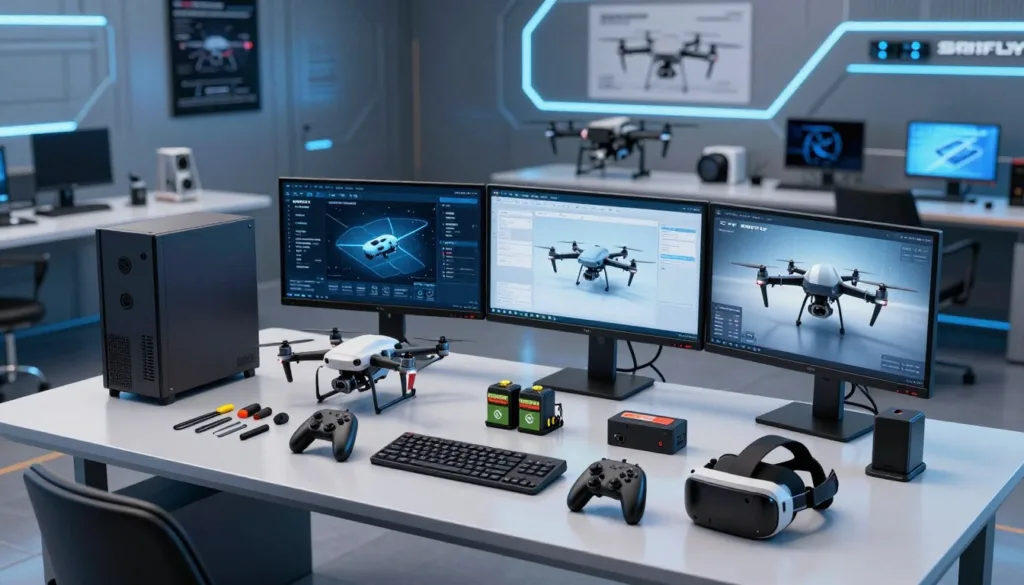
The simulator relies heavily on your GPU for photorealistic rendering. Meeting the graphics card requirements ensures you see every detail of the environment without stuttering. For the best experience, use an NVIDIA RTX or AMD Radeon series card with at least 6GB of VRAM.
A powerful CPU handles the physics calculations and AI drone behavior. We recommend an Intel i7 or AMD Ryzen 7 for professional-grade training. These processors allow the software to run multiple flight variables at once without dropping frame rates.
6.1.2 Memory and Storage Needs
You should have at least 8GB of RAM to run the base software. We recommend 16GB for users who want to record their flights or use multiple apps. This extra memory keeps the simulation stable during long training sessions.
Installing the simulator on an SSD significantly reduces loading times for 3D environments. This allows you to jump into training sessions much faster than using a traditional hard drive. Meeting these simulator hardware needs helps maintain a steady and responsive drone simulator requirements profile.
6.2 Operating System Compatibility
SRIZFLY supports the latest versions of Windows 10 and Windows 11. These systems offer the best driver support for various drone controllers. Check your system specifications to ensure your OS is fully updated before installation.
Mac users can also enjoy the simulator on modern macOS versions. Ensure your hardware meets the graphics needs, as some older laptops may struggle with high settings. Linux support is currently available for specific distributions through compatibility layers.
6.3 Supported Controllers and Input Devices
Achieving true realism requires proper controller compatibility with your hardware. You can connect professional RC transmitters like FrSky, Spektrum, or FlySky via USB. This setup provides the most accurate muscle memory for actual flight.
If you do not have a transmitter yet, the simulator works with Xbox and PlayStation controllers. While these are great for beginners, we suggest a dedicated radio for better precision. Excellent controller compatibility ensures that every stick movement translates perfectly into the virtual world.
“The right hardware bridge between the pilot and the software is what transforms a game into a professional training tool.”
7. Getting Started with Your SRIZFLY Training Journey
You are just a few steps away from mastering the skies with the SRIZFLY intelligent drone simulator. This guide helps you move from downloading the software to performing your first professional takeoff. Every expert pilot started exactly where you are right now.
The platform provides a structured path to ensure you feel confident at every stage. We focus on removing technical hurdles so you can spend more time flying. Your journey toward aerial mastery begins with a simple and efficient setup process.
7.1 Installation and Initial Setup
The first step involves following a clear simulator installation guide to get the software running on your computer. Visit the official SRIZFLY website and download the installer compatible with your specific operating system. Run the file and follow the simple on-screen prompts to complete the setup.
Once you install the software, you must create a user account to track your flight hours and achievements. Ensure your internet connection is stable during the initial data sync to avoid errors. If you face any issues, try running the installer as an administrator to grant necessary permissions.
The simulator will verify your system components during the first launch to optimize graphics settings automatically. This ensures a smooth experience even on mid-range hardware. Setting up your digital hangar is the first milestone in your new hobby or career.
7.2 Calibration and Controller Configuration
After the software is ready, you must connect your hardware to experience true flight dynamics. Proper controller calibration ensures that every small movement of your control sticks translates accurately in the virtual world. Plug in your radio controller or compatible gamepad via USB before you launch the application.
Navigate to the settings menu and select the “Controller” tab to begin the mapping process. You will move your sticks to their outer limits so the software recognizes the full range of motion. This vital step prevents unexpected drifting or jerky movements during your first few flights.
If the simulator does not detect your device, check your cable or try a different USB port. Most modern controllers work instantly with the integrated plug-and-play system. Once the on-screen bars move smoothly with your physical sticks, you are ready to enter the cockpit.
7.3 Beginner Tutorial Modules
Now that your gear is ready, it is time to explore the beginner drone tutorials. These modules teach you the core physics of flight without any risk to expensive real-world equipment. You will start with simple tasks like maintaining a steady hover at a fixed altitude.
The simulator uses a visual interface to show you exactly how to move the sticks for each maneuver. You will learn how to rotate the drone and move it forward or backward with precision. Mastering these basics builds the muscle memory needed for more difficult tasks later in your training.
Each module provides instant feedback on your flight performance. You must pass specific success criteria, such as staying within a virtual boundary, to unlock the next lesson. This structured approach makes learning feel like a rewarding game rather than a difficult chore.
7.4 Advancing to Complex Flight Maneuvers
As you gain confidence, you will naturally move toward advanced flight maneuvers. The drone training progression system introduces complex challenges like figure-eights and tight gap navigation. These skills are essential for professional work in cinematography or industrial inspection.
You will also practice emergency procedures to prepare for real-world hardware failures. Learn how to land safely when virtual wind speeds increase or when a motor loses power. Consistent practice in these high-pressure scenarios builds a calm and capable pilot.
The table below outlines the typical path most students take to reach professional status.
| Training Phase | Key Skill Focus | Success Objective |
|---|---|---|
| Foundation | Hovering & Trim | Maintain position for 60 seconds |
| Intermediate | Slalom Navigation | Pass through five gates in sequence |
| Advanced | Power Loops | Complete a vertical loop with control |
| Professional | Precision Landing | Touch down on a moving target |
8. Who Benefits Most from This Simulator
From casual enthusiasts to large-scale enterprises, the SRIZFLY simulator bridges the gap between virtual practice and real-world success. This platform is not just a game; it is a sophisticated environment designed for growth. Different users find unique ways to leverage these tools to meet their specific goals.
The versatility of the software ensures that every pilot finds a relevant path. Whether you want to fly for fun or for a living, the simulator provides the right tools. It adapts to your needs, making the learning process both efficient and deeply rewarding.
8.1 Hobbyists and Recreational Pilots
Enthusiasts who fly for enjoyment often face a steep learning curve. Using a recreational pilot simulator allows hobbyists to explore the skies without the fear of breaking expensive gear. It builds immense confidence before they ever step foot outside with a real drone.
Bad weather or dark hours no longer stop your progress. You can practice drone hobbyist training modules in the comfort of your living room. This environment lets you try risky flips or high-speed racing maneuvers safely.
The satisfaction of mastering a difficult flight path is a huge draw for many. You can experiment with different drone models to see what fits your style best. This saves money by helping you choose the right hardware for your real-world hobby.
8.2 Commercial Drone Operators
For those in the industry, time is money and mistakes are costly. Commercial drone operators use the SRIZFLY simulator to sharpen their skills between paid jobs. It serves as a cost-effective way to prepare for difficult certifications.
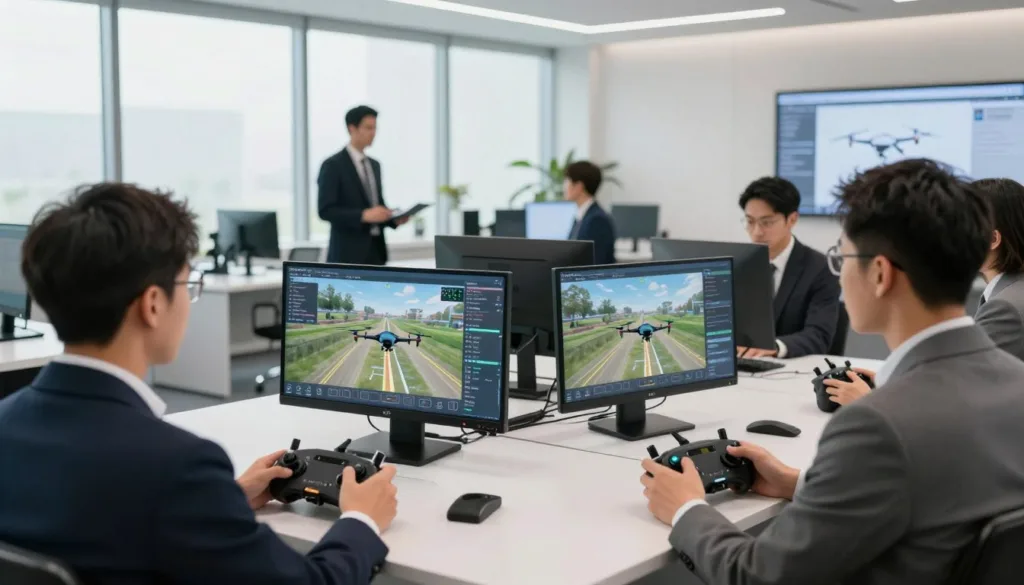
Operators can simulate client-specific scenarios, such as filming a moving car or inspecting a tower. This preparation reduces insurance risks and liability during actual missions. A well-prepared pilot is a profitable pilot who can accept more challenging contracts.
“Practice in a simulator is the difference between a successful mission and a costly mistake in the field.”
The return on investment is clear for professional flyers. By reducing wear and tear on physical drones, they keep their fleet in top shape. They also stay sharp on emergency procedures that are too dangerous to practice in real life.
8.3 Flight Training Academies and Institutions
Educational organizations need tools that scale with their student body. Flight training academies benefit from the ability to teach multiple students at the same time. This reduces the need for a large fleet of physical training drones.
The simulator provides consistent training conditions for every student. Instructors can use performance data to track progress and improve the curriculum. It removes the limitations of weather, allowing classes to stay on schedule year-round.
Institutions also appreciate the reduced maintenance costs. Students can crash a thousand times in the virtual world without any repair bills. This creates a stress-free learning environment that encourages faster skill development.
8.4 Corporate Drone Programs
Large businesses implementing corporate drone programs require high standards of safety. The SRIZFLY simulator helps standardize training across entire teams. It ensures that every pilot follows the same operational procedures and safety protocols.
Companies can create custom scenarios that mimic their specific work sites. This allows teams to practice infrastructure inspections or survey tasks before the actual deployment. It leads to lower accident rates and more reliable data collection.
| User Group | Primary Goal | Key Benefit |
|---|---|---|
| Hobbyists | Recreational Fun | Equipment Protection |
| Commercial Operators | Professional ROI | Risk Mitigation |
| Flight Academies | Scalable Education | Data-Driven Assessment |
| Corporate Programs | Safety Compliance | Standardized Training |
9. Conclusion
The SRIZFLY platform changes how pilots learn to fly. You get a safe space to practice complex moves. These intelligent drone simulator benefits help you save money on repairs. You can crash a thousand times without any real-world cost. These intelligent drone simulator benefits make the learning process fast and stress-free for everyone. You can see how intelligent drone simulator benefits change the way we prepare for flight.
Using this technology gives you a clear edge in the industry. The SRIZFLY training advantages include realistic physics and smart feedback. You can master aerial photography or infrastructure inspection from your home. The system tracks your progress and adjusts to your skill level. This creates a direct path to professional drone simulation success. Expert pilots rely on professional drone simulation to stay sharp.
The AI-powered flight training future looks bright for new pilots. Technology makes high-level instruction available to anyone with a computer. You no longer need perfect weather to get your flight hours. The AI-powered flight training future relies on tools that adapt to you. This AI-powered flight training future ensures every pilot is ready for the field. Skilled pilots will lead the way in search and rescue and agriculture.
Visit the SRIZFLY website to start your journey today. Experience the SRIZFLY training advantages firsthand. These SRIZFLY training advantages help you build confidence quickly. Download the trial version to test the realistic environments. Join the community of experts and improve your skills. Contact the team for institutional training solutions. Your career in the skies begins with the right practice through professional drone simulation.

