
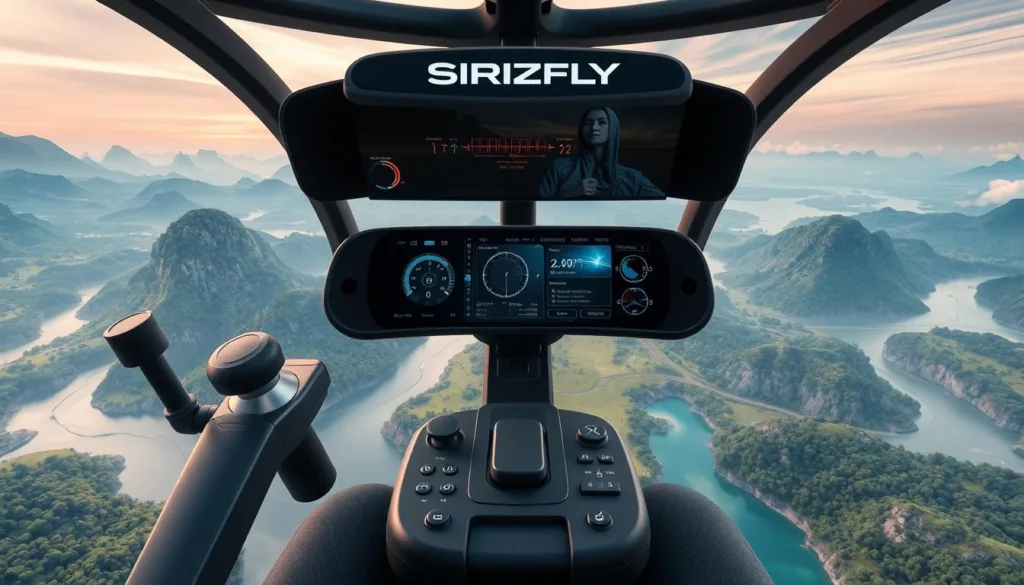
In today’s rapidly growing drone industry, a reliable drone flying simulator is an essential tool for both new and experienced pilots. FPV simulators give a safe, controlled place to practice virtual drone flying and refine flight techniques without risking real equipment. As interest in drone racing, freestyle flying, and aerial photography grows, more users look for the right FPV simulator to match their goals. This guide walks through top options, key features, and how simulator practice can improve real-world performance.
Key Takeaways
- FPV flight simulators help both beginners and advanced pilots build skills safely.
- Simulators improve muscle memory and situational awareness for real flights.
- Virtual drone flying is a fast, cost-effective way to learn complex maneuvers.
- Demand for racing and multiplayer simulator modes is rising among pilots.
- Compare features, physics, and supported drones to choose the right simulator.
What is an FPV Flight Simulator?
An fpv flight simulator is a drone flying simulator — software that recreates the feel of flying an FPV drone in a virtual environment. These simulators use realistic physics and responsive controls so pilots can practice flight maneuvers, test setups, and build confidence without risking hardware.
Definition and Purpose
An fpv flight simulator mimics the dynamics of real drones by modeling thrust, drag, inertia, and control responsiveness. Modern simulators include physics sliders and tuning options so users can match the virtual model to their real-world quad. The main purpose is simple: let users train, experiment, and learn flight techniques like fast turns, flips, and throttle control safely.
Benefits for Drone Pilots
Using an FPV simulator gives clear, practical benefits. Pilots can build muscle memory, improve orientation and throttle management, and practice race lines or freestyle tricks repeatedly. Studies and trainer reports show measurable skill gains from regular simulator practice; whether training for racing or aerial content, simulators accelerate learning while cutting costs and equipment damage.
- Muscle memory for stick inputs (turns, throttle, yaw)
- Safe practice for advanced moves (flips, dives, tight gates)
- Low-cost repetition for race lines and freestyle runs
Tip: combine simulator sessions with short real-world flights to transfer skills—practice line-of-sight transitions and fpv orientation in both environments for best results.
The Importance of Drone Training
In the fast-moving world of drone tech, focused drone training is critical. Regular practice helps pilots handle complex environments, follow safety rules, and complete missions reliably. An fpv flight simulator is an efficient, low-risk way to build these abilities before you fly for real.
Enhancing Pilot Skills
Structured simulator training helps pilots learn core flight techniques and advanced moves. Users can safely rehearse takeoffs, landings, tight turns, and recovery from errors. That repetition builds muscle memory and confidence, so pilots react faster and make fewer mistakes in actual flights.
- Core skills: attitude control, throttle management, yaw and stick coordination
- Advanced techniques: fast gate entries, freestyle tricks, and race-line optimization
- Scenario practice: wind handling, low-visibility approaches, obstacle avoidance
Safety and Regulation Compliance
Simulation supports safety training and helps pilots learn rules before they fly in regulated airspace. While simulators are not a replacement for formal certification, they prepare users for topics covered by authorities such as the FAA (U.S.) or EASA (EU): airspace classes, NOTAMs, and pre-flight checks.
- Pre-flight checklist practice (battery, failsafe, GPS lock)
- Failsafe drills and emergency procedures
- No-fly zone awareness and airspace familiarization
Quick checklist: practice takeoffs/landings, throttle control, failsafe recovery, and navigating tight tracks in simulation. Pair simulator sessions with short real flights to ensure skills transfer smoothly between virtual and real-world environments.
Overview of SRIZFLY Drone Simulator
The SRIZFLY drone simulator is a modern drone flying simulator built for pilots who want realistic practice and flexible training options. Designed for both beginners and advanced users, SRIZFLY combines realistic physics, multiple environments, and controller support to create a complete training platform that mirrors many real-world flight scenarios.
Unique Features of SRIZFLY
SRIZFLY packs several features aimed at improving pilot skills quickly. Its realistic flight physics include tunable parameters so you can match virtual behavior to your real quad. The software offers varied environments and game modes for racing, freestyle, and scenario training. Native support for popular controllers and goggles boosts immersion and makes setup simple.
- Realistic physics engine with sliders for PID, weight, and drag
- Multiple environments and tracks for racing, freestyle, and training
- Controller and goggles support for direct hardware mapping
- Built-in tutorials, challenges, and editor options to build custom tracks
- Multiplayer and time-trial modes to practice against others and track progress
Why It’s Recognized by DJI
SRIZFLY is used by many pilots who fly DJI hardware and has been acknowledged in industry circles for its accurate flight models and training value. If you need official confirmation of partnerships or recognition, include a sourced link or press release. For most users, SRIZFLY’s strengths are clear: realistic simulation, practical controller integration, and flexible training modes that support both freestyle and racing pilots.
The Shift from DJI Simulator to SRIZFLY
The discontinuation of the DJI simulator left many pilots looking for an alternative training platform. If you relied on DJI’s simulator, you’ll need to adapt your practice routine and evaluate available fpv simulators to keep progressing.
DJI Simulator Ceases Operations
Reports indicate the DJI simulator stopped official updates and support in 2024, affecting pilots who used it for training and hardware testing. Before you migrate, check any official DJI notices or reputable industry sources for exact dates and transition guidance.
Transitioning to SRIZFLY
SRIZFLY is a practical replacement for many users because it offers comparable flight modes, controller mapping, and varied virtual environments. While feature parity should be confirmed against your needs, SRIZFLY supports common fpv workflows and can replicate many DJI-simulator use cases.
- Migration checklist: back up profiles, export settings where possible, note controller mappings and model configurations.
- Controller setup: map sticks and switches in SRIZFLY to match your physical radio for smooth muscle-memory transfer.
- Test runs: start with basic flights and replicate a few familiar scenarios (race lap, freestyle line, emergency recovery) to validate settings.
For step-by-step help, look for a “how to switch” guide on SRIZFLY’s website or community forums. That will speed the move from one simulator to another and minimize downtime in your training schedule.
Comparing SRIZFLY with Other Simulators
Choosing the right fpv simulator comes down to matching features to your goals. Compare simulators on physics realism, available tracks/environments, controller and goggles support, multiplayer options, and pricing. These factors determine which simulator helps you improve fastest for racing, freestyle, or practical drone work.
The top FPV simulator games on the market include VelociDrone and the DRL Simulator. VelociDrone is known for deep customization and tight flight physics sliders that let experienced pilots match virtual behavior to their real quad. DRL Simulator provides access to official racing courses and is popular with competitive pilots who want race-accurate tracks. Both remain strong options for beginners and pros depending on needs.
SRIZFLY competes strongly with these titles by focusing on an accessible interface plus realistic physics and varied environments. Where VelociDrone leans toward fine-tuned physics and DRL towards official race content, SRIZFLY aims to combine practical training modes, multiplayer support, and easy controller mapping for a broader audience. For many users, this balance makes SRIZFLY a go-to choice for both learning and practicing race or freestyle lines.
User Experience: Testimonials and Reviews
User feedback is a key indicator of real-world value. Pilots report that a simulator’s true worth is how well skills transfer from the game to real-world flying. Reviews for SRIZFLY frequently praise its intuitive menus, stable multiplayer, and realistic flight feel when properly tuned.
Feedback from Professional Pilots
Professional pilots often comment on SRIZFLY’s flight physics and usefulness for race prep and freestyle practice. One pilot noted,
“The SRIZFLY simulator has transformed my training. The flying feels authentic, making it easy to apply what I’ve learned in actual flight scenarios.”
When using testimonials, verify authorship and permission before publishing. Attribution (pilot name, role, hours flown) strengthens credibility.
Comparison with Other Training Tools
Compared to other drone training tools, SRIZFLY emphasizes community features and user support alongside training content. A practical comparison checklist helps choose a simulator:
- Physics & tuning: Does it offer PID/weight/drag sliders and realistic inertia?
- Tracks & environments: Are there race tracks, freestyle zones, and custom editors?
- Multiplayer & modes: Can you race or practice with other pilots and time trials?
- Controller & hardware support: Does it map to your radio and goggles easily?
- Price & trial: Is there a free trial and affordable pricing tiers?
Suggested next step: create a short comparison table on the page (physics, tracks, multiplayer, controllers, price, trial) to give readers a quick side-by-side view. Include measurable specs where possible (recommended GPU/CPU, latency, supported controllers) and link to vendor pages for VelociDrone and DRL for full details.
Technical Specifications of SRIZFLY
Knowing the technical specs helps you confirm SRIZFLY will run smoothly and match your real-world drone setup. The simulator’s version history and data-driven physics let users tune virtual models to mirror actual drones and flight modes. Below are clear specs and recommendations to guide installation and hardware choices.
Supported Drones and Accessories
SRIZFLY supports a wide range of hobby and racing drone types so you can practice with models similar to your real rigs. Typical supported items include:
- Popular quad families and sizes (race 5-inch, freestyle 5–6 inch, micro quads) — check the SRIZFLY website for an exact list of supported models and downloadable model packs.
- Controller support: binds to most common radios (SBUS/CPPM via USB, popular transmitters like Taranis and FrSky-compatible radios) for direct mapping of sticks and switches.
- Goggles & input devices: native input for common FPV goggles and USB controllers; VR and dedicated joystick support may be listed per version.
- Accessories: ability to configure virtual cameras, props, and payloads (useful for drone mapping or payload practice).
System Requirements
SRIZFLY is built to be efficient, but exact performance depends on version and selected graphics/physics settings. Use these minimum and recommended guidelines as a starting point (verify current version requirements on the official site):
| Requirement | Minimum | Recommended |
| OS | Windows 10 64-bit | Windows 10/11 or macOS (latest) |
| CPU | Dual-core 2.5 GHz | Quad-core 3.0 GHz+ |
| GPU | Integrated or low-end GPU (Intel UHD) | NVIDIA GTX 1650 / AMD equivalent or better |
| RAM | 8 GB | 16 GB |
| Storage | 5 GB free | 10+ GB (for additional tracks/environments) |
| Input | USB controller / gamepad | Dedicated radio via USB adapter, goggles |
| Network | Broadband for multiplayer/updates | Stable broadband for low-latency multiplayer |
Performance notes: on a mid-range GPU (GTX 1650 or equivalent) expect smooth 60+ FPS at medium settings; lower-end systems can reduce graphics to prioritize physics fidelity. If you plan multiplayer or streaming, prioritize CPU and network bandwidth.
Version & data: always check the SRIZFLY version notes and physics data changelog before updating — that ensures compatibility with your saved models and controller mappings. If in doubt, use the compatibility checker on the SRIZFLY website or contact support for a device list.
Suitable Audience for FPV Simulators
FPV flight simulators serve a wide audience — from brand-new hobbyists to pro racing pilots. Platforms like SRIZFLY are built for drone education at every level, offering beginner tutorials and advanced tools so each pilot can train effectively.
Beginners vs. Experienced Pilots
Beginners benefit from structured lessons and guided practice. An fpv simulator for beginners teaches fundamentals like throttle control, orientation, and safe takeoffs in a low-pressure setting. Experienced pilots use simulators to refine race lines, rehearse freestyle tricks, and test tuning changes before trying them in real life.
- Beginners: step-by-step tutorials, slow-speed practice modes, and confidence-building missions.
- Intermediate pilots: timed laps, tuning practice, and simulated race scenarios.
- Advanced pilots: freestyle routines, custom track editing, and multiplayer racing drills.
Different Use Cases
FPV simulators are useful beyond sport: they support training for commercial and industrial tasks. Industries use simulation for planning and rehearsing operations without risk.
- Agriculture: practice mapping flights and payload drops in a simulated environment.
- Logistics: rehearse delivery routes and precise landings.
- Emergency response: simulate search patterns and low-altitude manoeuvres safely.
Pricing and Availability of SRIZFLY
SRIZFLY aims to provide value across budgets with multiple purchase options and a trial period for new users. Check the official website for current pricing, platform availability, and the latest offers.
Cost Analysis
SRIZFLY offers tiered pricing to suit hobbyists, schools, and pro teams. Typical tiers include a free trial, a standard personal license, and an educational or enterprise option with volume discounts and additional features. Compare what each tier includes — training content, multiplayer access, editor tools, and support — before deciding.
Where to Purchase
Availability usually includes the SRIZFLY website and select authorized resellers. The company often provides a 10-day free trial (verify current terms on the site). Look for verified sellers to ensure you get updates and support.
Tips for Effective Training with FPV Simulators
To get the most from any simulator, train deliberately and track progress. Short, focused sessions beat long, unfocused practice.
Setting Realistic Goals
Break training into milestones. Start with basic control, then add complexity. Example progression:
- Week 1: stable hover, straight-line throttle control.
- Week 2: controlled turns and clean gate entries.
- Week 3: timed laps and simple freestyle moves.
Incorporating Different Flight Scenarios
Mix game modes and environments to build a broad skill set. Try these named practice drills regularly:
- Racing lap — focus on smooth lines and consistent speed.
- Freestyle trick — practice a specific trick (flip, roll, or power loop) until it’s repeatable.
- Obstacle weave — improve precision by threading tight courses slowly, then lift speed.
Other tips: record sessions and review videos to spot errors, use multiplayer modes to simulate race pressure, and keep a log of settings (PID, props, weight) so you can reproduce successful setups. If available, start a free trial to test SRIZFLY’s game modes, multiplayer, and track options before buying.
Conclusion: Why Choose SRIZFLY?
Choosing SRIZFLY as your drone flying simulator is a smart move if you want realistic flight physics, flexible training options, and strong support for both racing and freestyle pilots. SRIZFLY’s customizable settings and varied environments help pilots accelerate skill development while keeping safety front and center. For those focused on improving real-world performance, SRIZFLY offers practical modes and tuning tools that translate directly to better field results.
As the world of drone flying grows, training tools like SRIZFLY shape the future of pilot education. The platform’s combination of tutorials, multiplayer modes, and editable tracks makes it useful for newcomers and experienced pilots alike. If you care about transferability — getting simulator practice to show up in real flights — SRIZFLY’s emphasis on accurate physics and controller mapping is a key advantage.
In short, SRIZFLY delivers a full-featured simulator experience with options for casual users, competitors, and professional teams. Try the trial or check the website for version notes and system compatibility to confirm it fits your setup.
FAQ
What is an FPV flight simulator?
What are the benefits of using an FPV flight simulator?
How does SRIZFLY differ from other FPV simulators?
Can beginners use SRIZFLY effectively?
What are the system requirements for running SRIZFLY?
Is there a trial period available for SRIZFLY?
How does SRIZFLY support professional pilot development?
What unique features does SRIZFLY provide for various applications?
Next steps: Start a free trial, run the compatibility checker on the SRIZFLY website, or subscribe for tips and update notes. For detailed help, contact support or browse tutorial videos and community forums to speed up your learning curve.

