



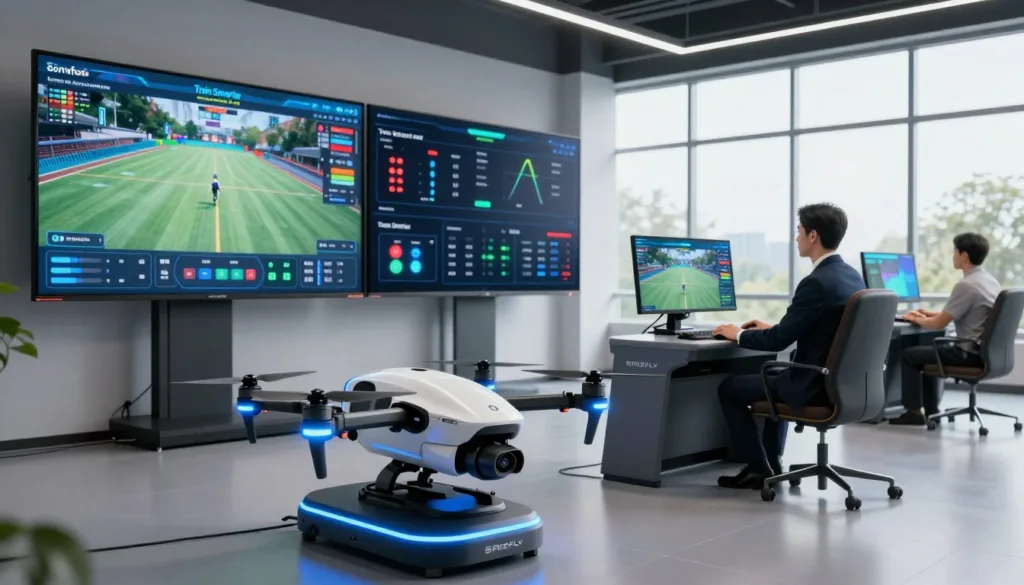
A drone simulator with AI scoring gives U.S. pilots a safer, clearer way to build skill. The SRIZFLY drone simulator lets users practice control, complete drills, and review results after each flight. Instead of guessing if a session helped, pilots can see where they gained speed, accuracy, or control.
AI drone training turns each practice run into useful feedback. It can flag missed gates, rough turns, unstable hover work, and slow recovery times. That helps pilots set a goal, train with purpose, and prepare before flying a real UAV.
Key Takeaways
- AI scoring shows measurable progress after every flight session.
- The SRIZFLY drone simulator supports repeatable practice without aircraft risk.
- Beginners can learn throttle, yaw, pitch, roll, and recovery skills.
- FPV-style pilots can improve reaction time and precise control.
- Professional teams can rehearse routes, inspections, and mission tasks.
- Safe drone training reduces the risk to drones, property, and bystanders.
A drone flight simulator serves many types of pilots. New users can build confidence with basic controls. Recreational flyers can sharpen smooth turns and landing skills. FPV-style pilots can work on quick reactions, while commercial teams can rehearse detailed routes and inspection-style missions.
UAV pilot training matters more as drones support infrastructure work, farming, delivery, and public safety. These jobs demand calm decisions and accurate flight paths. Strong drone flight skills help pilots react when conditions change, even under time pressure.
Live flight has limits. Real drones cost money, weather can stop a session, and legal airspace may be hard to find. A drone practice simulator creates a repeatable space to learn without putting an aircraft, nearby property, or people at risk.
This guide explores scoring, instant feedback, realistic physics, and progressive drills. It also covers VR, AR, and mixed reality, known together as XR, plus realistic controllers and post-flight reviews. Research across 18 XR training studies has found that simulator learning can match or exceed standard methods while reducing cost and environmental impact.
Built with FAA guidance and established simulator-training research in mind, this approach makes practice easier to measure. Train, score, review, and repeat until each weak point becomes a stronger habit.
How a Drone Simulator with AI Scoring Builds Better Flight Skills
SRIZFLY uses AI drone scoring to turn each virtual flight into a clear training lesson. New pilots can build a steady hover and smooth turns. Experienced pilots can sharpen speed control, emergency actions, and safe approaches in demanding scenes.
Instead of a simple pass-or-fail mark, the system reviews telemetry from each attempt. It compares inputs, route choices, and safety margins with the assigned drill. Clear drone simulator feedback shows what went well and where control broke down.
A drone pilot skill assessment can track throttle, pitch, roll, and yaw control. It can also measure how closely a pilot follows waypoints, a figure-eight route, or a narrow flight corridor. These drone flight performance metrics make small control habits easier to spot.
Reaction drills add pressure without real-world risk. A warning may signal wind, a barrier, or a sudden loss of control. The score can show response time, correction quality, and whether the pilot kept enough clearance for safe obstacle avoidance training.
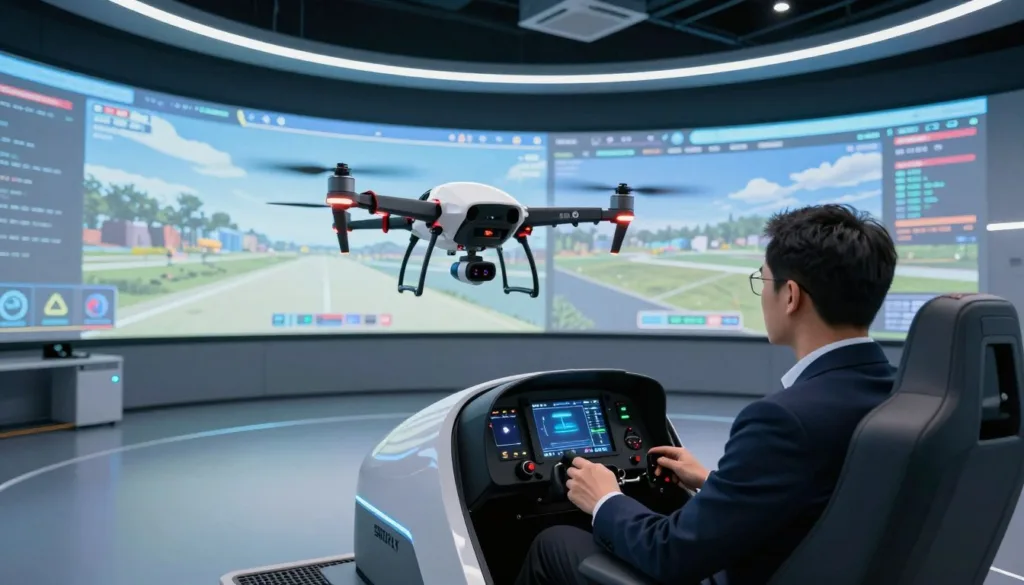
Precision drone flying depends on repeatable inputs, not luck. A pilot may hold good speed on a straight route but overcorrect during gusts. Another may lose height in turns or react late during a simulated emergency. UAV training analytics helps turn those weak points into focused practice goals.
What AI Drone Scoring Can Measure
Hover stability: Reveals drift and uneven throttle use. Improve it with timed hover drills at a fixed height.
Route accuracy: Reveals missed waypoints and wide turns. Improve it by repeating a planned corridor or figure-eight course.
Response time: Reveals delays after alerts or weather shifts. Improve it with short emergency recovery drills.
Obstacle clearance: Reveals risky path choices near barriers. Improve it with slow, controlled obstacle avoidance training.
Landing accuracy: Reveals distance from the target and descent stability. Improve it with target-pad approaches from several angles.
Recovery control: Reveals how well the pilot regains stable flight after drift or overshoot. Improve it with turbulence and rapid-stop scenarios.
Drone landing accuracy is especially useful because it combines several skills at once. The pilot must manage height, speed, heading, and descent rate. A score history can show landing distance, hard descents, and progress across repeated attempts.
Practice becomes more useful when the same course and conditions can be repeated. Pilots can fly one route in the same wind setting, retry a tight landing zone, or run an emergency drill several times. Completion times, collision counts, route deviation, and reaction measures then offer fair comparisons over days or weeks.
Virtual practice gives pilots room to make errors before working near structures, indoor spaces, active job sites, or changing weather. XR-based simulator training can support confidence and control by letting users rehearse difficult maneuvers without the cost of a crash. It does not replace FAA rules, risk planning, or live operational training.
Useful scores depend on useful flight data. Realistic physics, controller response, weather effects, and immersive environments give each score more value and make practice results easier to trust.
Realistic Drone Flight Simulation, XR Training, and Performance Feedback
AI scoring has more value when a realistic drone flight simulator behaves like a real aircraft. A score based on weak flight behavior can reward poor habits. Accurate motion helps pilots carry control skills from practice into live UAV work.
Strong drone flight physics includes thrust, gravity, inertia, torque, drag, drift, and momentum. A drone should not freeze when the pilot releases a stick. It should slow, settle, or overshoot based on speed, weight, and the current air conditions.
Hover behavior is just as important. In real flight, pilots make small stick inputs to hold position. A useful simulator allows slight drift and requires steady corrections instead of making the drone appear locked in the air.
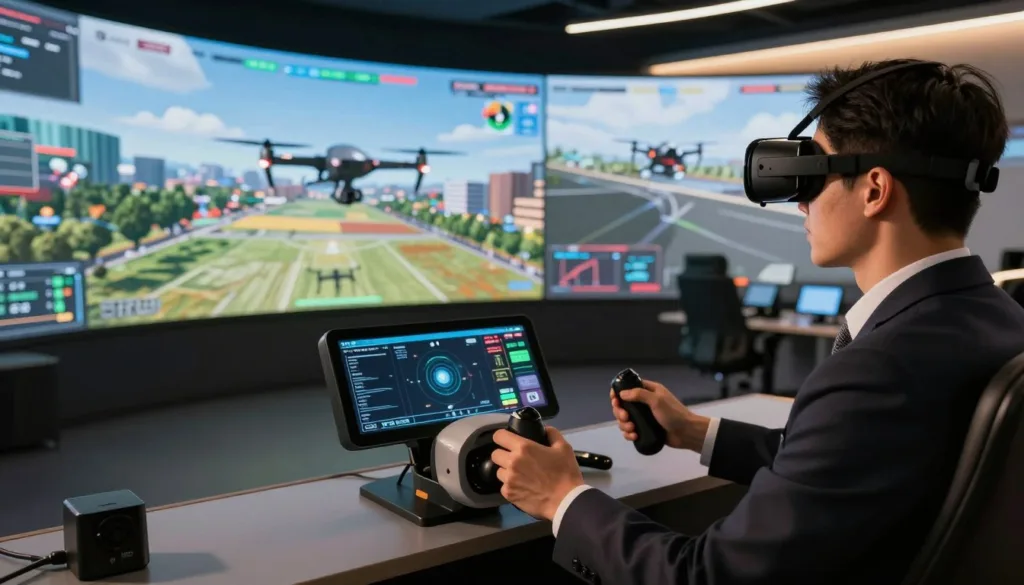
Drone wind simulation adds another layer of pressure. Steady wind can push an aircraft in one direction, while gusts create short bursts that force fast decisions. Smooth, shifting wind patterns can model the uneven feel of natural air movement.
Wind drills can include holding a hover in a crosswind, flying a straight route while correcting drift, and landing on a marked pad during gusts. Pilots can also practice recovery after an unexpected sideways push. These drills build calm, precise habits.
Response timing matters in every exercise. Turn rate, climb rate, braking distance, acceleration, and yaw response should feel close to the real drone. If the virtual aircraft reacts too fast or too slowly, muscle memory may not transfer well.
Developers can refine a flight model with real UAV logs and sensor data. They can compare position, velocity, acceleration, drift distance, turn rate, and stabilization time. Step throttle changes and rapid yaw inputs offer clear tests for tuning thrust curves, drag values, and mass settings.
Trajectory fidelity is another useful measure. A simulator can replay a real route and compare the virtual path with recorded flight data. Lower position error gives trainers more confidence that the controls reflect real operating conditions.
Camera behavior also shapes good practice. An onboard view may include motion blur, video noise, glare, and lens artifacts. This keeps pilots from relying on a perfect image that may not be available during a live mission.
XR is a broad term for virtual reality, augmented reality, and mixed reality. Each format supports a different type of practice. VR drone training places the pilot in a complete digital setting, where maneuvers, inspections, emergency events, and weather drills can be repeated without flight risk.
Headsets such as Meta Quest, Varjo XR, and HTC Vive provide stereoscopic views and head tracking. This can make route practice and obstacle work feel more focused. A pilot can train in a quiet virtual environment without traffic, bystanders, or changing field conditions.
An AR drone simulator places digital flight elements into a user’s real surroundings. Waypoints, hazards, route lines, and a virtual aircraft can appear through pass-through cameras or see-through displays. This is useful for learning visual awareness in a familiar space.
Mixed reality UAV training goes further by blending virtual objects with mapped physical features. A simulated drone may pass behind a chair, avoid a wall, or react to a collision with furniture. Depth sensors and outward-facing cameras help anchor those objects to real surfaces.
SimFlight XR uses pass-through AR and spatial mapping to recognize obstacles such as walls and furniture. Foxtrot SimFlight XR supports both VR and AR setups. In VR, pilots fly in a full digital world; in AR, they place a simulated drone into their own room or workspace.
XR design still requires careful work. Spatial registration must stay accurate, lighting must look natural, and virtual objects must hide correctly behind real ones. Physical realism, user comfort, and training rules also need close attention.
VR vs. AR vs. MR for Drone Pilot Training
VR uses a fully digital environment and works well for focused flight drills, weather practice, and mission rehearsal. Its key benefit is deep immersion, while its main need is reliable head tracking and smooth visuals.
AR uses the real environment with digital overlays. It is useful for waypoint awareness and basic navigation near real objects. Accurate pass-through video or see-through display alignment is essential.
MR combines physical space with virtual objects that react to mapped surfaces. It suits confined-space drills and obstacle awareness. It depends on strong spatial mapping, depth sensing, and correct object occlusion.
Whenever possible, pilots should use an RC transmitter drone simulator setup that matches their real radio. Familiar stick placement helps build usable throttle, pitch, roll, and yaw control. USB gamepads and VR controllers can help beginners, but a real transmitter usually offers better transfer.
High-fidelity systems can support drone radio controllers, dedicated transmitter connections, gamepads, and mapped VR controls. The Varjo-Inzpire mixed reality UAV trainer combines physical controls and a Ground Control Station-style interface with mixed-reality scenarios. This adds tactile input to virtual mission work.
SimFlight XR maps Meta Quest 3 controller joysticks to a traditional Mode 2 transmitter layout. Its directional input system can prioritize the dominant joystick movement when needed. That may reduce unwanted overlap between altitude and yaw commands.
Haptic feedback can add useful signals during practice. Vibration can warn of turbulence, obstacle contact, or a simulated crash. Full-motion platforms are less common for drones, but simple feedback cues can still support faster reactions.
A progressive plan begins with stable hovering and altitude control. Pilots can then move to straight routes, gentle turns, figure-eight patterns, and precision landings. Later drills can add obstacle courses, safe-clearance work, drift recovery, and loss-of-orientation events.
Advanced sessions can use steady wind, variable gusts, confined-area navigation, inspection-style passes, route following, and time-limited tasks. The goal is to increase challenge in steps without hiding weak control habits.
Drone telemetry coaching turns these flights into specific feedback. AI can identify excessive corrections, unstable throttle use, late braking, weak crosswind control, uneven routes, and poor landing approaches. That is more useful than a simple good-or-bad score.
Pilots can track one or two goals per session. Useful targets include lower route deviation, wider obstacle clearance, faster reaction time, improved landing accuracy, or a clean wind drill without a collision. Small measures make progress easier to see.
Research platforms such as Flightmare and AirSim support detailed physics, modular scenarios, and development APIs. Unity is widely used for cross-platform XR experiences and interactive feedback. Unreal Engine supports rich visuals and complex simulation environments.
Game-focused tools can still support entry-level training when they offer terrain choices, weather settings, and skill progression. Their models may be less flexible than research platforms, yet they can provide a practical starting point before more advanced flight training.
Conclusion
The best drone simulator with AI scoring gives pilots a safer, clearer path to progress. Strong drone training software blends repeat practice, real flight response, and useful AI flight feedback. This helps pilots see how each control input affects the aircraft before a live flight is on the line.
Choose UAV simulator training that includes thrust, inertia, drift, hover response, wind gusts, collisions, and controller support. Good drone skills practice should not feel easier than real flight. Look for weather controls, obstacle courses, precision landing zones, and emergency recovery drills that grow from basic tasks to mission rehearsal.
Reliable scores also build drone pilot confidence. Review route accuracy, reaction time, obstacle clearance, landing consistency, and control smoothness after each session. Clear AI flight feedback shows what needs work, so practice has a purpose instead of becoming random flight time.
The SRIZFLY drone simulator supports a focused training workflow built around realistic scenarios and performance review. Start with one short drill, study the results, and repeat until the score improves. Then bring that stronger control discipline into live flight operations. Start smarter drone training with SRIZFLY.
FAQ
What is a drone simulator with AI scoring?
A drone simulator with AI scoring is a training tool that tracks flight telemetry and evaluates how well a pilot completes a drill. It can measure control precision, route accuracy, reaction time, obstacle clearance, landing accuracy, and recovery skills. SRIZFLY drone simulator training helps pilots review clear results instead of guessing whether they improved.
How does AI scoring help beginner drone pilots?
AI scoring helps beginners see where basic control problems occur. It can show unstable hovering, sharp throttle changes, uneven turns, or late corrections. This makes it easier to focus on one skill at a time before operating a real UAV.
Can experienced and professional drone pilots benefit from AI-scored simulation?
Yes. Recreational, FPV-style, and commercial pilots can use performance scoring to improve speed control, emergency responses, inspection routes, and precision landings. Professional operators can also rehearse repeatable mission paths before flying near infrastructure, obstacles, or confined work areas.
What drone flight metrics can AI scoring measure?
Useful metrics include hover stability, stick-input smoothness, route deviation, collision count, reaction time, obstacle clearance, landing distance, and recovery control. Score histories can also reveal progress across several practice sessions. A good report connects each score to a specific action a pilot can improve.
Does a drone simulator teach realistic throttle, yaw, pitch, and roll control?
A high-quality drone flight simulator should model throttle, yaw, pitch, and roll in a way that feels close to real aircraft behavior. The drone should show inertia, momentum, drag, drift, overshoot, and delayed settling after an input. Unrealistic controls can build habits that do not transfer well to live flight.
Why is realistic wind simulation important for drone training?
Wind changes how a drone hovers, tracks a route, turns, and lands. Training with steady crosswinds, variable gusts, and sudden sideways pushes teaches pilots to make calm, measured corrections. Wind-response drills are especially useful for landing practice and safe flight near obstacles.
Can I practice emergency recovery in a drone simulator?
Yes. A simulator can safely recreate drift, overshoot, turbulence, loss of orientation, fast obstacle approaches, and unexpected wind shifts. Pilots can repeat the same emergency scenario until their response time and recovery control improve. This creates useful experience without risking an aircraft, property, or bystanders.
Is VR drone training better than training on a standard monitor?
Virtual reality can make training more immersive by placing the pilot inside a full digital environment. A VR headset such as Meta Quest, Varjo XR, or HTC Vive can add stereoscopic views and head tracking. A standard monitor can still work well for many control drills, especially when paired with a realistic RC transmitter.
What is the difference between VR, AR, and MR drone training?
VR creates a fully digital flight environment for focused practice. Augmented reality, or AR, places virtual drones, hazards, and route markers over a view of the real world. Mixed reality, or MR, goes further by allowing virtual objects to react to mapped physical features, such as walls, furniture, and room boundaries.
Can augmented reality help with indoor drone practice?
AR and MR can make indoor practice more relevant by placing virtual waypoints and obstacles inside a familiar space. Platforms such as SimFlight XR use pass-through views and spatial mapping to recognize physical barriers. This can help pilots develop obstacle awareness without flying a real drone indoors.
Should I use a real drone controller with a flight simulator?
Yes, when compatible. Using an RC transmitter with a familiar Mode 2 layout helps build muscle memory for throttle, yaw, pitch, and roll. A USB gamepad or VR controller can be useful for entry-level practice, but a radio-style controller better matches live UAV operation.
What drills should I complete first in a drone simulator?
Start with stable hovering and altitude control. Then move to straight flights, gentle turns, figure-eight patterns, and precision landings. After those skills improve, practice obstacle courses, wind drills, emergency recovery, route following, and inspection-style missions.
How often should I review AI feedback from drone simulator sessions?
Review the feedback after every session while the flight decisions are still fresh. Focus on one or two measurements, such as landing accuracy or route deviation, rather than trying to fix every issue at once. Repeat the same drill under similar conditions to make score comparisons meaningful.
Can a drone simulator replace FAA training requirements or real-world flight practice?
No. Simulator training does not replace FAA rules, operational planning, airspace awareness, visual observation requirements, or real-world risk assessment. It is a safe way to build control skills and prepare for supervised live practice. U.S. pilots should also follow current FAA guidance for recreational and commercial drone operations.
What should I look for in a drone simulator for serious training?
Look for realistic thrust, gravity, inertia, hover drift, wind effects, collision response, and controller compatibility. Strong options also include adjustable weather, obstacle courses, landing zones, emergency drills, progressive scenarios, and easy-to-read performance analytics. The simulator should make flying feel challenging enough to support real skill transfer.
Is an FPV drone simulator useful for improving reaction time?
Yes. FPV simulator practice can help pilots develop faster reactions to gates, terrain changes, turns, and obstacles. AI scoring adds value by showing whether speed improved at the cost of route control, safe clearance, or collision-free flying. This supports a more balanced approach to faster flight.