



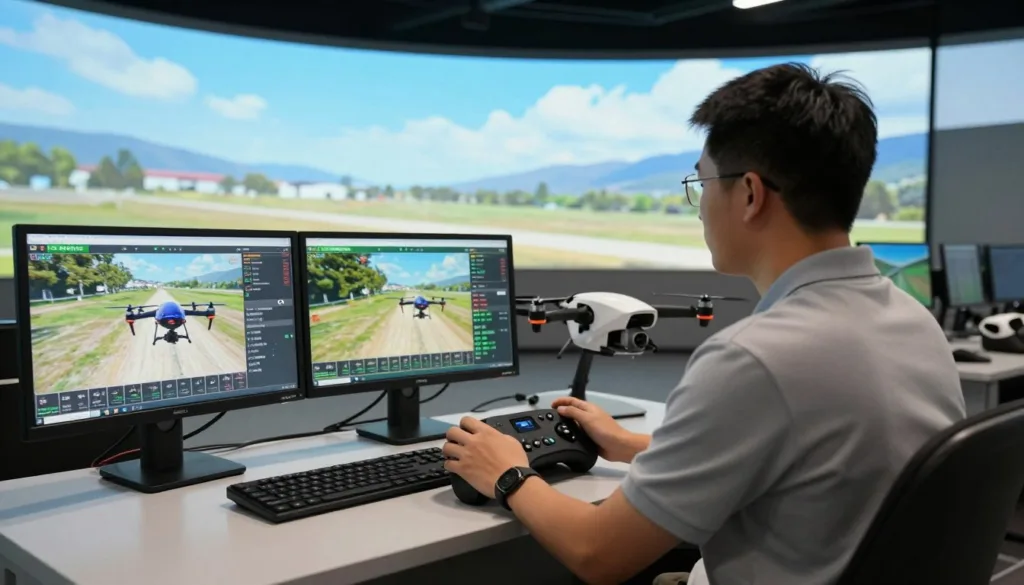
We introduce a practical path to scaled, low-risk pilot training with a Linux drone simulator built for enterprises and training centers. Organizations from tower inspection teams to agricultural operators and public safety agencies need repeatable, measurable practice that mirrors real missions. SRIZFLY delivers that bridge: industry-grade FPV simulator technology designed for realistic flight training, safety, and efficiency.
SRIZFLY’s drone training software supports deployment across Steam, Steam Deck, Linux desktops, ChromeOS, and server farms. That Linux compatibility matters: many distributors and institutions standardize on Linux for stability and cost control. A Steam Deck drone sim option also gives mobile, field-ready practice without sacrificing fidelity.
Research and case studies show simulator-based curricula cut live training hours and lower incident risk while improving skill retention. Our simulations compress scenarios, measure performance, and let teams rehearse high-risk tasks safely. For enterprises, this means faster onboarding, fewer accidents, and clearer ROI from simulation for enterprises.
We invite training centers and procurement teams to evaluate SRIZFLY with a 10-day free trial. Test mission fidelity, controller integration, and cost-effectiveness before buying. Your success drives us—try SRIZFLY to validate that a Linux FPV simulator can meet operational and training goals.
Key Takeaways
- SRIZFLY provides a Linux drone simulator aimed at enterprise and institutional training needs.
- Linux compatibility enables broad deployment: Steam, Steam Deck, Linux desktops, and ChromeOS.
- Simulator-based training reduces live flight hours and lowers incident risk.
- SRIZFLY offers a 10-day free trial to test realism, features, and integration.
- Simulation for enterprises improves efficiency, safety, and measurable skill retention.
Why Choose a Linux Drone Simulator for Realistic Flight Training
We believe a Linux drone simulator delivers the mix of openness, performance, and cost savings that training programs need. Open ecosystems let institutions adapt features, create white-label simulator deployments, and integrate lessons into learning management systems. An open-source simulator encourages community-driven development, which speeds up plugin creation and shared best practices for training centers.
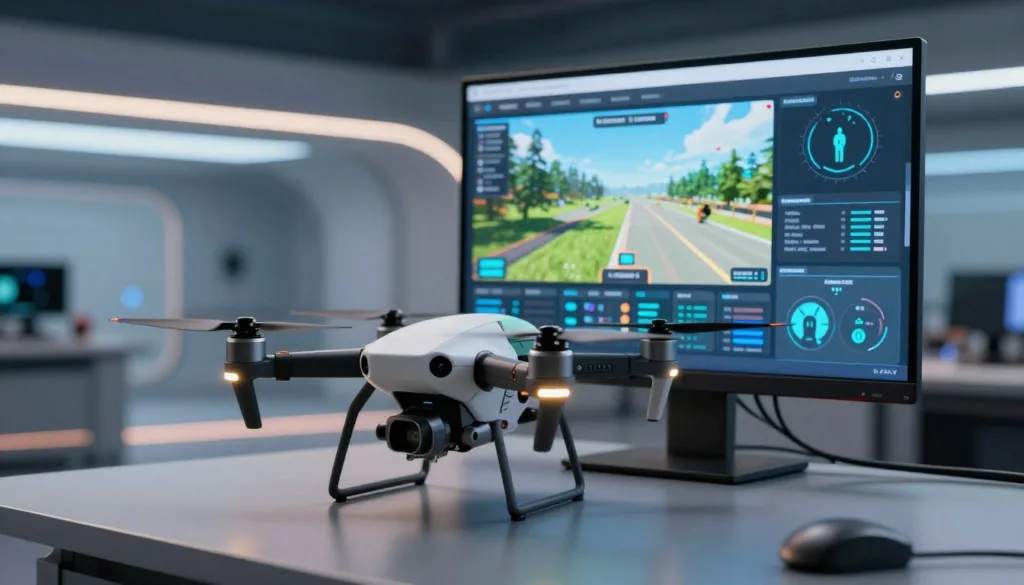
Security and maintenance matter for fleets. Linux support simplifies automated patching and secure imaging for classrooms and portable devices. That reliability, paired with SRIZFLY flexibility, lets IT teams deploy tailored builds for offline or isolated networks without vendor lock-in.
Compatibility across platforms reduces friction when scaling programs. A cross-platform drone sim that runs on Steam Deck, desktops, and Chromebooks lowers procurement barriers. Steam Deck drone simulator setups provide mobile, high-performance stations while ChromeOS FPV browser builds enable quick classroom rollouts with minimal local installs.
Performance optimization on Linux desktop simulator builds delivers consistent stick feel between desktop and online environments. Trainees get the same input response on console-like Steam Deck units and full desktop rigs. SRIZFLY Steam Deck support tightens that consistency for programs using mixed hardware fleets.
Cost matters for schools and enterprises. A cost-effective drone simulator reduces live flight hours, cutting insurance and wear costs and improving enterprise training ROI. Flexible pricing helps organizations pay only for needed lessons, maps, or DLC. SRIZFLY pricing includes options tailored to institutions and comes with a 10-day free trial offer for hands-on evaluation.
| Benefit | Linux Advantage | Impact on Training |
|---|---|---|
| Customization | Open-source simulator and Linux builds enable white-label simulator and bespoke content | Matches institutional workflows and compliance needs |
| Platform reach | Cross-platform drone sim runs on Steam Deck, Linux desktops, and ChromeOS FPV browsers | Supports mixed fleets and fast classroom rollouts |
| Community | Community-driven development accelerates plugins, maps, and best practices | Improves training content and retention loops |
| Performance | Performance optimization on Linux yields consistent stick feel and low latency | Ensures transfer to real hardware and higher skill retention |
| Cost | Cost-effective drone simulator models, modular DLC, and free entry options | Reduces total cost of ownership and boosts enterprise training ROI |
| Trial & procurement | SRIZFLY flexibility with SRIZFLY Steam Deck support, free trial offer, and tailored licensing | Low-risk evaluation and predictable procurement for organizations |
Linux drone simulator
We review Linux-capable drone simulators used by training centers and enterprises. This overview covers three leading titles, where to get them, and practical steps to meet Linux drone simulator requirements for classrooms and fleets.
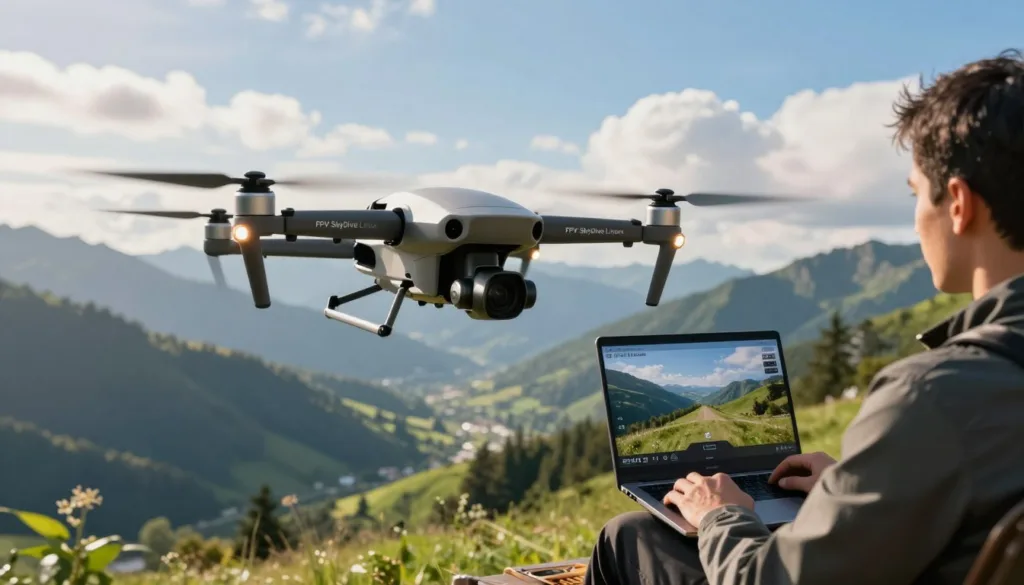
Popular Linux-capable simulators
FPV SkyDive Linux focuses on racing and freestyle with a rich DLC ecosystem and strong community engagement. FPVSIM Linux emphasizes research-level dynamics and photoreal graphics, with browser-based simulator options and broad platform reach. Real Drone Simulator supplies frequent map updates and regionally accurate scenery for mission rehearsal and content-driven training.
Platform availability and distribution channels
Steam remains the primary hub for a Steam drone sim experience; FPV SkyDive has a free Steam download and Steam Deck settings tuned for handheld play. FPVSIM appears on Steam and Epic Game Store FPV releases for desktop clients and adds an online layer via a browser-based simulator accessible on ChromeOS drone sim devices. Many titles provide a downloadable Linux build for institutional installs and standalone packages for offline classrooms.
System requirements and optimization tips
Linux drone simulator requirements vary by fidelity. Photoreal maps and high physics fidelity need modern GPUs and current Linux GPU drivers. For lower-end hardware, choose mid-fidelity maps or browser builds to reduce load.
To optimize drone sim Linux performance: keep Mesa or NVIDIA drivers up to date, tune compositor settings for lower latency, and use Steam Proton tweaks when running non-native builds. Adjust Steam Deck settings for consistent frame pacing on handheld rigs. For input quality, calibrate deadzones and use realtime stick overlay tools similar to FPVSIM’s feature set.
SRIZFLY optimization follows these best practices: offer validated downloadable Linux build images, standardize driver packages, and provide documentation for ChromeOS drone sim setups. We recommend fleet managers standardize an image to reduce support time and ensure consistent training across devices.
| Simulator | Key Strength | Distribution | Best Use |
|---|---|---|---|
| FPV SkyDive | Community DLCs, track builder, Steam Deck support | Steam, App Store, Google Play, downloadable Linux build for enterprise | Racing, freestyle, classroom fleets with hardware bundles |
| FPVSIM | Research-level dynamics, photoreal maps, browser-based simulator | Steam, Epic Game Store FPV, browser versions for ChromeOS and Linux | Research, remote classrooms, low-latency online practice |
| Real Drone Simulator | Frequent regional map updates and photoreal environments | Steam and downloadable builds; video showcases for content updates | Mission rehearsal, geographic training, map-focused drills |
Key features that make a simulator realistic for flight training
Realistic flight training depends on technical fidelity, varied scenery, and tools that let instructors shape lessons. We focus on research-level dynamics and sensory feedback so pilots gain skills that transfer to real drones. SRIZFLY fidelity drives our choices for motor simulation and propeller model detail to match physical behavior.
Research-level dynamics and accurate motor/propeller models
High-fidelity quadrotor dynamics are the backbone of useful simulation. A true research-level dynamics engine models thrust curves, motor lag, and gyroscopic effects so control feels correct. FPVSIM maps and RDS maps showcase engines tuned for quadrotor dynamics and refined motor simulation to mirror real craft.
Accurate propeller model and fine-tuned propeller sound add immersion and practical cues. Pilots learn to read audio and control responses. That reduces negative training and speeds real-world transfer when combined with an authentic FPV flight model.
Photorealistic maps, varied environments, and new map updates
Mission-fit scenery matters for tasks such as tower inspection and mapping. Photorealistic maps and realistic environments provide visual references that improve situational awareness. Regular map updates keep scenarios fresh and mirror changing field conditions.
RDS maps and FPVSIM maps include urban, desert, and industrial sites. Trainers can pick environments that match course needs. Map updates and DLC pipelines help educators design progressive drills and site-specific lessons.
Flight modes and training aids: Acro, Angle, Level, throttle limits, and HUD overlays
Configurable flight modes Acro Angle Level let instructors move pilots from assisted control to full manual handling. A throttle limit setting allows staged exposure to power and speed. These controls cut risk while building core reflexes.
HUD info and stick overlay tools provide objective feedback during lessons. Real-time stick overlay and clear HUD info reduce cognitive load for novices. Training aids such as lesson timers and mode indicators make coaching measurable and repeatable.
Multiplayer, racing pressure, and competition-driven retention loops
Multiplayer drone sim features and FPV competitions recreate operational pressure. Racing pressure forces pilots to make fast decisions while preserving control. That stress exposure increases training retention when paired with structured review.
Competitive modes, leaderboards, and community races form a retention loop. Pilots return to practice, refine skills, and test improvements under stress. SRIZFLY tools align competition with curriculum so teams and schools benefit from motivated repetition.
| Feature | Practical benefit | Example implementation |
|---|---|---|
| Research-level dynamics | Improved control transfer to real drones | FPVSIM quadrotor dynamics engine with motor simulation |
| Motor and propeller model | Auditory and tactile cues for pilots | Fine-tuned propeller sound and realistic thrust curves |
| Photorealistic maps | Mission-specific visual training | RDS maps and FPVSIM maps with frequent map updates |
| Flight modes Acro Angle Level | Scaffolded learning from assisted to manual | Mode toggles, max deg/s configurator, throttle limit |
| HUD info and stick overlay | Objective feedback for instructors and students | Realtime stick overlay, altitude and mode displays |
| Multiplayer and FPV competitions | Stress exposure and higher engagement | Racing pressure, leaderboards, community servers |
| Training aids and retention loop | Long-term skill development and motivation | Flight School lessons, DLC challenges, timed drills |
How to use a Linux drone simulator to improve piloting skills
We design practical paths that turn simulator hours into real-world skill. Start with structured drone training that sequences basics into advanced maneuvers. Use flight school DLC content to build consistency and reduce risk when pilots move to live flights.
Structured lessons let instructors apply a SRIZFLY curriculum across teams. FPV SkyDive Flight School and similar modules provide progressive lessons that teach throttle control, smooth yaw, and gate timing. Course design should pair progressive lessons with objective checkpoints to verify readiness.
Custom practice sharpens mission-specific skills. Use a track builder to create confined paths and micro drone courses for indoor inspection work. Map-specific drills on photoreal maps replicate urban, industrial, and desert sites so pilots rehearse realistic tasks before deployment.
Controller integration brings fidelity to FPV practice. Use the same radios in sim and field to cut transfer time. ORQA FPV.Ctrl ownership unlocks practical benefits for training centers and simplifies controller profiles. Pair controller use with stick feel calibration to match simulator responses to physical sticks.
Flight controller mapping and SRIZFLY hardware support ensure your simulator mirrors field behavior. Calibrate deadzones, expo, and max deg/s with tools in FPVSIM and others. Standardize transmitter profiles across a classroom fleet to reduce variation in feedback and instruction.
Measure training with clear metrics. Track lesson completion, lap times, gate accuracy, and smoothness to quantify progress. Use a stick overlay for live corrective feedback and record sessions for session review. Combine simulator analytics with instructor notes for targeted coaching.
Deploy course modules at scale to standardize baseline competence. Pilot progress tracking and training metrics let managers compare cohorts, reduce live training hours, and justify investment. SRIZFLY provides reporting templates and simulator analytics to demonstrate gains during the 10-day free trial.
| Focus Area | What to Use | Outcome |
|---|---|---|
| Foundations | Flight school DLC, progressive lessons | Consistent basic handling and safe mode transitions |
| Mission Practice | Track builder, micro drone courses, map-specific drills | Improved task accuracy in confined and realistic environments |
| Hardware Match | ORQA FPV.Ctrl, controller integration, flight controller mapping | High fidelity transfer from sim to field |
| Calibration | Stick feel calibration, stick overlay | Reliable stick response and repeatable control feel |
| Assessment | Training metrics, session review, simulator analytics | Data-driven certification and pilot progress tracking |
Conclusion
Linux drone simulator conclusion: modern Linux-capable simulators deliver realistic, low-risk training that blends research-level dynamics, photoreal environments, and community-driven content. FPVSIM contributes advanced flight physics, Real Drone Simulator brings rich map ecosystems, and FPV SkyDive offers DLCs and social training loops. Together they form a practical path to realistic FPV training for schools and enterprises.
Choose SRIZFLY because we combine these best practices into one platform: high-fidelity dynamics, photoreal maps, structured flight school content, and seamless controller integration. Our focus on multi-platform deployment and Linux optimization reduces setup friction and improves simulator ROI for training centers, distributors, and public-sector teams.
Business impact is clear: our approach raises training efficiency, cuts live-flight risk, and lowers operational costs—backed by community-proven features and enterprise deployment options. Start with a 10-day free trial to validate performance and curriculum fit, and see measurable gains in pilot readiness, safety, and efficiency for enterprise drone training.
We are committed to delivering the best solutions for your training needs. Contact our team to begin your SRIZFLY trial and experience improved simulator ROI, better realistic FPV training outcomes, and a safer path to operational competence.
FAQ
What is a Linux drone simulator and how does it support realistic flight training?
A Linux drone simulator is software that runs natively on Linux and compatible platforms (Steam Deck, Linux desktops, ChromeOS, servers) to emulate drone flight physics, controls, sensors, and environments. It provides realistic dynamics, motor/propeller models, photoreal maps, and configurable flight modes so pilots can practice procedures and maneuvers without risk to hardware or people. For enterprises and training centers, this enables scalable, repeatable training that reduces live flight hours, lowers incident risk, and improves skill retention.
Why choose a Linux-capable simulator like SRIZFLY for enterprise or institutional training?
Linux compatibility ensures broad deployment options and easier fleet management. Organizations standardizing on Linux can use Steam Deck handhelds, Linux workstations, ChromeOS classroom devices, or server-hosted instances. Linux simplifies secure imaging, patch automation, and offline deployments. SRIZFLY leverages these advantages with flexible licensing and customization to integrate with internal LMS systems, meet compliance needs, and deliver predictable, enterprise-grade installations.
What are the open-source and cross-platform advantages of Linux simulators?
Open ecosystems allow customization, white-label builds, and integration with existing IT workflows. Linux builds can be modified for bespoke lesson content, offline operation, or branded standalone installs. Cross-platform availability reduces procurement friction—teams can mix desktops, Steam Decks, and ChromeOS devices—lowering total cost of ownership and simplifying pilot transitions between simulator and real drones.
Which popular Linux-capable simulators should organizations evaluate?
Notable titles include FPV SkyDive, FPVSIM, and Real Drone Simulator. Each contributes strengths: FPV SkyDive offers a large community, DLCs, and Steam Deck support; FPVSIM delivers research-level dynamics and browser-accessible versions; Real Drone Simulator focuses on frequent, regionally accurate map updates and photoreal environments. SRIZFLY adopts industry best practices from these platforms in its Linux builds.
Where are these simulators distributed and how can they be deployed?
Distribution channels include Steam (primary hub), Epic Games Store, downloadable Linux builds, and browser versions accessible on ChromeOS and other platforms. Enterprises can deploy standalone white-labeled packages for offline classroom or institutional installs. SRIZFLY supports flexible deployment—local installs, server-hosted sessions, and portable Steam Deck rigs—so organizations can choose the model that fits procurement and operational needs.
What system requirements and optimization steps are important for Linux users?
Requirements vary by simulator and map fidelity. Photorealistic simulations need modern GPUs and up-to-date drivers. Optimization tips: install the latest Mesa or NVIDIA drivers, tune compositor settings for low latency, select lower-fidelity maps for older hardware, use Steam Proton where needed, and prefer browser versions on ChromeOS when local GPU power is limited. Standardizing a validated system image helps manage classroom fleets.
Which simulator features deliver the most realistic training fidelity?
Key features include research-level dynamics and accurate motor/prop models, photorealistic maps with varied environments, configurable flight modes (Acro, Angle, Level), throttle limit and max deg/s configurators, HUD overlays, and realtime stick overlays. These elements reduce negative training, improve transfer to real drones, and let instructors precisely mirror aircraft behavior and constraints.
How do photorealistic maps and regular updates improve mission-specific training?
High-fidelity maps simulate real-world visual cues and hazards—urban canyons, agricultural fields, industrial sites—so pilots practice contextual tasks like tower inspection or mapping. Regular map updates and new DLCs keep scenarios current and relevant. Real Drone Simulator, for example, provides frequent regional maps; SRIZFLY incorporates the same approach to support mission-tailored drills.
What flight modes and training aids should instructors use to structure lessons?
Start beginners in Level or Angle modes with throttle limits, then progress to Acro for advanced skills. Use HUD elements, realtime stick overlays, and rate configurators to give precise feedback. Structured Flight School DLCs and staged lessons accelerate learning—our curricula mirror those approaches, combining progressive challenges, objective metrics, and instructor-led reviews to ensure competence before live flights.
How can multiplayer, racing, and competition features be used for training?
Multiplayer sessions and race pressure create realistic stressors that improve decision-making and situational control. Competitive modes increase engagement and retention—pilots practice under time pressure and in traffic scenarios relevant to public safety and inspection tasks. Incorporating leaderboards and community servers sustains long-term adoption in training programs.
How do trainers design custom practice scenarios—track builders and micro drone courses?
Tools like Track Builder let instructors create mission-specific courses that mirror confined-space inspections, indoor surveys, or obstacle-dense sites. Micro Drone Edition DLCs focus on tight-space precision. Combining custom tracks with timed drills and progressive difficulty targets competencies such as throttle control, yaw precision, and obstacle negotiation.
What are best practices for hardware integration and stick feel calibration?
Use consistent controller models across fleets to minimize calibration variance. Calibrate deadzones, expo, and stick feel in-sim to match real radios. Features like FPVSIM’s realtime stick overlay and max deg/s configurators help mirror field radios. ORQA FPV.Ctrl ownership may provide hardware perks—free lifetime DLC access on some platforms—reducing long-term costs for training centers.
How should organizations monitor progress and measure training effectiveness?
Rely on objective metrics captured in-sim: flight time, gate times, stability scores, crash counts, and completion rates. Use stick overlays and session recordings for targeted review. Combine these metrics with live-flight reduction, incident rate changes, and wear/insurance savings to quantify ROI. SRIZFLY provides analytic templates to track these indicators during the 10-day free trial.
What cost savings can simulators deliver and how does SRIZFLY’s trial work?
Simulator-based training reduces live flight hours, lowers incident risk, and diminishes equipment wear—translating to lower insurance and operational costs. Many sims offer low-cost entry points, browser versions, or free base downloads with DLCs. SRIZFLY offers a 10-day free trial so organizations can evaluate performance, curriculum fit, and cost-effectiveness risk-free before procurement.
Can Linux builds be customized and integrated with enterprise systems?
Yes. Linux builds support integration with internal learning management systems, bespoke lesson content, automated imaging, and offline deployments. This enables white-labeled, controlled installations for education and enterprise. SRIZFLY provides flexible licensing and APIs to align simulator workflows with institutional compliance and reporting needs.
How do I choose which simulator features matter most for my mission (inspection, mapping, logistics, public safety)?
Prioritize realistic dynamics and controller fidelity for skills transfer; photoreal maps and mission-specific environments for task rehearsal; structured Flight School content and measurable metrics for certification; and cross-platform deployment for fleet flexibility. Evaluate simulators by testing maps, flight modes, and controller feel during a trial—SRIZFLY’s 10-day trial helps validate fit for your mission profile.
Are there community and content benefits to selecting a widely adopted simulator?
Yes. Large communities accelerate content creation, plugins, and shared best practices. FPV SkyDive’s community and DLC ecosystem, for example, provide abundant resources for curriculum design. Community engagement helps training centers adopt proven drills and reduces custom content development time. SRIZFLY leverages community-driven best practices in its ecosystem support.
How do I deploy a consistent fleet for classroom or field training?
Standardize a validated system image (OS, drivers, simulator build), choose consistent controllers, and use portable hardware like Steam Decks for uniform performance. Automate updates and security patches on Linux, and consider offline standalone installers for controlled classroom environments. SRIZFLY offers deployment guidance and support to streamline fleet rollout.
What performance considerations apply to Steam Deck and ChromeOS deployments?
Steam Deck offers a portable, AMD-based platform optimized by some simulators for high performance. Choose simulator builds with Steam Deck support and test fidelity for target maps. On ChromeOS, browser-accessible simulator versions lower local GPU requirements and enable rapid classroom rollouts without heavy installs. Optimize driver and compositor settings for best responsiveness on Linux-based hardware.
How does SRIZFLY compare to other simulators like FPV SkyDive, FPVSIM, and Real Drone Simulator?
SRIZFLY integrates best practices from leading sims: community-driven DLC and track tools (FPV SkyDive), research-grade dynamics and browser access (FPVSIM), and frequent photoreal map updates (Real Drone Simulator). We focus on Linux compatibility, enterprise customization, measurable training outcomes, and flexible licensing—plus a 10-day free trial to validate ROI before purchase.
How do I start a SRIZFLY trial or request an enterprise demo?
Contact SRIZFLY to activate a 10-day free trial tailored to your fleet and curriculum needs. We will help configure Linux builds, recommend hardware targets (Steam Deck, desktops, ChromeOS), and provide analytics templates to measure training impact. The trial validates performance, feature fit, and cost-effectiveness before procurement.

