



The SRIZFLY simulator is a cutting-edge tool designed for realistic first-person view (FPV) flight training. It caters to various sectors, including power, agriculture, mapping, security, and firefighting. With the SESP-U1 model, users can experience an enterprise-grade simulation that enhances their training.
This simulator combines advanced technologies like Unreal Engine 4, AirSim physics, and Pixhawk flight control. These elements work together to create a practical training environment, perfect for beginners and seasoned professionals alike. It offers a safe way to practice before actual deployment.
Users can explore various supported drone models and mission environments. Additionally, it provides options for controller connections and VR compatibility. With enterprise licensing available, the SRIZFLY simulator is an ideal choice for educational training and professional development.
Key Takeaways
- Offers realistic FPV flight training for multiple industries.
- Combines advanced technologies for a practical training experience.
- Suitable for beginners, instructors, and professional operators.
- Supports various drone models and mission environments.
- Enterprise licensing options available for educational purposes.
Why Choose SRIZFLY Drone Sim for Flight Training
Choosing the right simulator can elevate your flight training experience, and SRIZFLY excels in this area. It utilizes Unreal Engine 4 to create detailed 3D environments. This technology offers users an immersive experience, far beyond simple visual training screens.
The integration of AirSim and Pixhawk enhances the simulator’s realism. These technologies ensure accurate aircraft movement and flight characteristics. As a result, users can practice handling and response in a controlled setting.
With 80% of the team dedicated to research and development, SRIZFLY shows a strong commitment to advancing simulator technology. The company has also secured 24 national patents and 45 software copyrights, demonstrating its innovative edge.
Furthermore, passing ISO system certifications and achieving CMMI3 certification builds trust among enterprise buyers. These features connect to repeatable practice, reducing operational risks and providing scalable instruction for organizations managing multiple operators.
Experience Realistic FPV Flight Simulation
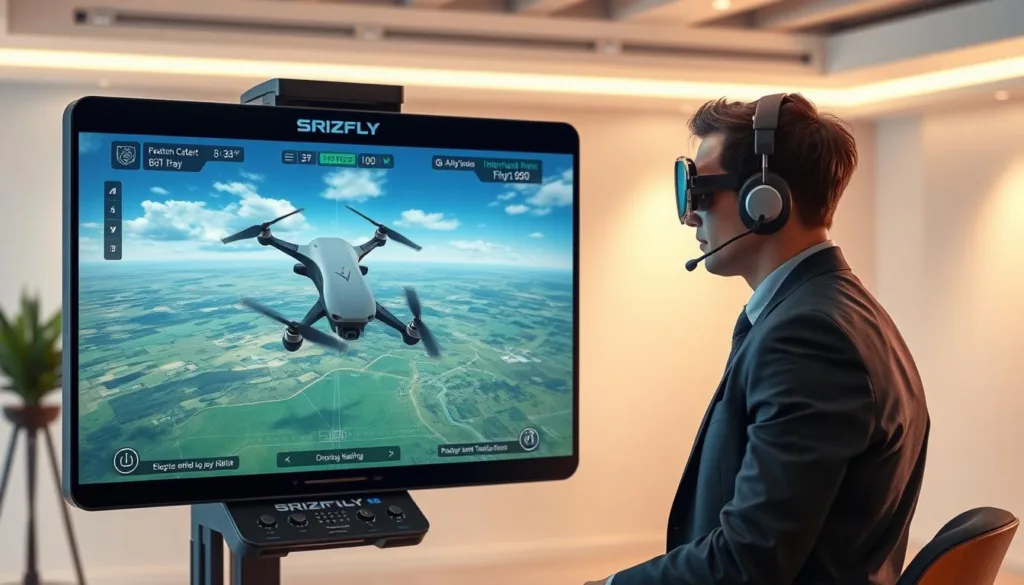
Experience unparalleled realism in flight training with advanced simulation technology. The integration of Unreal Engine 4 allows operators to engage in realistic 3D scenes. This helps users judge distance, terrain, orientation, and movement during FPV practice.
Additionally, AirSim and Pixhawk replicate flight characteristics, enabling users to refine their control over throttle, yaw, pitch, and roll. This level of detail supports better decision-making, especially during low-altitude maneuvers or complex site approaches.
By practicing in a digital environment, operators can repeat exercises without the costs and risks associated with live aircraft. This approach builds confidence, preparing users to operate professional platforms like the DJI M30T and M300.
Explore Training Modes and Mission Scenarios
Unlock new levels of skill with various training modes available in the simulator. The Free Flight mode offers an open practice environment. Here, users can learn essential skills like movement, orientation, and hovering without the pressure of completing missions.
For those new to UAV operations, the Training Modules provide structured lessons. These guided sessions help build skills in a systematic way, ensuring a solid foundation for future flying.
Additionally, the Mission Scenarios present realistic exercises. These scenarios cover logistics, agricultural plant protection, security, firefighting, and wilderness rescue. Each mission challenges operators to apply their skills in practical situations.
The simulator also incorporates GPS, visual sensors, and RC signal simulation. This adds layers of operational decision-making beyond simple movement. Using repeatable scenarios allows teams to compare performance, identify weaknesses, and prepare for job-specific procedures.
Customize Conditions for More Focused Practice
In flight training, customizing environmental conditions can greatly enhance the learning experience. The simulator allows users to adjust factors like weather, wind speed, and lighting. This flexibility helps users tackle specific challenges related to control and visibility.
Available conditions include rain, fog, snow, and sunlight. Each of these scenarios helps users isolate different aspects of flying. For instance, practicing in fog can sharpen skills in low visibility, while strong winds can test control under challenging circumstances.
Moreover, users can select from diverse environments such as seaside, forest, school, town, and agricultural settings. Each location presents unique navigation demands, making training more relevant to real-world operations.
It’s advisable to start with clear conditions before gradually introducing more complex elements. This method prepares operators for potential hazards they may encounter near buildings, vegetation, or open water.
Repeatable environmental settings also allow instructors to compare performance. This focus on measurable weaknesses ensures that training is both effective and targeted.
Connect Compatible Controllers and Drone Models
Choosing the right controllers enhances the experience with the simulator. Supported DJI controllers include the RC-N1, RC-N2, RC-N3, and RC-Plus. These options are perfect for teams already using official DJI enterprise control hardware.
For broader access, the simulator also supports various other controllers. These include FUTABA T6K V3S, T10J, T14SG, Flysky FS-I6S, FS-ST8T, TARANIS X9D Plus, SM001, Spektrum Interlink DX, and even Xbox Series X controllers. This diversity caters to different classroom settings and operator preferences.
Additionally, users can connect to a range of DJI aircraft. Supported models include the M30T, M210, M300, M600, Mavic 2, Mavic 3E, Phantom 4, AGRAS T30, T60, and FlyCart 30. The simulator accommodates four-rotor, six-rotor, and eight-rotor configurations, supporting practice across consumer, commercial, and agricultural aircraft.
Most controllers connect via standard USB, while some may require specific cables or adapters. This flexibility ensures that operators can easily integrate their preferred hardware into their training sessions.
Train for Drone Operations Across Industries
Training for various industries has never been more accessible with the right simulator. The applications of this simulator span multiple sectors, enhancing operational training. From powerline inspection to agricultural spraying, it provides tailored scenarios for each field.
For electric power teams, mapping powerline inspection practice to realistic navigation and safety procedures is crucial. The simulator allows users to practice without the risks associated with live operations.
In agriculture, models like the DJI AGRAS T30 and T60 enable safe spraying practice. This ensures no chemicals are consumed and no field aircraft are at risk.
Aerial mapping scenarios connect with surveying workflows, while logistics exercises address delivery planning. Firefighting and wilderness rescue missions are time-sensitive, helping develop essential observation and response skills.
Enterprise buyers can appreciate how one simulator supports various industries while maintaining job-specific scenarios and aircraft configurations.
Explore SRIZFLY’s Place in the DJI Enterprise Ecosystem
Positioned within the DJI Enterprise Ecosystem, the SESP-U1 simulator is designed for comprehensive training. This inclusion in the Solutions Catalogue highlights its focus on enterprise users seeking effective UAV training software.
Organizations evaluating software alongside DJI hardware will find this catalogue listing valuable. The SESP-U1 supports basic knowledge teaching, simulation training solutions, and job-scenario exercises all in one platform.
However, it’s important to note that being listed in the catalogue does not replace an organization’s own technical, procurement, safety, or compatibility review. Readers should evaluate the simulator against their fleet models, controller requirements, instructor workflows, and enterprise deployment goals.
Support Enterprise UAV Simulation Training
Supporting enterprise-level UAV simulation training can significantly enhance operational readiness. SRIZFLY has partnered with JD Logistics Education to develop simulation training software specifically designed for logistics operations. This collaboration showcases how tailored training can improve delivery-focused instruction.
For military and security organizations, the AR-SkyStrike platform simulates complex battlefield environments. This provides a separate tactical training option that emphasizes real-world challenges. Users can refine their skills in high-pressure scenarios, preparing them for actual missions.
Additionally, the VTOL-SIM offers fixed-wing UAV simulation training with high-quality graphics. This realistic flight control technology ensures that users gain practical experience in handling various aircraft types.
When selecting training software, enterprise users should consider their specific needs. Factors like aircraft type, mission complexity, and instructor requirements are crucial for effective training outcomes.
Build Mapping and Inspection Skills in Simulation
Mapping and inspection skills are crucial in many industries, and simulation training can enhance these abilities. The SRIZFLY simulator integrates 3D laser point cloud data with visible-light, infrared, and multispectral images. This combination supports mapping and inspection exercises that require spatial awareness around substations and industrial assets.
Visible-light, infrared, and multispectral images allow users to practice reviewing different forms of inspection information. This diverse approach helps in developing a well-rounded skill set for effective inspections.
Moreover, the system provides 360-degree panoramic views of substations. This feature connects with power-sector surveying, asset review, and emergency response preparation. Such immersive experiences are vital for preparing users for real-world challenges.
Additionally, HD video, IoT systems, and inspection robots serve as complementary information sources for online cloud inspections. This integration extends to agriculture, fire response, and other industries that depend on accurate aerial observation and documented findings.
Use Realistic Features to Practice Safer Flight
Realistic features in simulation training can greatly enhance flight safety. The simulator effectively models GPS, visual sensors, and RC signals. This allows operators to practice responding to imperfect information and changing control conditions.
Battery simulation is another key feature. Users receive low-battery warnings, which can trigger automatic return-to-home or landing if ignored. This prepares operators for real-life scenarios where battery management is crucial.
Geo-fence settings help users recognize restricted areas. Understanding the consequences of crossing these virtual boundaries is essential for safe operations. Weather effects can also be controlled, allowing practice in changing visibility, wind, rain, or snow.
These features contribute to safer preparation for various missions, including power, fire response, agricultural, mapping, and rescue operations.
Understand the Technology Behind SRIZFLY Simulation
Understanding the underlying technology of the simulator is crucial for maximizing its training potential. At the heart of this simulator is Unreal Engine 4, which renders realistic terrain, locations, and lighting. This technology provides drone operators with detailed visual information that enhances their training experience.
Additionally, AirSim and Pixhawk form the technical foundation for flight physics and control simulation. They ensure accurate flight response, enabling users to engage in repeatable simulation exercises that mirror real-world conditions.
With 24 national patents and 45 software copyrights, the simulator showcases its independently developed capabilities. Furthermore, it has achieved ISO certifications in quality, environment, health, and information security, alongside CMMI3 certification. This commitment to quality underlines the simulator’s reliability across various applications, including inspection, power, mapping, agricultural, and emergency-response workflows.
Check Computer Requirements and VR Compatibility
To fully enjoy the immersive experience of the simulator, it’s crucial to check your computer’s specifications. The minimum requirements include an Intel i5-7700 processor, NVIDIA GTX 1650 Ti graphics card, 8GB VRAM, 16GB RAM, and 80GB of free storage. Meeting these specifications ensures basic functionality.
For an enhanced experience, the recommended specifications are an Intel i5-10400, NVIDIA GTX 2060, 16GB VRAM, 32GB RAM, and SSD storage with 80GB free space. This setup allows users to utilize more features of the software effectively.
For optimum performance, aim for an Intel i7-12700, NVIDIA GTX 3060, 16GB VRAM, 32GB RAM, and SSD storage with 80GB free space. This configuration provides the best experience during training.
Currently, the simulator supports Windows PC, while Mac support is under development. Users interested in VR compatibility can utilize the HTC Vive Cosmos. For setup, navigate to Settings, Mode Setting, Viewing Pattern, and VR Mode to configure your experience.
Get Started With SRIZFLY Drone Sim
Getting started with the simulator is a straightforward process that opens doors to immersive training experiences. Users can easily access the free trial by completing a download form on the website. This trial version installs without needing an activation code, making it hassle-free.
For those ready to commit, purchasing the full training software is seamless. After completing the order on the dedicated page, an activation email will be sent. This email contains a unique code that unlocks the software.
It’s important to note that a single activation code can be bound to one computer at a time. However, it can be transferred through registration binding if needed.
We recommend starting with the Free Flight mode. This allows users to familiarize themselves with the simulator before moving on to guided modules, mission scenarios, and job-specific practice.
Instructors, students, operators, and enterprise teams are encouraged to define their training objectives. This ensures they select the most suitable software plan for their needs.
Access Updates and Technical Support
Regular updates ensure that users always have access to the latest features and improvements in their training software. SRIZFLY consistently enhances the simulator with new functionalities and performance optimizations.
Technical support is readily available to assist with installation, configuration, and software optimization. Users can reach out for help with controller connections, computer setup, and VR settings.
When requesting assistance, it’s important for users to provide clear information about their hardware, operating system, controller model, and any error messages encountered. This clarity helps support teams resolve issues quickly.
Timely support is crucial for instructors, as it helps keep classes running smoothly and reduces disruptions during enterprise deployment or evaluation. For any setup questions, compatibility concerns, activation problems, or performance issues, users are encouraged to contact customer service.
Request an Enterprise Inquiry or Download
Discover how to elevate your UAV training experience with our innovative software solutions. Enterprise users can easily access inquiry and download options for SRIZFLY products. This process ensures you have the right tools for your training needs.
Full-version activation codes are provided through the order page and sent via email after purchase. Each activation code operates on one computer at a time, but can be unbound and reassigned through the registration feature.
SRIZFLY supports a variety of enterprise applications, including:
- Industrial inspection
- Aerial mapping
- Agricultural plant protection
- Emergency search and rescue
- Firefighting
We invite enterprise users to submit inquiries when they require deployment guidance, multiple activation codes, scenario customization, or technical evaluation. The website’s download and purchase process provides the relevant software link through the order page and email.
Organizations should describe their intended workflows, including mapping, surveying, power, agriculture, firefighting, logistics, and emergency-response operations. Please include fleet models, controllers, computer specifications, user count, training goals, and required support information.
Conclusion
SRIZFLY combines Unreal Engine 4, AirSim, Pixhawk, realistic physics, and adjustable environments to prepare operators for real missions. Its drone simulator supports Free Flight, guided modules, mission scenarios, battery behavior, geo-fences, weather, and sensor conditions. This training builds practical flight control skills.
Users can connect DJI controllers and aircraft such as the M30T and M300, practice with four-, six-, or eight-rotor layouts, and use HTC Vive Cosmos VR. Applications span power, agriculture, mapping, surveying, logistics, firefighting, security, rescue, education, and military operations.
SESP-U1’s listing in the DJI Enterprise Ecosystem Solutions Catalogue can inform procurement research. For a closer look at the software and user experience, download the trial, request an inquiry, or contact SRIZFLY technical support.