
Have you ever dreamed of soaring through the sky but worried about crashing your gear? The SRIZFLY FPV Drone Training Simulator is a cutting-edge tool designed to help pilots master their flying skills. It lets you practice without the risk of damaging expensive equipment.
This type of software has become an essential tool for everyone. Beginners can learn basic controls in a safe, virtual space. Experienced flyers use it to refine advanced maneuvers and push their limits.
The SRIZFLY platform offers incredibly realistic flight dynamics. It replicates real-world behavior, making it an ideal starting point for anyone entering the hobby. The physics feel authentic, providing a true-to-life experience.
Using a practice program like this saves money on repairs and reduces learning time. It effectively builds muscle memory that translates directly to actual flying. This makes the transition to a real machine much smoother and more confident.
This guide will explore everything from essential features to advanced systems. We will help you choose the right software for your skill level and goals. Whether you’re into racing, freestyle, or professional applications, understanding your options is the first step to becoming a confident pilot.
Key Takeaways
- Virtual practice platforms allow for risk-free skill development.
- They are valuable for both new and experienced pilots.
- Realistic physics provide an authentic learning experience.
- Significant cost savings are achieved by avoiding crashes.
- Effective training builds crucial muscle memory.
- Choosing the right software depends on your individual goals.
- Mastering virtual flight is a key step toward real-world confidence.
Introduction to FPV Drone Training Simulators
Digital flight platforms have revolutionized how pilots develop their aerial skills safely. These virtual environments provide essential practice for anyone serious about first-person view flying.
Modern systems replicate the experience of controlling aircraft through goggles or screens. This creates a safe space to practice without risking expensive equipment.
The benefits extend beyond just cost savings from avoiding crashes. Users develop skills faster and can practice regardless of weather conditions.
These platforms allow experimentation with different configurations and settings. Pilots can test various flying styles before investing in physical hardware.
Both racing enthusiasts and freestyle flyers rely on these tools. They build the quick reflexes needed for advanced maneuvers.
Today’s technology offers incredibly realistic physics engines. They accurately model how aircraft respond to controls and environmental factors.
Regular practice builds confidence and reduces anxiety. This makes the transition to real-world flying much smoother for beginners.
| Practice Benefit | Beginner Advantage | Expert Advantage |
|---|---|---|
| Risk-Free Environment | Learn fundamentals safely | Test extreme maneuvers |
| Cost Savings | Avoid repair expenses | Refine skills economically |
| Weather Independence | Practice anytime | Maintain consistency |
| Configuration Testing | Find ideal settings | Optimize performance |
These virtual systems have become indispensable tools for aerial enthusiasts. They provide a foundation for safe and effective skill development.
SRIZFLY FPV Drone Training Simulator Overview
Building confidence in the air starts long before you ever launch your first real aircraft. The SRIZFLY platform provides that essential foundation for aspiring pilots. It creates a safe space to develop skills without financial risk.
This system features an intuitive interface that welcomes newcomers. The flight physics feel authentic, mirroring real-world behavior. Various practice scenarios accommodate different experience levels.
Structured learning paths guide users from basic controls to advanced maneuvers. The program works with multiple controller types. This allows practice with equipment similar to what you’ll use outdoors.
SRIZFLY offers free domestic shipping on orders over $100. Their email support team provides personalized assistance for setup questions. This investment quickly pays for itself by preventing costly crashes.
Understanding the fpv drone training simulator
Mastering aerial maneuvers requires understanding the technology that makes virtual practice so effective. These platforms create digital environments where pilots can develop skills without real-world risks.
The technology behind these systems involves sophisticated physics engines. These calculate how virtual aircraft respond to different conditions. Graphics engines render realistic environments for immersive practice.
Input systems connect physical controllers to the digital world. Your stick movements translate directly into virtual aircraft responses. This teaches precise input techniques for various maneuvers.
Learning progresses from basic hovering to complex flight patterns. Beginners start with orientation exercises. Advanced users practice racing lines and intricate tricks.
Adjustable difficulty settings prevent frustration while maintaining challenge. This allows the platform to grow with your abilities. Understanding this progression helps maximize practice effectiveness.
The system develops crucial hand-eye coordination and reaction speed. These skills transfer directly to real-world flying conditions. Regular practice builds the muscle memory needed for confident aerial control.
Key Features to Look for in an FPV Drone Simulator
Choosing the right virtual flight platform requires careful evaluation of several key factors. The best systems balance technical performance with user-friendly design.
Different platforms excel in various areas. Some prioritize racing accuracy while others focus on freestyle accessibility.
Essential performance metrics
Frame rate consistency ensures smooth control during maneuvers. Low input latency creates immediate response to controller movements.
System requirements determine what hardware you need. VelociDrone runs well on less powerful computers.
User experience considerations
Intuitive menus and easy controller setup reduce frustration. Clear visual feedback helps pilots understand their performance.
Helpful tutorials guide beginners through the learning process. Graphics quality affects immersion and spatial awareness.
| Platform | Physics Accuracy | System Demands | Best For |
|---|---|---|---|
| Liftoff | Highly tunable | Moderate | Customization |
| VelociDrone | Ultra-accurate | Low | Racing |
| Uncrashed | Arcade-style | Medium | Freestyle |
Customization options allow matching virtual settings to real equipment. A good platform balances realism with beginner-friendly design.
Realistic Physics and Flight Model Insights
Authentic aerial control begins with physics engines that mirror how real aircraft respond to pilot inputs. These sophisticated systems calculate complex aerodynamics that determine whether virtual practice translates to real-world success.
Advanced platforms use high-fidelity flight models to replicate actual quadcopter behavior. Systems like MVRsimulation incorporate research-grade modeling that captures the tactile and cognitive demands of high-speed maneuvering.
Adjustable Physics Settings for Precision
Customizable parameters allow pilots to fine-tune their virtual setup. You can adjust propeller thrust, drag coefficients, and weight distribution to match specific configurations.
Tunable systems like Liftoff enable precise calibration that closely mirrors real equipment. This makes practice sessions highly relevant for skill development.
Beginners benefit from forgiving settings while advanced users can enable realistic features. Options like propwash simulation and battery voltage sag create authentic training scenarios.
VelociDrone stands out for racing with ultra-accurate modeling that serious competitors rely on. Realistic physics teach pilots to anticipate momentum through turns and throttle responses.
Diverse Simulator Environments and Training Modes
Different flying scenarios demand unique piloting techniques, making diverse virtual environments essential for comprehensive skill building. Various practice settings develop specific abilities that transfer directly to real-world conditions.

Indoor vs Outdoor Training Scenarios
Indoor environments focus on precision flying in confined spaces. Tiny Whoop GO specializes in micro aircraft practice with tight obstacle courses.
These settings teach careful navigation through limited areas. Outdoor environments simulate open fields and racing tracks for high-speed practice.
Wide spaces allow for long-range navigation and sweeping maneuvers. Both environment types prepare pilots for different real-world situations.
Dedicated Racing and Freestyle Modes
Racing modes feature timed laps through gate courses with competitive elements. DRL Sim includes official tracks and multiplayer competition for serious practice.
Freestyle modes provide open areas with obstacles for creative flying. These settings encourage tricks, flips, and unique flight paths.
Platforms like Liftoff excel at both racing and freestyle flying. They offer extensive track-building tools for customized practice sessions.
Training missions with progressive difficulty help beginners master fundamentals. Variety in environments and modes prevents monotony while developing well-rounded skills.
Customizing Your FPV Drone Simulator Experience
The ability to tailor every aspect of your digital flying environment makes the difference between generic practice and targeted skill development. Personalizing your virtual setup creates an experience that closely matches your real equipment and flying style.
Connecting actual radio gear like the Radiomaster TX16S or TBS Tango 2 provides the most realistic training. Using the same controller you’ll fly with outdoors builds muscle memory that transfers directly to real aircraft.
Platforms like Liftoff offer extensive customization options for virtual aircraft components. You can mix and match frames, motors, propellers, and flight controllers to create your ideal setup.
Adjusting control rates, expo curves, and camera angles helps pilots find their optimal settings. Environmental factors like time of day and weather conditions prepare users for specific real-world scenarios they may encounter.
This level of personalization increases engagement during practice sessions. It ensures that virtual training time directly translates to improved performance with actual equipment.
Comparing Top-Rated FPV Simulators in 2025
The current market offers several exceptional virtual flying systems. Each platform is designed with specific pilot needs in mind.
Understanding their unique strengths helps you choose the right tool. This ensures your practice sessions match your flying goals.
Racing-Focused Simulators: Liftoff and VelociDrone
Liftoff provides highly customizable aircraft with realistic physics. It features an extensive parts selection and active multiplayer community.
VelociDrone delivers ultra-accurate physics ideal for competitive events. Its low system requirements make it accessible to many users.
Freestyle and All-Round Options: DRL Sim and Uncrashed
The Drone Racing League platform offers official competition tracks. It includes training missions suitable for various skill levels.
Uncrashed features stunning visuals and smooth performance. While slightly more arcade-like, it excels for creative flying practice.
Each system serves different purposes in skill development. Your choice depends on whether you prioritize racing precision or freestyle creativity.
Budget-Friendly and Free FPV Drone Simulators
Getting started with aerial practice doesn’t require emptying your wallet. Several high-quality platforms offer excellent training value without significant financial investment.
These options are perfect for beginners testing their interest before committing to premium systems. They provide safe environments to develop fundamental skills.
Exploring Low-Cost and Free Options
ORQA FPV.SkyDive stands out as a completely free choice on Steam. Created by the respected goggle manufacturer, this lightweight program runs smoothly on most computers.
It features simple controls and basic environments ideal for newcomers. The design focuses specifically on beginner-friendly training.
Tiny Whoop GO offers another free alternative for micro aircraft enthusiasts. This specialized platform excels at indoor flight practice in tight spaces.
While it lacks racing tracks, the physics feel smooth for small craft handling. It’s perfect for developing precision control skills.
FPV Freerider represents one of the most affordable paid choices. Its unique advantage includes Android compatibility for mobile practice.
This budget-friendly option works across PC, Mac, and mobile devices. However, it offers fewer maps and less customization than premium alternatives.
Skydive FPV Simulator provides free freestyle-focused training on Steam. It delivers decent practice opportunities though with limited features compared to paid versions.
These economical choices serve as excellent starting points. They allow pilots to explore aerial skills before investing in expensive equipment.
Advanced Training Systems for Professional Pilots
Military and commercial applications demand simulation technology that goes far beyond recreational flying practice. These advanced platforms prepare operators for high-stakes environments where mistakes carry serious consequences.

MVRsimulation’s specialized platform provides highly realistic preparation for various unmanned aircraft operations. It combines Virtual Reality Scene Generator technology with precision flight modeling from Bihrle Applied Research.
This sophisticated system replicates the complete sensory experience of operating agile aircraft in combat scenarios. It trains users to handle the cognitive demands of defeating enemy targets effectively.
The platform functions as a compact standalone device for tactical operations. It can also network with other simulators for large-scale combat exercises.
DroneSimPro serves commercial and educational settings with professional certification preparation. This PC/Mac solution focuses on realistic GPS flight modes and safety protocols rather than racing or freestyle applications.
| Feature | Professional Systems | Recreational Platforms |
|---|---|---|
| Primary Focus | Mission success and safety | Entertainment and skill building |
| Training Scenarios | Combat and commercial operations | Racing and freestyle flying |
| Consequence Level | Real-world operational risks | Equipment damage only |
| Certification Support | Professional pilot certification | Personal skill development |
These advanced platforms demonstrate how simulation technology meets demanding operational requirements. They provide essential preparation for professionals working in critical aerial applications.
Integrating Real Controllers for Authentic Flight Control
Controller integration transforms basic simulation into true skill-building by replicating the tactile experience of actual flight. Using the same radio equipment for both virtual and real-world practice creates seamless skill transfer.
Most platforms support connections with actual radio controllers like the Radiomaster TX16S, TBS Tango 2, or DJI FPV Controller. This setup provides the most realistic experience possible.
Connection typically involves USB cables or wireless dongles that communicate stick positions to the software. This allows pilots to develop proper muscle memory with identical gimbal feel and switch positions.
Professional systems like MVRsimulation use specialized handheld devices such as the ASUS RoG Ally. These feature configurable integrated pilot controls designed specifically for training applications.
| Controller Type | Primary Use | Connection Method | Skill Transfer Level |
|---|---|---|---|
| Consumer Radio | Recreational Practice | USB/Wireless | High |
| Professional Handheld | Advanced Training | Integrated System | Very High |
| Military Standard | Tactical Applications | Custom Interface | Maximum |
Advanced systems offer optional upgrades to military-standard equipment like the MIL-STD custom Durabook R8. The NR8CS Controller add-on supports training on realistic military-style controllers.
Investing in quality radio gear that works with both platforms maximizes training value. This ensures seamless transition from virtual practice to confident outdoor operation.
Simulator Options for Drone Racing and Freestyle Flying
The virtual flying landscape offers specialized platforms tailored to specific aerial disciplines. Each system brings unique strengths to different styles of flight.

Serious competitors often choose VelociDrone for its exceptional physics. It focuses exclusively on competitive events with official tracks used by real-world leagues.
The DRL Simulator features courses from the actual Drone Racing League. These high-speed layouts provide authentic practice for professional events.
DCL – The Game serves as the official platform for the Drone Champions League. Available on multiple consoles, it offers both arcade and realistic physics modes.
For creative expression, Liftoff excels with extensive track-building tools. Pilots can design custom environments for practicing unique maneuvers.
Uncrashed delivers stunning visuals perfect for freestyle practice. Its smooth performance helps visualize complex aerial paths through detailed settings.
| Platform | Primary Focus | Key Feature | Best For |
|---|---|---|---|
| VelociDrone | Racing Competition | Ultra-accurate physics | Serious competitors |
| DRL Simulator | Professional Racing | Official league tracks | League preparation |
| DCL – The Game | Championship Racing | Multi-platform access | Global competition |
| Liftoff | Dual Discipline | Custom track building | Creative pilots |
| Uncrashed | Freestyle Flying | Visual performance | Aerial artistry |
Specialized options exist for pilots focused exclusively on speed versus creative expression. Your choice should match your primary aerial goals.
VR and Enhanced Visuals in FPV Drone Simulators
Visual technology transforms how pilots perceive their virtual environment, creating deeper immersion. Modern systems use stunning graphics to make practice sessions more effective and engaging.
Immersive Graphics and Head-Mounted Experiences
Today’s platforms feature detailed environments with realistic lighting. These enhanced visuals help users develop better spatial awareness. Smooth performance makes extended practice easier on the eyes.
Systems like MVRsimulation include 2D video display goggles. Operators experience the camera view as a head-mounted display. This mimics real goggles worn during actual flights.
Head-mounted experiences create focused visual environments. They narrow the field of view similar to real-world conditions. This approach provides more realistic training even without full VR tracking.
Specialized options like Drone Champions VR offer complete virtual reality experiences. These require VR headsets but deliver unprecedented immersion. The investment in additional hardware can be worthwhile for serious enthusiasts.
Platforms such as Uncrashed prioritize visual quality with ultra-smooth performance. Their stunning environments make practice more enjoyable. Clear graphics help pilots judge distances and plan flight paths effectively.
While high-end visuals enhance the experience, accurate physics remain most important. Graphics should support rather than replace realistic flight modeling. The best systems balance both elements for optimal training.
Military-Grade UAV Simulator Capabilities
Military operations demand simulation systems that replicate the intense challenges of modern combat environments. These advanced platforms prepare operators for high-stakes missions where precision matters most.
MVRsimulation’s specialized system trains personnel on various aircraft types. It handles racing-style quadcopter Small UAS and purpose-built attritable systems. The technology combines Virtual Reality Scene Generator with high-fidelity flight modeling.
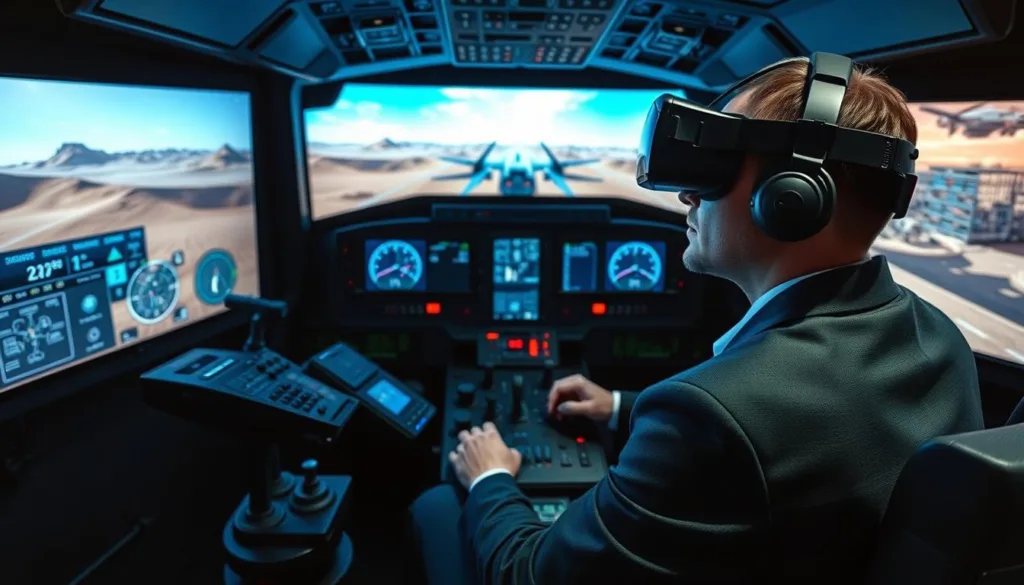
Training occurs in highly detailed virtual worlds that mirror actual locations. The environments feature geospecific terrain with realistic entities. Operators learn to navigate complex battlefields visually.
The system includes an extensive 3D model library with over 10,100 military assets. These platforms feature articulated parts and damage states. Users practice target acquisition and prioritization against realistic threats.
A critical feature allows intentional video stream degradation. This simulates electronic warfare conditions operators may face. Training in denied environments builds essential resilience skills.
| Capability | Military Systems | Recreational Platforms |
|---|---|---|
| Training Focus | Combat readiness | Skill development |
| Environment Realism | Geospecific terrain | Generic settings |
| Threat Library | 10,100+ assets | Basic obstacles |
| Electronic Warfare | Jamming simulation | Not available |
| Network Integration | Multi-user exercises | Limited connectivity |
Networked configurations support classroom training with multiple stations. Instructors can monitor progress across various scenarios. This enables comprehensive preparation for complex missions.
The advanced simulator represents the pinnacle of virtual preparation technology. It bridges the gap between basic practice and real-world operational readiness effectively.
Demonstrating and Testing FPV Drone Training Simulators
Testing a virtual flying platform personally provides insights that product descriptions alone cannot convey. This hands-on approach helps you make informed decisions about which system suits your needs best.
Live demos and hands-on training sessions
Professional providers like MVRsimulation offer multiple demonstration opportunities. These include tradeshows, individual in-person sessions, on-site visits, and virtual remote demos.
Experiencing the controls firsthand reveals the system’s true quality. You can assess physics accuracy and interface responsiveness directly.
Many recreational platforms on Steam offer refund policies for limited playtime. This essentially creates a trial period for evaluation.
The best way to understand any practice tool is to try it yourself. Personal experience reveals nuances that specifications cannot capture.
Tradeshows and racing events provide excellent testing environments. You can compare multiple systems side-by-side in one location.
| Demo Type | Advantages | Best For |
|---|---|---|
| In-Person | Full tactile experience | Serious buyers |
| Virtual Remote | Convenient access | Initial screening |
| Tradeshow | Multiple comparisons | Research phase |
| On-Site Visit | Customized evaluation | Professional applications |
Virtual remote demonstrations have gained popularity for their convenience. They allow viewing system operation without travel requirements.
Scheduling personalized sessions ensures alignment with specific objectives. This prevents costly mismatches between needs and capabilities.
Proper testing prevents expensive mistakes. It guarantees you select the right tool for skill development goals.
Conclusion
Finding your ideal flight practice solution requires matching your ambitions with the right technology. The landscape offers diverse options, from beginner-friendly platforms to advanced professional systems.
Your choice should align with personal goals. Consider whether you seek basic control mastery, competitive racing, or professional operation preparation. The one best system balances realistic physics with your skill level and hardware requirements.
Starting with accessible tools provides a safe, cost-effective path to skill development. Consistent practice builds essential muscle memory and reflexes for real-world success.
Explore the simulators discussed here. Take advantage of demo opportunities to find your perfect match. Begin your FPV training journey today and master flight skills with confidence.
FAQ
What is an FPV drone training simulator?
An FPV drone training simulator is a software program that replicates the flight experience of a First-Person View quadcopter. It allows users to practice flying using a real radio controller connected to their computer, providing a safe and cost-effective way to learn and improve skills without the risk of damaging actual hardware.
Why should I use a simulator like SRIZFLY for drone training?
Using a simulator like SRIZFLY is crucial for building muscle memory, learning flight controls, and mastering complex maneuvers in a risk-free virtual environment. It significantly reduces the learning curve and the expense of crashes associated with real-world flying, making it an essential tool for both beginners and experienced pilots in the drone racing league and freestyle flying communities.
Can I use my own radio controller with an FPV simulator?
A> Yes, most modern FPV simulators, including SRIZFLY, support integration with a wide range of popular radio controllers. You can typically connect your model via a USB cable or a wireless dongle, allowing for an authentic flight control experience that directly translates to flying a real quadcopter.
What are the key features to look for in a good FPV simulator?
The best FPV drone simulators offer realistic physics, customizable environments, and multiple training modes. Essential performance metrics include a accurate flight model, low latency, and adjustable physics settings. For user experience, look for high-quality visuals, diverse maps for racing and freestyle, and support for various control modes.
Are there free FPV drone simulators available?
Yes, there are several budget-friendly and free simulator options, such as a lite version of Uncrashed or VelociDrone. These platforms provide a great starting point for new pilots to get a feel for the flight model and basic controls before investing in a more comprehensive system like the SRIZFLY simulator.
How does a simulator help with drone racing league preparation?
Simulators are invaluable for Drone Racing League (DRL) or Drone Champions League (DCL) preparation. They offer dedicated racing modes with gates and timers, allowing pilots to practice courses repeatedly. This builds speed, precision, and track familiarity, which are critical for competitive success in events like the drone champions league.
What is the difference between simulators focused on racing versus freestyle?
Racing-focused simulators like Liftoff emphasize speed, tight course navigation, and consistency. Freestyle and all-round options, such as the DRL Simulator, often feature more open environments with obstacles ideal for practicing tricks and creative flying. The best FPV drone simulators, including SRIZFLY, typically offer robust options for both disciplines.
Do FPV simulators support VR for a more immersive experience?
Many top-rated FPV simulators in 2025 offer VR support, providing an incredibly immersive first-person view through a head-mounted display. This enhanced visual experience, combined with realistic physics, can make the simulation feel very close to actual FPV flying, deepening the training experience.
Can simulators be used for professional or military UAV training?
Absolutely. Advanced training systems with military-grade UAV simulator capabilities exist for professional pilot development. These high-fidelity simulations replicate complex scenarios and aircraft performance for training purposes, though they are distinct from consumer-focused FPV simulators designed for racing and freestyle flying.

