



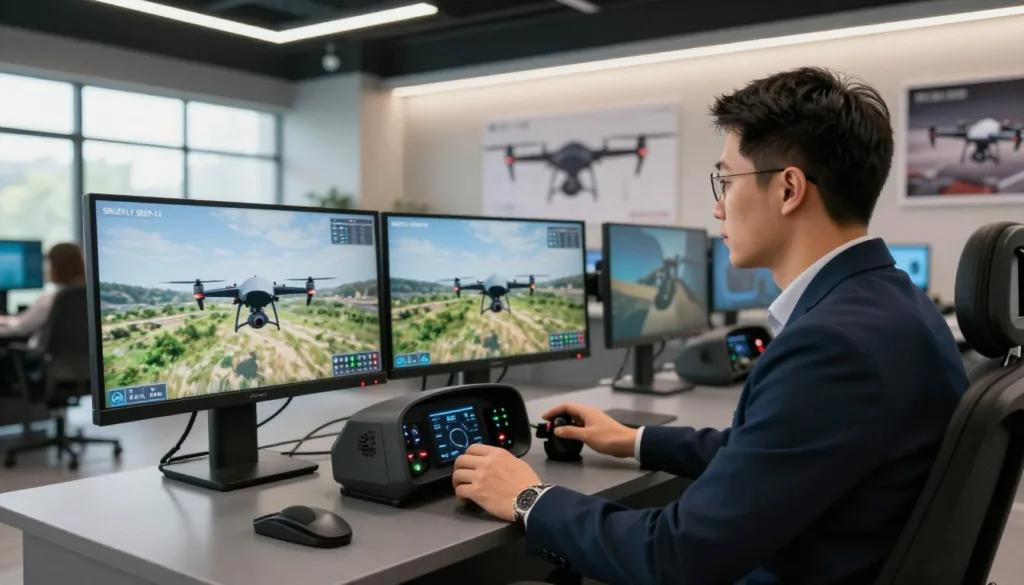
Starting your journey as a professional pilot can feel overwhelming. The SRIZFLY SESP-U1 drone simulator offers a perfect bridge between theory and practice for enterprise users. By providing a high-fidelity environment, it allows you to master complex maneuvers without the risk of damaging expensive equipment.
This software is designed to deliver a realistic flight simulation experience that mimics real-world conditions. Whether you are practicing precision landings or navigating tight spaces, the platform builds your muscle memory effectively.
Engaging in consistent drone pilot training is essential for long-term success in the industry. Through advanced flight control simulation, you will gain the confidence needed to handle any mission. This guide will walk you through the essential steps to get started and sharpen your skills today.
Key Takeaways
- Master complex flight maneuvers in a safe, virtual environment.
- Build essential muscle memory before flying real enterprise hardware.
- Experience realistic physics that mirror actual aerial conditions.
- Gain professional confidence through structured practice sessions.
- Prepare for real-world missions with high-fidelity software tools.
Getting Started with the SRIZFLY SESP-U1 drone simulator
Embarking on your journey with the SRIZFLY SESP-U1 drone simulator is an exciting step toward mastering flight. Whether you are a complete novice or a seasoned pilot, a proper drone simulator setup serves as the foundation for your future success. By following these initial steps, you ensure that your transition from the ground to the virtual cockpit is seamless and productive.
System Requirements and Hardware Compatibility
To enjoy a high-quality flight simulation experience, your computer must meet specific technical standards. For Windows 10 or 11 systems, you will need at least an i5 processor to handle the physics engine effectively. Additionally, ensure your machine has 8GB of RAM and a dedicated GTX 1060 graphics card for smooth rendering.
While many users compare this platform to a DJI drone simulator, the hardware demands remain consistent across most professional-grade software. Checking your components before installation prevents performance bottlenecks during intense simulator training sessions. Investing in compatible drone simulator hardware now will save you significant time later.
Installing the Software and Initial Setup
Once your hardware is verified, you can begin the installation of your drone simulator software. Download the latest installer from the official portal and follow the on-screen prompts to complete the process. During the initial launch, the program will scan your system to optimize graphical settings based on your specific hardware configuration.
Take a moment to adjust the display resolution and frame rate settings within the main menu. A stable frame rate is crucial for maintaining a realistic flight simulation experience. Once the software is configured, you are ready to connect your peripherals and prepare for your first takeoff.
Calibrating Your Controller for Optimal Response
Proper calibration of your controller is essential for achieving precision during your simulator training. Connect your transmitter via USB and navigate to the input settings menu to map your sticks and switches. This step ensures that every movement you make is accurately translated into the virtual environment.
Spend time fine-tuning the sensitivity curves to match your personal flying style. A well-calibrated controller makes the SRIZFLY SESP-U1 drone simulator feel intuitive and responsive. Consistent practice with these settings will help you build the muscle memory required for real-world flight.
Understanding the User Interface and Flight Dashboard
Your journey toward flight mastery begins by familiarizing yourself with the digital cockpit. The SRIZFLY SESP-U1 drone simulator features an intuitive interface designed to help you focus on your flying skills rather than struggling with complex menus. By mastering these visual elements, you gain the confidence needed to handle real-world flight scenarios effectively.
Navigating the Main Menu and Settings
The primary menu serves as your command center for every training session. High-quality drone simulator software should be easy to navigate, and this platform excels by grouping essential options into logical categories. You can quickly adjust your control sensitivity, graphics quality, and sound preferences from this central hub.
Efficiency is key when you are preparing for a flight. Spend a few minutes exploring the sub-menus to ensure your hardware is recognized correctly. Once you feel comfortable with the layout, you can jump into your training sessions without any unnecessary delays.
Interpreting Telemetry Data and Flight Metrics
During active flight, your screen displays critical information known as telemetry. Much like a professional DJI drone simulator, this system provides real-time updates on your altitude, battery levels, and signal strength. Monitoring these metrics helps you maintain optimal flight stability and prevents simulated crashes.
Pay close attention to the compass heading and speed indicators located at the edges of your screen. These numbers provide the feedback necessary to make precise adjustments during complex maneuvers. Keeping an eye on these data points is a vital habit for any serious pilot.
Customizing Your Heads-Up Display
A successful drone simulator setup involves tailoring your workspace to match your personal preferences. You can move, resize, or hide specific elements on your heads-up display to ensure that only the most relevant information remains visible. This customization allows you to declutter your view during high-speed training runs.
We recommend keeping your battery status and altitude readings in a prominent position at all times. By creating a layout that feels natural to you, you will find it much easier to react quickly to changing conditions. Personalizing your dashboard is the final step in preparing your virtual environment for peak performance.
Mastering Basic Flight Controls and Maneuvers
Building confidence in the air starts with understanding how your drone reacts to every input. A high-quality flight simulation experience allows you to learn these movements without the stress of potential damage. By mastering these basics, you prepare yourself for real-world flying with much greater ease.
Understanding Pitch, Roll, Yaw, and Throttle
To pilot effectively, you must grasp the fundamental drone flight dynamics that govern movement. Pitch controls the forward and backward tilt, while roll manages the side-to-side motion. These two inputs are essential for navigating through open spaces.
Yaw allows the drone to rotate clockwise or counter-clockwise on its vertical axis. Finally, the throttle manages your altitude by increasing or decreasing motor speed. Mastering these four pillars is the foundation of all advanced aerial maneuvers.
Executing Smooth Takeoffs and Precision Landings
Many beginners struggle with the initial and final stages of flight. Focusing on these areas is a key strategy for drone crash prevention, as most accidents occur during these transitions. Since average repair costs range from $150 to $800, practicing these steps virtually is a smart financial decision.
Always aim for a vertical ascent during takeoff to maintain stability. When landing, reduce your throttle slowly to ensure a gentle touch-down. Consistent practice in the simulator helps you develop the patience required for these delicate movements.
Practicing Hovering and Stability Control
Hovering is the ultimate test of your flight control simulation skills. It requires constant, micro-adjustments to keep the drone in a fixed position despite environmental variables. This practice builds the muscle memory needed to handle unexpected gusts or drift.
By utilizing realistic flight physics, the simulator forces you to react to subtle changes in the air. You will soon find that your hands move instinctively to correct the drone’s position. This level of control is what separates a novice from a confident pilot.
| Control Input | Primary Movement | Flight Axis |
|---|---|---|
| Throttle | Altitude Change | Vertical |
| Pitch | Forward/Backward | Lateral |
| Roll | Left/Right Bank | Longitudinal |
| Yaw | Rotation | Vertical Axis |
Advanced Flight Techniques for Skill Development
Mastering advanced flight techniques is the key to unlocking the full potential of your drone simulator experience. Consistent simulator training provides the foundation needed for rapid pilot skill development, allowing you to transition from basic hovering to complex aerial maneuvers with confidence.
Performing Coordinated Turns and Banking
To achieve smooth flight, you must learn to combine roll and yaw inputs effectively. This practice relies heavily on realistic flight physics, which mimic the inertia and momentum of a real aircraft. By mastering these coordinated turns, you ensure that your drone maintains a fluid path through the air without losing altitude or stability.
Navigating Through Obstacle Courses
Pushing your limits in tight spaces is essential for those interested in professional drone operations. Navigating through intricate obstacle courses forces you to maintain high levels of focus and spatial awareness. These challenges are designed to prepare you for real-world scenarios where precision is non-negotiable.
Simulating Emergency Procedures and Recovery
Safety remains the top priority for any serious pilot, which is why the simulator includes specialized modules for critical situations. You can practice responding to motor failures, signal loss, or sudden environmental changes. These drills are vital for mastering FPV drone racing and industrial tasks like search and rescue or power line inspection, where quick recovery is absolutely essential for success.
Customizing Drone Physics and Environmental Settings
To truly excel as a pilot, you must move beyond standard flight patterns and embrace the variables of the real world. The SRIZFLY platform allows you to tailor your training by adjusting environmental factors, which is essential for pilot skill development. By utilizing realistic flight physics, you can prepare yourself for the unpredictable nature of outdoor flying.
Adjusting Wind Speed and Turbulence Variables
Weather is rarely perfect when you are out in the field. You can simulate challenging conditions by modifying wind speed and turbulence settings within the simulator menu. This helps you learn how to maintain stability when your drone is pushed by sudden gusts.
Practicing in these conditions builds the muscle memory needed to react quickly. You will find that your ability to compensate for drift improves significantly after just a few sessions of high-wind training.
Modifying Gravity and Flight Dynamics
Every drone handles differently based on its weight and motor power. The simulator allows you to tweak drone flight dynamics to match the specific craft you intend to fly in the real world. You can even adjust gravity settings to see how your drone behaves in different atmospheric densities.
“The secret to mastery is not just in the hours spent flying, but in the quality of the challenges you set for yourself.”
These adjustments ensure that your training remains relevant to your specific hardware. Whether you are flying a lightweight racing drone or a heavy-lift camera platform, the physics engine adapts to provide a tailored experience.
Selecting Different Flight Environments and Terrains
Your training should reflect the diverse locations where you plan to work. The SRIZFLY platform offers a variety of terrains, ranging from open fields to dense urban environments. Selecting the right setting is a key step in preparing for professional drone operations.
- Urban Zones: Perfect for practicing precision navigation around buildings.
- Agricultural Fields: Ideal for testing long-range flight and mapping patterns.
- Mountainous Regions: Great for learning how to handle altitude changes and wind pockets.
By rotating through these environments, you ensure a well-rounded pilot skill development path. This variety keeps your training engaging while building the confidence required for complex missions.
Utilizing Training Modes and Structured Lessons
Elevate your flying capabilities by leveraging the built-in training modules designed for rapid improvement. Engaging in drone pilot training allows you to build muscle memory in a safe, virtual environment before taking your gear to the field.
Following Guided Flight Paths
The simulator offers pre-defined routes that act as a roadmap for your growth. These paths are essential for mastering everything from basic hovering to the high-speed intensity of FPV drone racing.
By following these markers, you learn how to maintain altitude and speed through tight corners. This systematic approach ensures you build a solid foundation before attempting more complex aerial maneuvers.
Tracking Progress Through Performance Analytics
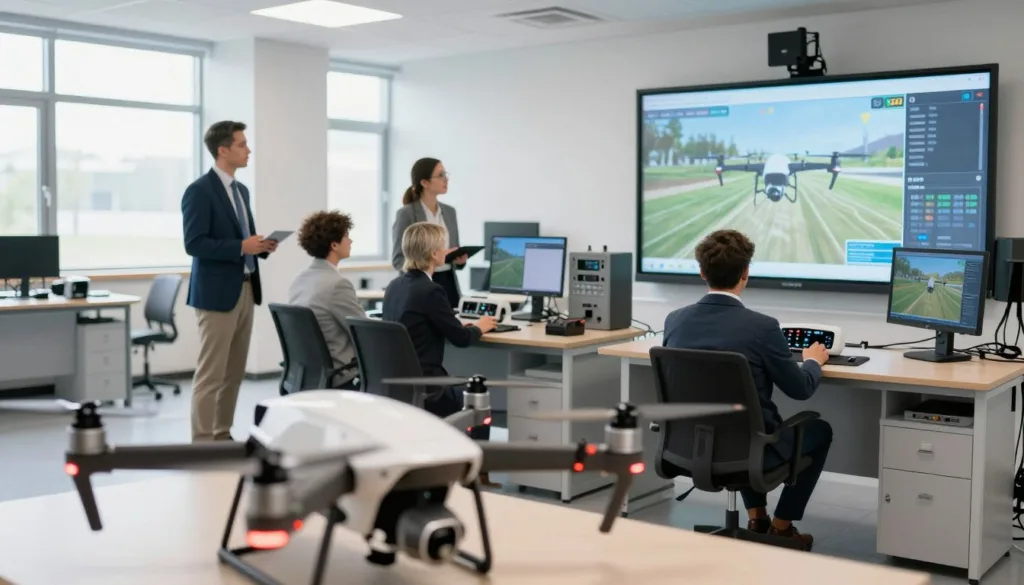
Understanding your drone flight dynamics is much easier when you have hard data to review. The software records critical metrics such as control smoothness, reaction time, and landing precision.
These analytics provide a clear visual representation of your growth over time. You can identify exactly which maneuvers need more attention, allowing for a more efficient and targeted practice session.
Setting Personal Challenges and Milestones
Continuous pilot skill development thrives when you set clear, achievable goals for every session. Whether you aim to complete a course under a specific time or improve your landing accuracy, these milestones keep you motivated.
Consistent practice is the secret weapon of every successful pilot. By turning your training into a series of personal challenges, you ensure that every minute spent in the simulator contributes to your long-term success as a drone operator.
Troubleshooting Common Simulator Issues
Maintaining your drone simulator setup is essential for a smooth and uninterrupted training experience. Even with high-quality drone simulator software, you might occasionally encounter technical hurdles that disrupt your practice sessions. Addressing these issues quickly allows you to return to your FPV drone racing drills without unnecessary delays.
Resolving Connectivity Problems with Controllers
If your controller fails to respond, first check the physical connection between your hardware and the computer. Ensure that your USB cables are secure and that the transmitter is powered on correctly. Sometimes, a simple restart of the flight control simulation software can re-establish the handshake between your device and the computer.
If the issue persists, verify that your drivers are up to date. Many users find that re-calibrating the sticks within the settings menu resolves input lag or ghosting. Always ensure your drone simulator hardware is recognized by your operating system before launching the application.
Fixing Graphics Glitches and Frame Rate Drops
Graphics glitches often stem from outdated video drivers or high-intensity settings that exceed your system’s capacity. To improve performance, try lowering the resolution or disabling advanced shadow effects within the display menu. A stable frame rate is vital for a realistic flight control simulation, especially when practicing complex maneuvers.
If you are comparing your experience to a DJI drone simulator, remember that different software packages have unique hardware demands. Adjusting your background processes can also free up memory, leading to a much smoother visual experience during high-speed flight.
Updating Firmware and Software Patches
SRIZFLY maintains high standards with CMMI Level 3 certification, ensuring consistent delivery of high-quality software products. Regularly checking for updates is the best way to prevent bugs and ensure compatibility with new hardware. These patches often include critical performance improvements that keep your drone simulator software running at its peak.
“The mastery of any complex system begins with the patience to troubleshoot the small details that stand in the way of progress.”
Keeping your system current is a simple habit that pays off in the long run. Use the following table to quickly identify and resolve common technical roadblocks you might face during your training.
| Issue | Primary Cause | Recommended Fix |
|---|---|---|
| Controller Lag | USB Interference | Use a direct port |
| Low Frame Rate | GPU Overload | Lower graphics settings |
| Software Crash | Outdated Version | Install latest patch |
| No Input Detected | Driver Conflict | Reinstall controller driver |
Safety Protocols and Best Practices for Drone Pilots
Transitioning from virtual flight to the open sky requires a disciplined approach to safety. While drone pilot training in a virtual environment builds essential muscle memory, the real world introduces variables that no software can fully replicate. Developing a safety-first mindset is the most effective way to ensure your flights remain enjoyable and incident-free.
Applying Simulator Skills to Real-World Flying
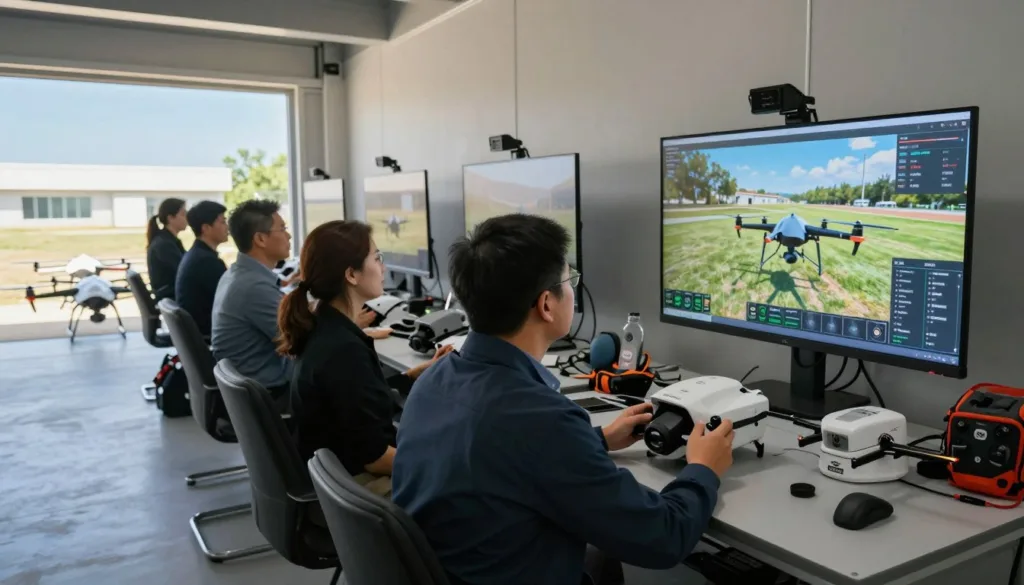
The primary benefit of simulator training is the ability to practice complex maneuvers without the risk of damaging expensive equipment. You should treat your simulator sessions as a serious rehearsal for actual flight. By mastering orientation and emergency recovery in the software, you build the confidence needed to handle unexpected situations in the field.
Always remember that the simulator is a tool for skill refinement, not a replacement for real-world experience. Focus on maintaining smooth control inputs during your practice sessions. This consistency will translate directly into better handling when you finally take your drone outdoors.
Understanding FAA Regulations and Airspace Rules
Responsible flight is built upon a solid foundation of legal knowledge. Every pilot must understand the local airspace rules and FAA guidelines before taking off. Even if you are flying for fun, professional drone operations require you to respect restricted zones and altitude limits.
Staying informed about current regulations helps you avoid legal trouble and keeps the skies safe for everyone. Use your time in the simulator to visualize flight paths that comply with these rules. Being a knowledgeable pilot is just as important as being a skilled one.
Developing a Pre-Flight Checklist Routine
A consistent pre-flight routine is your best defense against technical failure and drone crash prevention. Before every flight, inspect your drone simulator hardware and your actual aircraft for any signs of wear or loose components. A simple checklist ensures that you never overlook critical steps like battery levels or GPS signal strength.
Establishing this habit early will save you from costly mistakes and potential accidents. By following a structured process, you minimize the chance of human error. Use the table below to compare how your habits in the simulator should evolve into real-world safety procedures.
| Safety Category | Simulator Habit | Real-World Requirement |
|---|---|---|
| Pre-Flight Check | Quick software boot | Physical hardware inspection |
| Environment | Virtual weather settings | Real-time wind and visibility |
| Emergency Plan | Reset button usage | Manual landing or RTH |
| Compliance | Unlimited flight area | Strict FAA airspace adherence |
Conclusion
The SRIZFLY SESP-U1 drone simulator offers a powerful and budget-friendly path for pilots aiming to refine their aerial skills. By utilizing realistic physics and structured training modules, you can shorten the learning curve for complex drone operations.
Consistent practice within this virtual environment builds the muscle memory required for precise control. You gain the confidence needed to handle challenging flight conditions before taking your equipment into the sky.
We encourage every aspiring and professional pilot to integrate these digital tools into their regular training routine. This approach ensures safer flights and better decision-making during real-world missions.
Your journey toward becoming a skilled pilot starts with these foundational exercises. Take the controls today and see how much your flying improves with dedicated practice.
FAQ
What makes the SRIZFLY SESP-U1 drone simulator the best choice for beginners?
The SRIZFLY SESP-U1 is specifically designed to provide a high-fidelity flight control simulation that mirrors real-world physics. It allows novices to practice professional drone piloting in a risk-free environment, ensuring they build the necessary muscle memory for drone crash prevention before handling expensive equipment.
How do I ensure the best performance when setting up my drone simulator hardware?
To achieve a realistic flight simulation experience, you should first verify that your computer meets the recommended system specifications to avoid frame rate drops. Once installed, proper calibration of your controller is essential to ensure that your inputs for pitch, roll, yaw, and throttle are accurately reflected in the software.
Can I use this software to train for professional FPV drone racing?
Absolutely! The platform includes advanced modules for FPV drone racing, featuring challenging obstacle courses and realistic flight physics. These tools help pilots master coordinated turns and banking at high speeds, which are critical skills for competitive racing and complex industrial tasks.
What kind of telemetry data is available on the heads-up display?
Much like the DJI drone simulator interface, the SRIZFLY dashboard provides critical flight metrics such as altitude, battery life, signal strength, and GPS coordinates. This telemetry data is vital for maintaining situational awareness during both virtual sessions and real-world professional drone operations.
Is it possible to simulate difficult weather conditions like high wind or turbulence?
Yes, the customization settings allow you to adjust wind speed and turbulence variables to see how they impact drone flight dynamics. You can even modify gravity settings to experiment with different environments, helping you develop a more adaptable and robust pilot skill set.
How does the simulator help me understand FAA regulations and airspace rules?
While the simulator focuses on flight skills, it emphasizes responsible piloting by encouraging the use of a pre-flight checklist and teaching you how to operate within the constraints of FAA regulations. Understanding airspace rules in the simulator prepares you for safe and compliant transitions to the sky.
What should I do if I experience graphics glitches or connectivity problems with my controller?
Most technical hurdles can be resolved by ensuring your drone simulator software and firmware are updated with the latest software patches. If you encounter graphics glitches, try lowering the visual settings in the main menu to maintain a stable flight control simulation.
Does the platform provide performance analytics to track my improvement?
Yes, the SRIZFLY platform features performance analytics that track your progress through structured lessons and guided flight paths. By reviewing these metrics, you can identify specific areas of your flight dynamics that need more practice and set personal milestones for your development.

