

Drone mapping has become the top application for commercial drones worldwide. According to industry experts, this technology helps professionals quickly survey large areas at low cost. The best drone mapping platforms deliver reliable flight plans and high-quality data every time.
This guide introduces you to UAV mapping simulation software designed for precise training. These platforms help pilots master complex missions before real-world flights. You’ll learn why simulation-based training is essential for operators in surveying, construction, and agriculture.
Safety and precision matter most in these fields. Simulation tools bridge the gap between theory and practice. Trainees can experiment with flight parameters and sensor settings in risk-free virtual environments.
Discover how advanced platforms differ from basic flight simulators. Professional-grade tools replicate real-world terrain following and data capture workflows. This preparation helps operators navigate steep terrain and complex missions before using expensive hardware.
Understanding these tools can dramatically reduce re-flight rates and improve data quality. It also accelerates learning for new drone mapping professionals.
Key Takeaways
- Drone mapping remains the leading commercial application for unmanned aircraft systems
- Simulation training prepares operators for complex missions without real-world risks
- Advanced platforms replicate realistic terrain and data capture workflows
- Proper training reduces re-flight rates and improves overall data quality
- These tools help operators master challenging scenarios like steep terrain navigation
- Simulation software bridges the gap between theoretical knowledge and practical experience
- Investing in quality training accelerates skill development for mapping professionals
Overview of UAV Mapping Simulation Software
Advanced preparation tools bridge the gap between classroom learning and real-world drone operations. These specialized platforms let operators practice complex missions safely. You can master automated flight planning without risking expensive equipment.
What Is UAV Mapping Simulation Software?
This specialized platform creates virtual environments for mission planning. Operators define survey areas and set flight parameters digitally. The system replicates real drone mapping software interfaces perfectly.
Unlike basic flight trainers, these tools focus on automated missions. They teach terrain-following algorithms and data capture workflows. Trainees learn quality assurance processes in a risk-free space.
The Role of Simulation in Modern Drone Training
Virtual practice reduces the steep learning curve dramatically. New operators can make mistakes without consequences. This builds confidence before field deployment.
These platforms help understand how flight settings affect data quality. Altitude, speed, and camera choices impact final map accuracy. Organizations now require this training before real missions.
Photogrammetry and sensor techniques become easier to master. Operators practice with different equipment types safely. This preparation ensures successful data collection every time.
Key Features and Capabilities
Key operational features separate basic trainers from professional-grade mission rehearsal platforms. These essential tools provide realistic practice environments that build operator confidence.
The best systems focus on critical functions that impact real-world results. They help trainees master complex scenarios safely.
Advanced Terrain Following and Overlap Accuracy
Professional platforms excel at terrain-following capabilities. They use imported elevation data to create accurate virtual environments.
Systems like UgCS maintain minimal AGL error—often under 2 meters. This ensures consistent ground sampling distance across varied topography.
Overlap accuracy remains crucial for quality data collection. Good platforms keep deviation below 4% even on steep slopes.
Importing digital terrain models allows practice with realistic elevation challenges. Digital surface models add trees and buildings for obstacle-rich training.
Real-Time Data Processing and Offline Operations
These platforms simulate how flight choices affect final outputs. Trainees see immediate feedback on image quality and coverage.
Offline operation capability mirrors real remote site conditions. Operators practice with pre-loaded elevation data and basemaps.
The systems model advanced sensor behavior and positioning technologies. This includes RTK/PPK systems and point cloud generation.
| Feature | Basic Platform | Professional System |
|---|---|---|
| Terrain Following | Limited elevation adjustment | Precise AGL control ( |
| Overlap Accuracy | Variable with terrain changes | Consistent ( |
| Data Processing | Basic image capture simulation | Real-time quality feedback |
| Model Import | Standard terrain only | DTM & DSM support |
These capabilities ensure operators develop proper techniques before field deployment. They learn to maintain data quality under challenging conditions.
Optimizing Drone Mission Planning and Workflow
Modern drone professionals rely on sophisticated planning tools to design efficient flight paths for diverse projects. These platforms transform complex operations into streamlined workflows that save valuable time and resources.
Efficient Route Mapping and Automated Flight Paths
Advanced planning systems allow operators to import project boundaries using KML and SHP files. This capability mirrors real-world workflows where clients provide geospatial data in standard formats.
Automated flight line generation creates smooth turns and maintains consistent overlap settings. The system intelligently segments long missions based on battery life, creating seamless resume points.
Mission templates ensure repeatable capture settings for monitoring projects over time. This consistency is crucial for comparing data across multiple survey dates.
| Scenario | Project Type | Key Challenge | Planning Solution |
|---|---|---|---|
| Scenario A | Steep Forestry Block | 130-meter elevation change | Terrain-following algorithms |
| Scenario B | Linear Utility Corridor | 9 km powerline route | Automated segmentation |
| Scenario C | Industrial Site Stockpiles | Multiple battery swaps | Efficient flight sequencing |
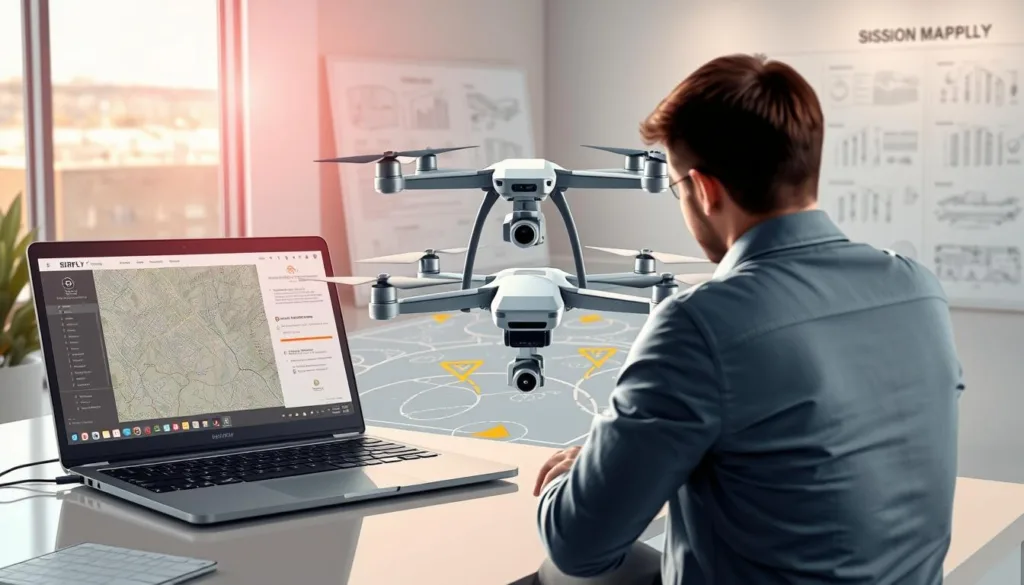
Practicing these techniques in simulation environments reduces costly field mistakes. Operators learn to balance coverage completeness with flight time efficiency.
Testing different survey patterns helps understand how choices affect final map quality. This preparation ensures successful data collection for any site conditions.
Real-World Applications in Surveying and Construction
Field applications demonstrate the practical value of virtual training platforms in demanding environments. Professionals across industries rely on these tools to prepare for complex field deployments.
Field-Tested Performance in Challenging Environments
Surveying teams benefit greatly from advanced preparation. They practice steep terrain missions and corridor surveys along utility lines. This training ensures accurate data collection for large-scale site documentation.
Construction professionals use these platforms for progress monitoring and volumetric analysis. They create precise 3D site models and orthomosaic maps. These tools help identify potential safety hazards on active job sites.
Agricultural applications include crop health analysis and damage assessment. Environmental monitoring projects track wildlife and ecosystem changes. Each sector has unique requirements that virtual training addresses effectively.
| Industry Sector | Key Application | Primary Challenge | Training Benefit |
|---|---|---|---|
| Surveying | Topographic mapping | Steep elevation changes | Terrain navigation skills |
| Construction | Progress monitoring | Dust and site hazards | Safety protocol mastery |
| Agriculture | Crop analysis | Variable lighting conditions | Image quality optimization |
| Environmental | Ecosystem assessment | Remote site access | Mission efficiency training |
Field-tested performance metrics show significant improvements in real projects. Operators achieve higher-quality deliverables with fewer re-flights. This translates to better outcomes across all applications.
How UAV Mapping Simulation Software Enhances Drone Training Workflows
The most effective training platforms seamlessly connect virtual practice with real-world hardware and data workflows. This deep integration is what transforms basic skill building into professional readiness.
Integration with Ground Control and Sensor Technologies
Learning to work with ground control points is vital for survey-grade accuracy. Simulation teaches the strategic placement of these control points. Trainees see how their distribution directly impacts final geospatial data quality.
Platforms that model RTK/PPK systems are incredibly valuable. They help operators understand base station connectivity and satellite data logging. A stable positional fix can reduce the need for numerous ground control points, saving significant field time.
Multi-sensor capabilities expose users to different payloads. This includes RGB cameras for photogrammetry, multispectral sensors, and LiDAR for detailed point cloud generation. Practicing with various hardware builds confidence before handling expensive equipment.
Improved Training Outcomes and Data Precision
The result of this comprehensive training is superior data precision. Operators enter the field with a proven understanding of the entire workflow. This leads to fewer mission errors and higher-quality outputs like point clouds and surface models.
Collaboration features prepare teams for real projects. Users learn to share mission plans and processed data seamlessly. Final deliverables can be integrated directly into CAD and other design platforms, closing the loop from flight to final product.
This holistic approach ensures operators are truly prepared, not just to fly, but to deliver reliable, accurate results from day one.
Conclusion
Effective drone mission execution hinges on developing confidence through realistic practice scenarios. This preparation transforms theoretical knowledge into field-ready skills that deliver reliable results.
The right training platform bridges skill gaps safely. Operators master complex workflows before handling expensive hardware. This approach significantly reduces learning time and improves data quality.
Professional tools like UgCS and DroneDeploy offer comprehensive terrain-following capabilities. They support multi-sensor integration and realistic mission planning. These features ensure operators can handle diverse project requirements.
Investing in quality preparation pays dividends through enhanced safety and precision. Teams enter the field with proven techniques for successful data collection. This confidence translates directly to better project outcomes.
Choose platforms that mirror your actual operational environment. Prioritize integration with processing tools and collaboration features. This strategic approach maximizes training value across all applications.
FAQ
What is the main purpose of this type of platform?
The main purpose is to provide a realistic training environment for pilots. It allows you to practice flight planning, data collection, and processing workflows in a safe, virtual space before heading out to the field. This helps build confidence and skills.
How does this technology help improve the accuracy of my projects?
By simulating real-world conditions, you can perfect your flight paths and camera settings. This leads to better image overlap and more precise data collection. The result is higher-quality outputs like orthomosaics and digital terrain models with excellent ground control.
Can I use this tool to plan missions for specific sites, like construction zones?
A> Absolutely! These platforms are great for site planning. You can design automated flight paths over challenging terrain, test different sensors, and ensure your mission will capture all the necessary geospatial data for tasks like surveying and monitoring.
Does the software work with the hardware I already own?
Many popular platforms offer integration with a wide range of drones and sensors, including lidar systems. It’s best to check the specific compatibility list for the tool you’re considering to ensure a smooth connection with your equipment.
What kind of outputs can I expect to generate during a simulation?
You can generate realistic sample data such as point clouds, elevation models, and orthomosaic maps. This lets you practice the entire photogrammetry workflow from flight to final product without using any physical resources.
Is this beneficial for teams working on large-scale projects?
Yes, it supports team collaboration. Multiple users can work on mission design and review workflows together. This improves training outcomes and ensures everyone is aligned on project goals before actual deployment.

