
Welcome to your essential resource for finding the perfect educational tool. This technology is transforming how students learn complex operational skills in technical programs.
These powerful programs have become vital for colleges and training centers. They provide realistic, hands-on experience without the high costs and safety concerns of using real equipment.
This guide will walk you through everything you need to know. We cover selecting, implementing, and maximizing the value of this advanced technology for your curriculum.
Whether you are launching a new program or enhancing an existing one, understanding the available options is your first step toward success. We explore top-rated choices, compare features, and discuss budget considerations.
By the end, you will have the knowledge to make a confident decision for your institution’s specific needs. Let’s dive in and discover how these tools prepare students for rewarding careers in a fast-growing field.
Key Takeaways
- Simulation technology offers a safe, cost-effective way to gain hands-on experience.
- This guide helps educators select the right tools for their technical programs.
- Understanding the market landscape is crucial for a successful program launch.
- We provide comparisons of top options, features, and pricing.
- The goal is to prepare students with the practical skills needed for modern careers.
Understanding Drone Simulation for Vocational Training
Educational programs are increasingly turning to innovative solutions that provide safe, effective practice environments for complex technical skills. This approach represents a significant advancement in how students develop the competencies needed for modern careers.
How simulation bridges theory and practice
Simulation technology creates a vital connection between classroom learning and real-world application. Students can immediately apply theoretical concepts in virtual environments that mirror actual operational scenarios.
This hands-on experience builds muscle memory and decision-making abilities. The immersive nature of modern training tools allows learners to develop technical understanding through repeated practice.
Role in reducing training risks
One of the most valuable benefits is the dramatic reduction in equipment damage risks. Learners can make mistakes and learn from them without destroying expensive hardware.
By eliminating the fear of crashing, simulators encourage students to experiment and push boundaries. This safe learning environment accelerates skill development and produces more competent operators.
Studies confirm that extensive simulation training reduces the need for supervised flight time. Students demonstrate better preparedness for certification exams and professional work.
What is a Drone Simulator?
At its heart, a drone simulator represents a sophisticated blend of software and hardware integration. This specialized program creates virtual flying experiences by connecting physical controllers to computers. Students practice flight operations in safe digital environments.
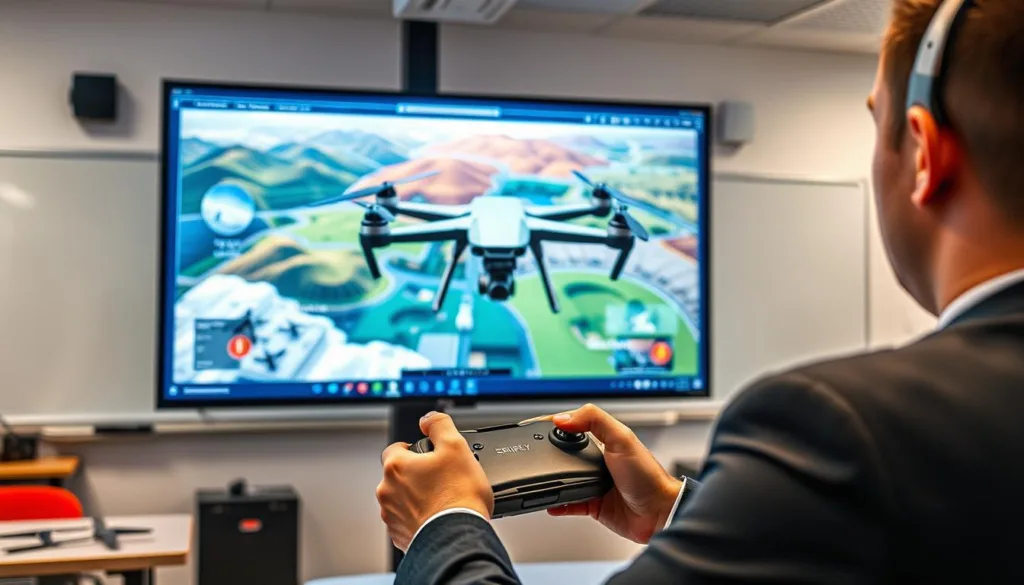
Most quality programs run on Windows PC or Mac platforms. Always check system requirements before purchasing. This ensures compatibility with your institution’s computer infrastructure.
Software features and simulation environments
Professional-grade software offers customizable settings. Students can train in urban landscapes or agricultural fields. This prepares them for specific career scenarios they’ll encounter.
Modern platforms allow switching between different aircraft models. Learners gain exposure to various control responses and characteristics. Schools save money by not purchasing multiple physical units.
These tools generally fall into three categories. Game-focused versions prioritize entertainment. Skill-building programs target commercial and recreational training. FPV versions specialize in racing applications.
Advanced software includes dynamic weather conditions and varied terrain types. Realistic lighting and regulatory compliance warnings create comprehensive training experiences. Students develop proper hand-eye coordination using actual controllers.
The platform approach enables continuous updates through software. Institutions can add new training scenarios without buying additional equipment. This makes the transition from virtual to physical flight remarkably smooth.
Benefits of Drone Simulation in Education
Educational programs that embrace simulation technology unlock powerful advantages for both instructors and students alike. This approach transforms how technical skills are developed and mastered.
The integration of virtual flight platforms delivers compelling value across multiple dimensions. Institutions can achieve better outcomes while managing resources effectively.
Cost-effective training methods
Virtual platforms dramatically reduce expenses associated with traditional hands-on learning. A single software license replaces thousands of dollars in hardware and replacement parts.
Institutions save significantly on insurance costs when students begin with simulation. Unlimited practice sessions eliminate weather dependencies and space limitations. This maximizes the value of educational investments.
Safe, hands-on learning experiences
Students gain practical experience without real-world risks. They can make mistakes and learn from them safely.
This environment encourages experimentation and skill development. Learners build confidence through repeated practice in various scenarios. The transition to physical aircraft becomes remarkably smooth.
Vocational school drone simulator: Features to Consider
The effectiveness of any virtual flight platform depends heavily on specific technical attributes that mirror real-world operations. Selecting the right system involves evaluating several critical components that directly impact learning outcomes.
Accurate flight physics and realistic environments
Top-tier programs invest heavily in physics modeling to replicate real aerodynamics. They capture precise power curves and control responses through extensive testing. This ensures skills developed transfer directly to actual aircraft operations.
Quality platforms offer diverse landscapes like urban settings and agricultural fields. These environments prepare students for specific career scenarios they’ll encounter professionally. Dynamic weather conditions add another layer of realism to the training experience.
Customization options for different training needs
Flexible systems allow instructors to create tailored scenarios aligned with curriculum goals. Whether preparing for infrastructure inspection or emergency response, customization proves essential. This adaptability supports various career paths within the industry.
Look for features that support regulatory compliance and classroom management. Progress tracking and performance analytics help instructors monitor skill development. These tools provide valuable insights into areas needing additional focus.
Top-Rated Drone Simulators Overview
When evaluating the market for virtual flight training systems, certain platforms consistently rise to the top for their educational value. The industry has matured significantly, offering diverse solutions for different needs and budgets.
Educators can choose from premium professional tools to capable free versions. This range ensures institutions with various funding levels can access quality training technology.
Comparing industry leaders and free versions
Two platforms stand out as exceptional choices for educational programs. Zephyr and droneSimPro have built their reputations on classroom-friendly features and accurate flight modeling.
These industry-leading options justify their higher price points with superior physics engines and comprehensive training modules. They include progress tracking and customizable scenarios that align with curriculum goals.
The right choice depends on specific institutional needs rather than just cost considerations.
Free alternatives provide excellent starting points for programs exploring this technology. Many commercial platforms offer trial periods, allowing educators to test compatibility and effectiveness.
The decision between paid and free software often comes down to specific features like aircraft variety and support services. Long-term value factors like update frequency and certification alignment should guide final selections.
Exploring FPV Drone Simulators for Racing and Skill Building
The world of FPV racing introduces specialized simulation tools that focus on the unique challenges of first-person perspective flying. These platforms cater specifically to competitive environments and advanced pilot development.
Top options like Drone Racing League’s SIM 3.0 and VelociDrone create authentic racing experiences. They replicate the adrenaline and precision required for professional competition.
FPV-specific enhancements for competitive training
These platforms feature realistic camera angle adjustments and authentic video signal characteristics. Students develop the intense spatial awareness that defines first-person piloting.
The technology allows extensive customization of aircraft components. Learners experiment with different configurations to understand how motor power and weight distribution affect performance.
Advanced multiplayer and replay systems
Real-time racing against classmates fosters healthy competition and community engagement. This keeps students motivated to practice outside formal class hours.
Sophisticated replay systems enable detailed performance analysis. Students review flights from multiple angles to identify mistakes and improve racing lines.
The skills developed through FPV training translate to improved hand-eye coordination and faster reaction times.
This approach prepares learners for specialized career paths in racing and acrobatic cinematography. The experience builds confidence for high-skill manual control situations.
Review of the Zephyr Drone Simulator
Zephyr stands apart in the simulation landscape by focusing exclusively on educational applications from its inception. This platform was purpose-built for pilot development rather than adapted from entertainment software.
The system’s classroom management tools provide instructors with real-time dashboards. Teachers can monitor student activity, track flight hours, and identify skill gaps efficiently.
Built-in classroom management tools and progress tracking
Progress tracking capabilities enable personalized learning approaches. Educators can see which students excel and who needs additional instruction.
Crash frequency data helps identify specific skills requiring more focus. This detailed feedback supports targeted improvement strategies.
Accurate flight characteristics and training modules
Zephyr’s flight physics were carefully developed through extensive testing. The platform replicates real aircraft behavior with remarkable precision.
A constantly expanding library includes modules from basic hover control to advanced inspection scenarios. Students practice on various platforms like DJI Phantom 3 and Mavic Pro.
Both FPV and visual line-of-sight modes are available for comprehensive training. The system includes FAA regulation warnings to reinforce compliance awareness.
Compatible with Windows and Mac systems, Zephyr supports multiple controller types. A free 30-day trial allows thorough evaluation before commitment.
Review of the droneSimPro Drone Simulator
The droneSimPro platform stands out with its proprietary flight engine designed specifically for professional skill development. This approach delivers exceptional accuracy for students preparing for commercial careers.
Custom-built flight engine and realistic scenarios
Unlike programs using generic game engines, droneSimPro features a custom-built physics system. This creates remarkably authentic handling characteristics across Phantom 2, 3, and 4 models.
The software generates diverse environments with realistic lighting and geological features. Students encounter varied terrain types that mirror actual operational challenges.
Important safety notifications reinforce regulatory compliance during practice sessions. The system alerts users about visual line-of-sight loss and altitude restrictions.
Commercial and utility training applications
This platform excels in preparing students for specific industry roles. Public safety scenarios include fire response, accident documentation, and crowd management simulations.
Utility inspection modules cover power line and tower assessment techniques. Cinematography training focuses on high-value scene composition and event planning.
Compatible with Windows and Mac systems, the software supports popular USB controllers. Both aircraft and operator perspectives are available for comprehensive skill development.
The affordable pricing makes this an accessible choice for programs with budget considerations. Students gain valuable experience without the costs of physical equipment.
Review of DRL SIM 3.0 FPV Drone Simulator
What distinguishes DRL SIM 3.0 from other platforms is its commitment to data-driven authenticity. The Drone Racing League conducted over 5,000 bench tests to create this remarkable tool. This extensive research forms the foundation for incredibly precise flight characteristics.
Comprehensive data-driven flight simulation
The development team measured every variable affecting aircraft performance. They collected real-world data on thrust, torque, RPM, and temperature. This information created over 260,000 possible combinations.
Advanced physics features like unsteady drag and moment of inertia receive careful attention. Most programs simplify or ignore these complex aerodynamic principles. The garage system lets users customize components and observe how changes affect flight behavior.
Real-time multiplayer and dynamic competitions
Students can race against classmates on authentic courses from current and previous seasons. This real-time multiplayer functionality maintains engagement and motivation. The training mode provides structured learning paths for skill development.
An advanced replay system offers multiple camera angles for performance analysis. Learners can review racing lines and identify areas for improvement. Community sharing connects users with a global network of pilots.
This platform represents the pinnacle of data-driven flight simulation for competitive training.
The system prepares operators for professional-level performance through realistic scenarios. It stands as an exceptional choice for advanced manual control development programs.
Exploring Free Drone Simulators
Several impressive platforms offer comprehensive flight practice capabilities completely free of charge. These tools provide legitimate training experiences for programs exploring this technology approach.
Free options deliver exceptional value while maintaining quality standards. They allow institutions to validate the simulation approach before committing to premium solutions.
Overview of ORQA FPV Skydive and Tiny Whoop GO simulators
ORQA FPV Skydive stands out as a dynamic and versatile option available on Steam. This platform caters to users from complete beginners to experienced pilots.
The software features customizable environments ranging from open landscapes to intricate courses. It supports various control methods including keyboard, gamepad, or custom controllers.
Tiny Whoop GO specializes in training for small, agile indoor aircraft. Designed by Team Big Whoop leader Jesse P., it closely mimics real flight characteristics.
Both platforms include single-player and multiplayer modes for varied practice sessions. Regular updates ensure the training experience remains current and challenging.
Free simulators provide more than adequate training for introductory courses while allowing programs to test the waters.
The track builder feature in Tiny Whoop GO adds creative elements to technical skill development. Students can design and share custom flying courses.
These free tools demonstrate that quality training doesn’t always require significant investment. They serve as excellent starting points for any educational program.
Integrating Drone Simulation Software in the Curriculum
Successfully incorporating flight simulation technology into your educational framework requires careful planning and a structured methodology. This integration process transforms how students develop practical skills while maximizing your program’s effectiveness.
Steps for effective classroom implementation
Begin by evaluating your current lesson plans to identify where virtual practice enhances hands-on learning. Select software that matches your specific training objectives, whether for commercial applications or specialized operations.
Develop progressive modules that start with basic controls and advance to complex scenarios. This approach builds confidence while maintaining engagement. Establish clear metrics to track student progress through each learning stage.
Case studies from leading educational institutions
Embry-Riddle Aeronautical University demonstrates successful integration through dedicated lab sessions. Their curriculum balances virtual and physical flight time while aligning with certification standards.
This proven guide shows how phased implementation allows for adjustments based on student feedback. The result is a comprehensive training experience that prepares learners for real-world challenges.
Advanced Simulation Features for Realistic Flight Training
Modern flight training platforms now incorporate sophisticated environmental systems that dramatically enhance realism. These advanced features transform basic practice into comprehensive preparation for professional operations.
Dynamic weather modeling creates variable conditions that challenge students appropriately. Systems simulate wind patterns, precipitation effects, and visibility changes that affect aircraft performance.
Temperature variations impact battery life and flight characteristics in realistic ways. Students learn to anticipate these factors during mission planning.
Dynamic weather and terrain modeling
Terrain features include real geological formations and elevation changes. These elements affect navigation decisions and aircraft handling.
Advanced systems incorporate time-of-day lighting and seasonal variations. This creates diverse training environments that mirror actual operational challenges.
Surface textures and obstacle distributions add another layer of authenticity. Students develop spatial awareness and risk assessment skills.
Regulatory compliance with FAA standards
Integrated compliance features provide real-time feedback during practice sessions. The system alerts operators to airspace restrictions and altitude violations.
Visual line-of-sight loss warnings reinforce proper operating procedures. These features simultaneously prepare students for certification examinations.
The combination of accurate physics, environmental conditions, and regulatory constraints creates a cohesive training experience. This approach develops competent professionals ready for real-world challenges.
Innovative Tools and Community Support in Drone Simulation
Beyond realistic flight physics, today’s most advanced training platforms offer powerful tools that enhance both teaching and learning. These features create a comprehensive ecosystem that supports skill development from beginner to professional levels.
Student progress tracking and community challenges
Modern systems automatically monitor every aspect of student performance. They track flight hours, mission success rates, and specific skill development areas. Instructors receive detailed dashboards showing individual and class-wide progress.
This data enables personalized learning approaches tailored to each student’s needs. Teachers can quickly identify who needs extra help with specific maneuvers or concepts.
Community features connect learners with global networks of pilots. Students share tips, troubleshoot challenges, and participate in friendly competitions. These interactions create motivational learning environments that extend beyond classroom hours.
The community aspect transforms isolated practice into collaborative skill-building experiences.
Regular software updates keep the training environment current with industry developments. New aircraft models and challenging scenarios maintain student engagement as skills improve.
These innovative tools also generate professional-grade performance reports. Students can include these documents in portfolios to demonstrate competency to future employers.
How VR and AI Are Shaping Drone Flight Simulators
Cutting-edge technologies are transforming traditional flight preparation methods by creating more immersive and personalized learning environments. These innovations take virtual practice to entirely new levels of effectiveness.
Immersive training with virtual reality environments
Virtual reality technology creates fully immersive experiences where students feel present at the flight location. Instead of watching a screen, they look around naturally to maintain visual contact with their aircraft.
This spatial awareness development replicates real-world head movements and scanning patterns. The memorable nature of VR training creates stronger neural pathways than traditional methods.
However, institutions must evaluate system requirements carefully. VR headsets and powerful computers increase investment compared to standard setups.
Adaptive learning paths with artificial intelligence
Artificial intelligence personalizes the educational journey by adjusting difficulty based on student proficiency. Smart systems analyze performance data to identify specific weaknesses.
AI-powered platforms generate focused practice scenarios targeting exact skills needing improvement. This optimization makes skill development remarkably efficient.
The combination of VR immersion and AI adaptation represents the future direction of flight simulation. These tools provide engagement levels that maintain motivation throughout extended programs.
Conclusion
The journey through modern training solutions reveals how virtual practice environments are revolutionizing technical education. These tools have become essential for building professional competencies safely and cost-effectively.
Your choice should align with your program’s specific needs and long-term goals. Remember that simulation works best as part of a comprehensive approach that progresses from virtual to hands-on experience.
The investment in quality technology pays dividends through reduced equipment costs and better-prepared graduates. As you implement these solutions, focus on balanced development that leverages virtual advantages while ensuring real-world readiness.
Whether starting a new initiative or enhancing an existing one, the strategies outlined here provide a solid foundation for developing the skilled operators industries urgently need.
FAQ
How does a simulator help bridge the gap between theory and hands-on flying?
Simulation software provides a safe space to apply classroom knowledge. You can practice maneuvers, understand flight physics, and build muscle memory without the risk of damaging an actual drone. It turns abstract concepts into tangible skills.
What are the main benefits of using these training tools in an educational setting?
The primary advantages are safety and cost-effectiveness. Students can make mistakes and learn from them in a risk-free virtual environment. This approach saves money on potential repairs and allows for unlimited practice sessions to master flight control.
What features should I look for in a good training platform?
Focus on realistic flight physics and accurate flight behavior that mirrors real-world drones. Look for customizable options, various environments, and specific training modules that match your learning objectives, from basic hovering to advanced FPV drone racing.
Are there any good free options available for getting started?
Yes, programs like ORQA FPV Skydive and Tiny Whoop GO offer solid introductory experiences. These free versions are excellent for beginners to learn the fundamentals of drone operation and see if they enjoy the activity before investing in more advanced software.
Can these programs really prepare me for official regulations and certifications?
A> Absolutely. Many high-quality platforms incorporate training scenarios that align with FAA standards and commercial requirements. They help you practice procedures and develop the consistent performance needed for real-world compliance and certification exams.
How is technology like VR changing the simulation experience?
Virtual reality creates deeply immersive training environments. Using a VR headset with an FPV drone simulator can make you feel like you’re actually in the cockpit, enhancing spatial awareness and providing a more realistic flying experience that accelerates skill development.

