



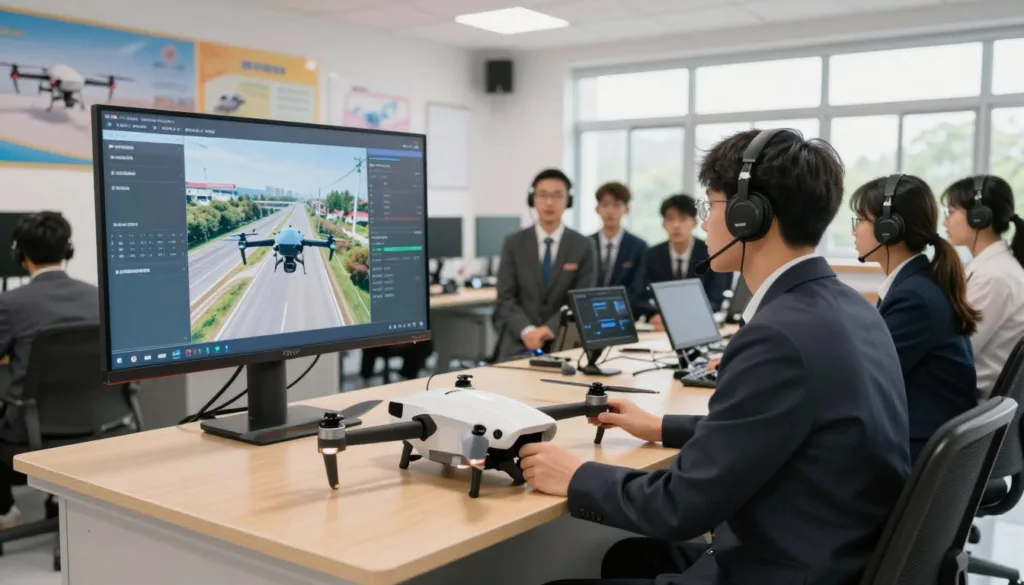
UAV skills are moving fast from niche to need. A dedicated drone simulator for vocational schools helps students build safe habits, sharp judgment, and real confidence before they ever power up a live aircraft. For programs under pressure to show outcomes, drone simulator training can turn practice time into measurable skill gains.
Many districts are adding a CTE drone program because employers want more than joystick talent. They want students who can read airspace rules, plan missions, troubleshoot systems, and think through risk. A well-built drone flight training lab supports that mix of hands-on practice and problem-solving in a way worksheets can’t.
This guide breaks down what to expect from UAV training software for schools, what features matter most, and how to set up workforce-ready drone training without wasting budget. You’ll see how platforms like SRIZFLY support realistic flight physics, customizable scenarios, and FAA-aligned preparation for Part 107.
You’ll also learn how immersive CTE simulation is scaling through tools like VictoryXR, which runs VR labs on Meta Quest or desktop and adds instructor tools, analytics, and AI tutors. Just as important, we’ll cover why dedicated spaces are starting to resemble modern public-safety simulation centers, with observation workflows and video capture that make coaching easier and performance easier to track.
Key Takeaways
- A dedicated drone simulator for vocational schools can improve safety, consistency, and skill growth.
- Drone simulator training builds both flight control and decision-making under pressure.
- A strong CTE drone program connects classroom learning to real job tasks and expectations.
- UAV training software for schools should support realistic scenarios and clear instructor oversight.
- A drone flight training lab can reduce wear on equipment while expanding student practice time.
- Workforce-ready drone training is easier to prove with analytics, repeatable drills, and FAA-focused content.
What a Dedicated Drone Simulator Means for CTE and Workforce Programs
A dedicated setup turns a CTE drone simulator into a steady routine, not a once-in-a-while activity. Students can practice takeoffs, turns, and landings in the same layout each day. That repeatable pace supports skill growth without depending on constant access to live aircraft.
For many programs, this approach also strengthens workforce drone training because instructors can run the same checks for every learner. Preflight habits, safety calls, and airspace awareness become part of the normal workflow. It’s easier to track progress when each flight starts from a known baseline.
How drone simulation technology fits into modern vocational education
In vocational education UAV courses, simulation supports hands-on learning while keeping schedules predictable. Learners can repeat a maneuver until it feels natural, then move up to harder scenarios. That structure fits how CTE programs already teach skills, from basics to advanced tasks.
A VR drone operation course can also match modern expectations for job-ready training. Lessons can follow a clear sequence, with rubrics and instructor checkpoints built into lab time. Tools from vendors like VictoryXR are often positioned around scaled instruction, with analytics and teaching aids that support consistent delivery.
Where UAV training is showing up in job markets like agriculture, logistics, and emergency services
Employers are using drones to speed up routine work and improve field decisions. In agriculture, that can mean crop scouting and mapping. In logistics, it can mean site checks and inventory support.
Emergency services also rely on UAVs for faster scene awareness and safer operations. Many public safety programs are investing in immersive simulation, including 3D virtual reality labs, to practice decisions under pressure. Those needs help shape drone career pathways that connect school labs to real-world roles.
| Industry | Common UAV tasks | Simulation focus in a dedicated lab | Workforce outcome |
|---|---|---|---|
| Agriculture | Field surveys, crop monitoring, mapping routes | Pattern flights, altitude control, camera angles, data capture habits | Consistent workflows for entry-level drone support roles |
| Logistics | Facility checks, yard scans, asset visibility | Precision navigation, obstacle management, repeatable checklists | Faster readiness for supervised operations and SOP compliance |
| Emergency services | Search support, scene overview, hazard awareness | Scenario judgment, communication cues, controlled flight under stress | Safer coordination skills for public safety and EMS environments |
Why immersive training tools build technical skills plus critical thinking and problem-solving
Immersive learning for CTE goes beyond “stick skills.” Simulations let students test choices, see outcomes, and try again without resetting a real aircraft. That repetition builds calm decision-making, not just smooth flying.
When a lesson is designed around scenarios, learners have to read the environment and solve problems in real time. They plan a route, adapt to changes, and explain why they made a call. Over time, that mix of practice and reflection supports stronger drone career pathways across CTE and workforce programs.
Dedicated drone simulator for vocational schools
A dedicated UAV lab helps a program run like a real flight shop: planned blocks of time, stable hardware, and the same setup for every class. It also makes it easier to track progress across units and keep skills checks fair. For many campuses, a drone simulator lab for schools becomes the “home base” that teachers and students can count on every day.
Dedicated vs. shared labs: why purpose-built simulation spaces improve consistency and access
Shared computer labs can work, but they often change week to week. Headsets move, controls get unplugged, and software updates hit right before class. In a purpose-built space, schedules stay predictable and the training station layout stays the same, which supports repeatable evaluation and simpler troubleshooting.
A strong template uses three core rooms: a UAS classroom for briefing and debrief, an unmanned flight sim computer room for practice, and secure drone storage for checks and maintenance. When space allows, control and observation areas plus video capture improve coaching because instructors can review the same moment with the whole group.
| Program need | Shared lab approach | Dedicated setup approach |
|---|---|---|
| Consistent daily access | Time competes with testing, typing labs, and other classes | Reserved blocks support steady drone operation training for students |
| Reliable configuration | Controls, cables, and settings vary by station | Standardized stations support repeatable skills checks |
| Instructional coaching | Limited viewing angles and fewer ways to review runs | Observation workflow and recorded replays strengthen feedback |
| Equipment security | Gear moves often and inventory is harder to manage | Dedicated storage and sign-out routines reduce loss and downtime |
From beginner to job-ready: building confidence before live flight time
Early learners tend to grip the controller too hard and rush inputs. A simulator slows the moment down. Students can repeat takeoffs, turns, and landings in a safe, controlled environment, then step up to wind, obstacles, and tighter mission rules.
This progression builds confidence before a real prop ever spins. It also lowers the fear of costly mistakes, which keeps practice time high and distractions low. With clear rubrics, the drone simulator lab for schools supports steady improvement without burning through airframes and parts.
Scaling from a single classroom to program-wide pathways and career exploration
Modern platforms scale in practical ways. Some modules run on Meta Quest, others on desktops, and many programs mix both to match budgets and room layouts. That flexibility supports scalable CTE simulation, whether the school starts with one cart or builds a full suite of stations.
Growth can follow two tracks: a full course model for credit-bearing instruction, and an experience model that adds short simulations inside another class. Career exploration VR can also help recruit and guide students by showing job-shadow style views of real worksites with narration and prompts that connect tasks to learning goals.
Once a model proves itself, it can expand into districtwide CTE pathways with shared standards and local choices for electives. Some districts report fast adoption after delivery, with students rostered and participating right away and interest building into a wait list for advanced seats.
Benefits of Drone Simulators in Vocational Training Programs
Drone simulators give CTE programs a steady way to teach flight skills, even when weather, space, or schedules limit outdoor time. With tools like SRIZFLY and VictoryXR-style VR labs, students can build habits that carry into live flights. This approach supports consistent coaching, clear skill checks, and practice that feels real.
Safety and risk mitigation with a controlled flight environment
In a school setting, drone simulator safety matters as much as lesson quality. A simulator creates a controlled space where learners can test stick control, orientation, and takeoff routines without the stress of damaging equipment or putting others at risk. That’s the core of risk-free drone training, and it helps students focus on good decisions.
Simulators can also model wind, rain, terrain, and obstacles, so students learn how conditions change performance. When the first outdoor flight happens, they already understand what “drift” feels like and how to correct it. Scenario-based UAV training lets instructors run the same situation again and again until safe reactions become automatic.
Cost-effectiveness by reducing reliance on physical drones and ongoing maintenance
Budgets stretch further when practice time is not tied to a large fleet of aircraft. With cost-effective UAV training, students can log more hours on virtual platforms while schools keep a smaller set of drones for checkout flights and capstone work. That balance supports planning across multiple classes and semesters.
More simulator time also helps reduce drone maintenance costs. Fewer hard landings, fewer broken props, and fewer emergency repairs mean less downtime and fewer surprise purchases. Instructors can also standardize practice sessions, which makes usage more predictable and easier to budget.
Enhanced learning through immersive, hands-on practice and scenario repetition
Immersive flight practice helps students learn by doing, not just watching. They can rehearse patterns, camera moves, and emergency steps until the sequence feels natural. That repetition supports better retention and more confident performance during skills checks.
Scenario-based UAV training also helps students connect classroom topics to real tasks, like operating near trees, power lines, or uneven ground. Learners can try, fail safely, and adjust without losing class time to resets in the field. Over time, risk-free drone training builds both precision and calm under pressure.
| Program Need | How a Simulator Supports It | What Students Practice | What the School Protects |
|---|---|---|---|
| Safer early skill building | Controlled flights emphasize drone simulator safety before outdoor sessions | Takeoffs, landings, yaw control, orientation recovery | Campus safety, student confidence, fewer incident reports |
| More training hours per week | Cost-effective UAV training runs on lab schedules, not weather windows | Repeatable drills, timed courses, precision hovering | Instructional time, lab consistency, fair access for all learners |
| Lower wear on equipment | Virtual reps help reduce drone maintenance costs by limiting crashes and rough handling | Emergency stops, return-to-home habits, smooth throttle control | Drone fleet uptime, repair budgets, spare parts inventory |
| Job-aligned performance under pressure | Immersive flight practice builds muscle memory with realistic conditions | Wind correction, obstacle avoidance, terrain awareness | Training quality, assessment reliability, program credibility |
| Realistic mission rehearsal | Scenario-based UAV training mirrors field tasks with clear goals and repeatable scoring | Route planning, visual scanning, controlled approaches | Field logistics, setup time, avoidable equipment loss |
Core Features to Look for in Drone Flight Training Software for Schools
Choosing drone flight training software for schools is easier when you focus on what students will do each day: practice, repeat, and improve. The best platforms feel familiar to teachers, run well on campus devices, and fit into CTE pacing without slowing the class down.
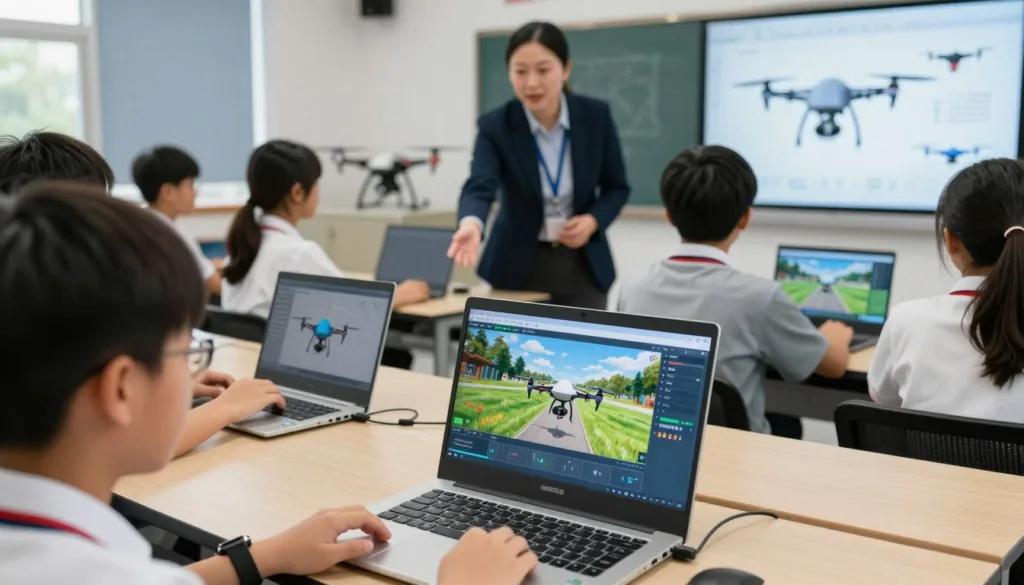
When you compare options, look for tools that support safe skill-building, clear lesson flow, and smooth lab management. That mix helps students stay focused while you keep the program consistent across periods and campuses.
Realistic flight simulations that mirror real-world conditions
A realistic drone simulator should capture the small details that affect control, like wind shifts, changing light, and different surfaces. Students learn faster when the sim responds the way a real aircraft does, especially during takeoff, turns, and landing.
Realism also means meaningful obstacles and environments, so learners can practice scanning, spacing, and recovery. That makes mistakes useful, not costly.
Customizable training scenarios to match course outcomes and industry needs
Customizable UAV scenarios let an instructor tie practice to a unit goal, like precision flying, inspection paths, or search patterns. With the right settings, you can adjust weather, terrain, and mission steps to match local workforce needs.
This flexibility supports pacing, too. One student can repeat a basic route while another moves into tighter spaces or longer missions, without changing the whole class plan.
FAA-aligned curriculum support for Part 107 preparation
Look for an FAA Part 107 curriculum that connects knowledge topics to what students see in the simulator. Airspace, weather risk, and crew communication make more sense when they show up during practice, not just in a slide deck.
Strong curriculum support also keeps safety and compliance in view during every exercise. That way, students build smart habits while they build stick skills.
Instructor tools, analytics, and built-in support resources for educators
Daily teaching is easier with instructor analytics drone training that shows who is improving, who is stuck, and what skill needs a reteach. Time-on-task, error patterns, and completion data help you grade fairly and coach with facts.
An educator support drone simulator should also include hands-on onboarding, quick troubleshooting, and updated resources like webinars and clear documentation. These supports matter most when devices update, new teachers join, or the program expands.
| Feature to Evaluate | What to Look For in Class | Why It Helps Students | Why It Helps Educators |
|---|---|---|---|
| Realistic drone simulator fidelity | Weather effects, varied terrain, obstacles, stable frame rates | Practice feels true to flight, so skills transfer more smoothly | Fewer “that’s not how it works” moments during instruction |
| Customizable UAV scenarios | Editable missions, adjustable difficulty, repeatable skill drills | Clear progression from basic control to applied missions | Aligns sim time with course outcomes and local job skills |
| FAA Part 107 curriculum support | Structured lessons, regulation and safety tie-ins, knowledge checks | Builds test readiness alongside safe decision-making | Saves prep time and keeps instruction consistent across sections |
| Instructor analytics drone training | Skill scores, attempt history, common error flags, simple dashboards | Faster feedback and targeted practice, not guesswork | Supports grading, intervention, and reporting for program goals |
| Educator support drone simulator services | Training sessions, ongoing help, documentation, compatibility guidance | More active lab time, fewer stalled classes | Improves adoption, reduces downtime, and supports scaling |
Designing a Drone Training Curriculum for Vocational Schools
A strong drone curriculum vocational school plan works best when it feels like real work, not a one-off lesson. Students should move from simulator basics to measured field skills, with clear checklists, safety habits, and repeatable practice.
To keep pacing steady, many programs pair a full course framework with targeted simulations. SRIZFLY is often used to support FAA-aligned lessons and flexible scenarios, while VictoryXR can fit as either a complete Course or a shorter Experience that strengthens an existing pathway.
Integrating STEM concepts like aerodynamics, programming, and data analysis
In STEM drone education, the goal is to connect classroom concepts to what the aircraft does in the air. Lessons on aerodynamics and drones land faster when students can test lift, drag, and battery limits in a sim, then explain what changed and why.
Programming can be taught through simple mission logic: waypoints, geofencing, and fail-safes. Then students can practice mapping and UAV data analysis by cleaning flight logs, comparing overlaps, and spotting errors that would break a model.
- Flight physics: predict how wind and payload affect control, then verify in simulation.
- Mission planning: build a route, set altitude, and confirm return-to-home behavior.
- Data checks: review images and telemetry for gaps, blur, and poor coverage.
Preparing students for FAA Part 107 Remote Pilot knowledge requirements
Employers like candidates who can speak the language of compliance and risk. A structured FAA Part 107 prep course can be built into the semester as short weekly blocks, with quizzes that match real knowledge areas like airspace, weather, loading, and radio procedures.
It also helps to tie test topics to what students see in the sim. When a scenario forces a reroute near controlled airspace or a weather shift changes handling, the rules feel practical instead of abstract.
| Part 107 focus | Skill students practice | Classroom artifact |
|---|---|---|
| Airspace and authorization | Identify where a flight is allowed and what limits apply | Printed airspace notes with a go/no-go decision and rationale |
| Weather and performance | Adjust plans based on wind, visibility, and cloud clearance | Short weather brief plus a revised mission plan |
| Operations and safety | Use checklists, manage crew roles, and document incidents | Preflight checklist and postflight log with corrective actions |
Teaching industrial drone applications such as mapping, logistics, and agricultural monitoring
Students stay engaged when they see how industrial drone applications show up in local hiring. Curriculum projects can mirror work in agriculture, logistics, and emergency services without needing complex gear on day one.
Start with mapping and UAV data analysis for a campus or training site, then add a logistics run that tests time, route choice, and safe landing zones. For agricultural drone monitoring, students can plan a grid mission, note plant stress patterns in images, and explain what follow-up data would be needed before action.
- Mapping: consistent altitude, overlap targets, and clean deliverables.
- Logistics: site surveys, hazard notes, and repeatable drop or inspection paths.
- Agricultural drone monitoring: basic scouting reports tied to weather, soil, and season timing.
Building a Dedicated Simulation Facility and Drone Lab Setup
Good training depends on a space that feels calm, repeatable, and easy to run. Strong drone simulator lab design keeps students focused on skills, not on workarounds. It also helps instructors keep each class on the same standards, even when schedules get tight.
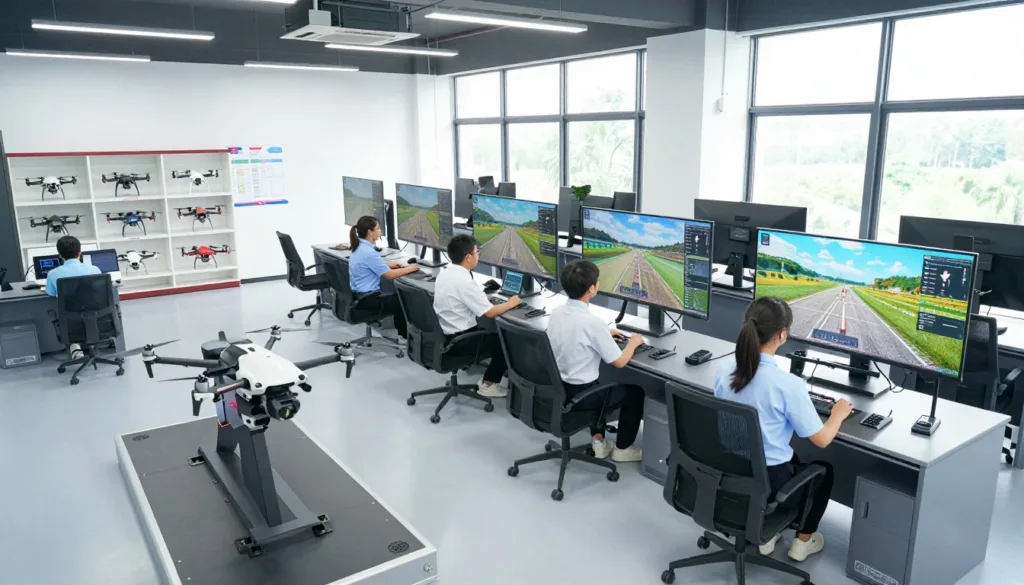
Recommended spaces: UAS classroom, unmanned flight sim computer room, and drone storage
Start with a UAS classroom setup for short lessons, safety briefings, regulations, mission planning, and debriefs. This is where students learn to think like remote pilots before they touch a controller. Clear sightlines, a briefing screen, and checklists help the room run like a real operation.
An unmanned flight sim computer room should be close by, with standardized PCs, headsets if used, and the same control layout at each station. That consistency makes skills checks fair and keeps troubleshooting simple. It also supports repeat practice, which is where judgment and muscle memory grow.
For live-flight phases, a dedicated drone storage room reduces losses and battery mistakes. Use labeled shelves for aircraft, props, tools, and spares, plus a safe spot for charging and transport cases. Simple inventory routines keep the program moving between classes.
Supporting areas: robotic workshop/maker space and computer/server room for reliable performance
If the program blends drones with automation, add a maker space robotics workshop next to a hands-on demo area. Students can build mounts, test sensors, and practice basic repairs without tying up the simulator stations. That mix supports cross-training in robotics, fabrication, and field-ready troubleshooting.
Reliable sims also need reliable infrastructure. A small computer server room can support updates, user logins, file storage, and stable network performance for VR or multi-station scenarios. When systems run smoothly, instructors spend more time coaching and less time rebooting.
Staffing and instruction: dedicated UAV faculty offices and observation/control workflow concepts
Dedicated UAV faculty offices help the program feel owned and consistent. Students know where to find mentoring on checkrides, logbooks, and Part 107 study habits. It also supports quiet space for grading, scheduling, and equipment sign-outs.
For higher-level evaluation, a simulation control room can improve how training gets observed and scored. Many public-safety simulation centers use centralized observation, recording, and playback to review decisions under stress. That same idea works here: capture video, track inputs, and replay key moments for coaching.
| Space | Main purpose | What to include for smooth daily use |
|---|---|---|
| UAS classroom setup | Briefings, rules, mission planning, and debriefs | Printed checklists, briefing display, whiteboard flow for preflight-to-postflight |
| Unmanned flight sim computer room | Standardized practice, scenario repetition, and skills assessments | Matched controllers, identical PC images, headset storage, clear station numbering |
| Drone storage room | Secure gear handling, battery management, and inventory control | Labeled shelving, lockable cabinets, charging zone rules, inspection log sheets |
| Maker space robotics workshop | Builds, repairs, prototyping, and integration projects | Hand tools, soldering area, safety gear, parts bins for fast access |
| Simulation control room | Observation, recording, playback, and instructor coordination | Monitoring screens, audio control, scoring rubrics, secure file storage for sessions |
Indoor and outdoor training options like screened pavilions and exterior flight training sites
Indoor practice can expand with a screened pavilion that supports protected, semi-controlled work. It’s useful for basic maneuvers, spot landing drills, and wind-limited exercises. The goal is steady repetition without the pressure of a wide-open field.
Once simulator benchmarks are met, move to an exterior flight training site for real operations and scenario work. This space should support safe launch zones, clear boundaries, and realistic mission layouts. With the right flow between sim and field, students build confidence without rushing the risk.
Implementation Best Practices for Schools and Districts
Rolling out a new lab works best when the goal is clear. Before you implement drone simulator in schools, define what success looks like: career exploration, Part 107 readiness, or direct workforce placement. Then compare tools for simulation realism, lesson support, device fit, and reporting.
Keep the plan grounded in CTE pathway alignment. Match the simulator units to existing course pacing, safety rules, grading habits, and the hardware you already manage. This reduces schedule friction and helps students move through a pathway without gaps.
Assess goals first, then match the software
Start with a quick needs scan across classes, counselors, and local employers. Ask what students should do in week 3, week 9, and by the end of the term. Use those checkpoints to choose features that matter, not just flashy maps.
| Planning focus | What to confirm in the software | What to confirm in the program |
|---|---|---|
| Instructional outcomes | Flight physics, weather effects, and repeatable drills for skill building | Where simulator time fits into the scope and sequence and grading |
| Curriculum support | Built-in lessons, assessments, and progress tracking for instructors | How it supports Part 107 knowledge topics and lab safety routines |
| Device and access | Runs on desktop or VR options like Meta Quest, with stable performance | Student rostering, login flow, and lab scheduling for equitable access |
| Customization depth | Scenario editor, adjustable difficulty, and measurable objectives per mission | How scenarios map to local courses, credentials, and internship expectations |
Pilot, refine, and then expand access
A controlled start is the fastest way to avoid surprises. Plan to pilot test drone training software with one class, one instructor team, and a short checklist for setup, student onboarding, and troubleshooting.
After the pilot, expand in steps: more periods, then more sites. Districts that want to scale VR labs districtwide often standardize device settings, rostering, and lab procedures so the experience stays consistent from campus to campus.
Train educators for consistent instruction
Strong educator training for drone simulators keeps the lab from depending on a single “tech expert.” Build a simple training loop: an onboarding session, practice time, and follow-up support for common issues like controllers, updates, and student pacing.
Mix short webinars, quick-reference guides, and a shared folder of lesson plans. Add a monthly check-in so teachers can compare what’s working and keep scoring and safety expectations aligned.
Plan scenarios around real hiring demand
Students stay engaged when missions feel like real work. Use customizable UAV scenarios workforce needs to reflect what employers ask for in your region, such as crop scouting in agriculture, route planning in logistics, or scene awareness for emergency services.
Partnerships help here. Local drone service firms, public safety teams, and city or county agencies can review scenario goals and point out the skills they screen for, like preflight checks, airspace decisions, and clear communication.
Conclusion
A dedicated drone simulator for vocational schools is more than a new tool. It is a practical way to bring hands-on flight skills into CTE without the risks of early live flights. Strong drone simulator training programs let students practice takeoffs, landings, and emergencies until the basics feel natural.
That practice connects to real work. Drones now support logistics, agriculture, and emergency management, and students need both skill and judgment to fit in. With FAA Part 107 preparation built into lessons, learners can study rules, airspace, and safety while they build confidence in the simulator.
Schools also get better results when tech and space work together. VR CTE training can run on headsets or desktops, but it still needs a reliable setup and clear routines. A smart drone lab investment pairs realistic software, customization, and instructor analytics with a UAS classroom, a sim computer room, secure storage, a maker space, a server room, faculty offices, and observation and control workflows.
The best part is how easy it is to grow. Programs can start in one classroom and expand into district pathways that support career exploration and job-shadow style experiences. That steady scale-up is what turns interest into workforce-ready UAV education.
FAQ
What is a dedicated drone simulator in a U.S. CTE or workforce training program?
A dedicated drone simulator is a structured, repeatable training setup that lets students build UAV piloting skills without needing constant access to live aircraft. It supports hands-on learning, consistent skills progression, and safer practice for beginners while reinforcing employability goals in evolving job markets.
Why are vocational schools and workforce programs adding UAV (drone) training now?
Employers increasingly expect job-ready technical competence, safe operating habits, and strong decision-making. Schools are adding UAV training to develop hands-on skills, critical thinking, and problem-solving that align with real hiring needs in industries like agriculture, logistics, and emergency services.
How does drone simulation technology fit into modern vocational education?
Simulation supports practical training with clear benchmarks and repeatable scenarios. It also strengthens classroom instruction by letting learners practice mission planning, situational awareness, and risk management before moving into live-flight labs or work-based learning placements.
Which job markets are actively using drones and creating demand for trained pilots?
Demand is rising in agriculture for monitoring and field workflows, in logistics for inspection and operational support, and in emergency services for time-sensitive response work. These fields value safe operations, documentation, and consistent performance under pressure.
Do immersive simulators teach more than “stick skills”?
Yes. Scenario-based training pushes students to read conditions, make judgment calls, and solve problems in real time. Repetition helps learners reflect, improve decisions, and build confidence—skills that transfer to many CTE pathways, including public safety training.
How do dedicated labs compare to shared computer labs for drone simulation?
Dedicated spaces offer predictable scheduling, consistent simulator configurations, and repeatable evaluation. When paired with control/observation workflows and video capture, instructors can review performance, coach effectively, and document progress for skills assessments.
How do simulators help students progress from beginner to job-ready before live flight?
Students can learn flight dynamics in a safe, controlled environment and practice procedures until they hit clear performance targets. That reduces fear of costly mistakes and lowers crash risk, so learners arrive at live-flight time with stronger competence and safer habits.
Can drone training scale from one classroom to districtwide CTE pathways?
Yes. Platforms such as VictoryXR can deploy on Meta Quest or desktop and scale from a single classroom to districtwide pathways and apprenticeships. Programs can choose a full “Course” model or add an “Experience” that enhances an existing course.
How can VR job-shadow experiences support recruiting into drone and robotics pathways?
VictoryXR offers 360° career job shadows that place students in real workplaces with narration, interactive prompts, and career-aligned learning objectives. This helps learners connect drone skills to real roles and can boost enrollment by making pathways feel concrete and attainable.
What are the biggest safety benefits of drone simulators in school settings?
Simulators let students practice without real-world crash risk while they learn controls, procedures, and safety rules. That reduces accidents, protects equipment, and builds a safety-first mindset before students transition to outdoor flight operations.
How do drone simulators improve program budgets and sustainability?
They reduce reliance on large drone fleets and lower ongoing maintenance and repair costs. Schools can allocate resources more efficiently while still delivering high-quality practice time across more students.
What makes learning stronger in a simulator than occasional live flight time?
Simulators allow repetition, fast resets, and targeted practice under different conditions. Students can experiment, learn from mistakes, and retain skills better because training time is consistent and not limited by weather, scheduling, or equipment availability.
What should schools look for in realistic drone simulation software?
Prioritize simulation quality that mirrors real-world flight. SRIZFLY-style realism includes varied weather conditions, terrain types, and obstacles, which helps students gain confidence before flying outdoors and supports more credible skills assessments.
Why do customizable scenarios matter in drone flight training software for schools?
Custom scenarios let educators align training with course outcomes and local workforce demand. Programs can build modules for agriculture workflows, logistics missions, or emergency services response scenarios so students practice skills employers actually value.
How does FAA alignment support student employability?
FAA-aligned curriculum support helps students prepare for Part 107 certification while reinforcing regulations, airspace awareness, and safety standards. Part 107 readiness is a clear milestone that can improve job placement outcomes in professional UAV work.
What instructor tools and analytics are most useful for CTE programs?
Look for instructor tools that streamline classroom management, plus analytics that show learner progress and skill gaps. VictoryXR emphasizes instructor tools, analytics, and AI tutors, which supports consistent teaching at scale across multiple sections or sites.
What types of vendor support help schools adopt drone simulation successfully?
Strong support often includes interactive training sessions, ongoing troubleshooting assistance, and continuing resources such as webinars and documentation. These supports improve teacher confidence, reduce downtime, and keep instruction consistent across the program.
How should drone curriculum connect to STEM learning outcomes?
Strong UAV programs tie flight training to aerodynamics, programming, and data analysis through project-based learning. This approach builds technical competence and critical thinking, especially when students analyze mission data, troubleshoot issues, and refine workflows.
What should Part 107 preparation look like inside a vocational program?
It should follow structured lessons aligned to FAA Part 107 Remote Pilot knowledge requirements, paired with scenario practice that reinforces safety and decision-making. This mix helps students learn rules and apply them in realistic mission contexts.
Which industrial drone applications should schools teach for workforce relevance?
Focus on real use cases such as mapping, logistics workflows, and agricultural monitoring. These applications connect directly to growing employer demand and give students language and skills that translate into internships, apprenticeships, and entry-level roles.
What spaces are recommended for a dedicated drone simulator lab setup?
A strong foundation includes a UAS Classroom for instruction, safety briefings, regulations, mission planning, and debriefs. Add an Unmanned Flight Sim Computer Room for standardized simulator access and assessments, plus Drone Storage for secure equipment handling, batteries, and inventory control.
What supporting areas improve performance and allow a program to expand over time?
A Robotic Workshop/Maker Space supports hands-on builds, testing, and integration with robotics certificates. A Computer Server Room helps maintain reliable performance and consistent deployment for simulation and VR systems.
Why do staffing and observation workflows matter in a simulation-based UAV program?
Dedicated UAV Faculty Offices support consistent instruction and mentoring. Control rooms, dedicated control and observation spaces, and video simulation capture systems help instructors watch, record, and review training for better coaching and repeatable evaluation.
How does public-safety simulation design connect to drone training labs?
Public-safety facilities often centralize observation and data capture because performance review improves outcomes in high-stakes scenarios. The same logic applies to UAV training, where recorded sessions and instructor oversight support safer habits and stronger decision-making.
What indoor and outdoor training options work well alongside simulators?
An Exterior Flight Simulation Screened Pavilion supports protected, semi-controlled practice. An Exterior Flight Training Site is the next step for real-world flight operations and scenario work once students meet simulator benchmarks.
How should schools choose drone flight training software that fits existing CTE pathways?
Start with an outcomes-based needs assessment tied to career exploration, certification readiness, and workforce placement. Then evaluate simulation quality, curriculum support, customization options, and compatibility with current instructional tools to minimize disruption.
What is a practical “pilot then scale” approach for adoption?
Run pilot testing to troubleshoot and refine instruction before expanding access. Many programs follow an implementation guide, collaborate with vendor representatives for setup, and then scale from one lab to multiple classrooms or districtwide rollouts.
How quickly can immersive CTE platforms launch in real classrooms?
Some districts report fast ramp-up—one CTE leader said that within one day of delivery, students were rostered and participating, and the experiences created a wait list. That kind of adoption speed can help programs prove demand before expanding.
How should schools plan customization so training matches local workforce needs?
Map simulator scenarios to regional employer demand and student skill levels. Use modules focused on agriculture, logistics, and emergency services so students build relevant competencies and instructors can measure progress against clear workplace expectations.
What partnerships can strengthen a drone training pathway?
Educational partnerships with local drone companies and government agencies can add real-world applications, current market trends, and clearer hiring expectations. These collaborations also support work-based learning opportunities and stronger alignment with workforce outcomes.

